Risk enrichment, breached passwords & CAPTCHA
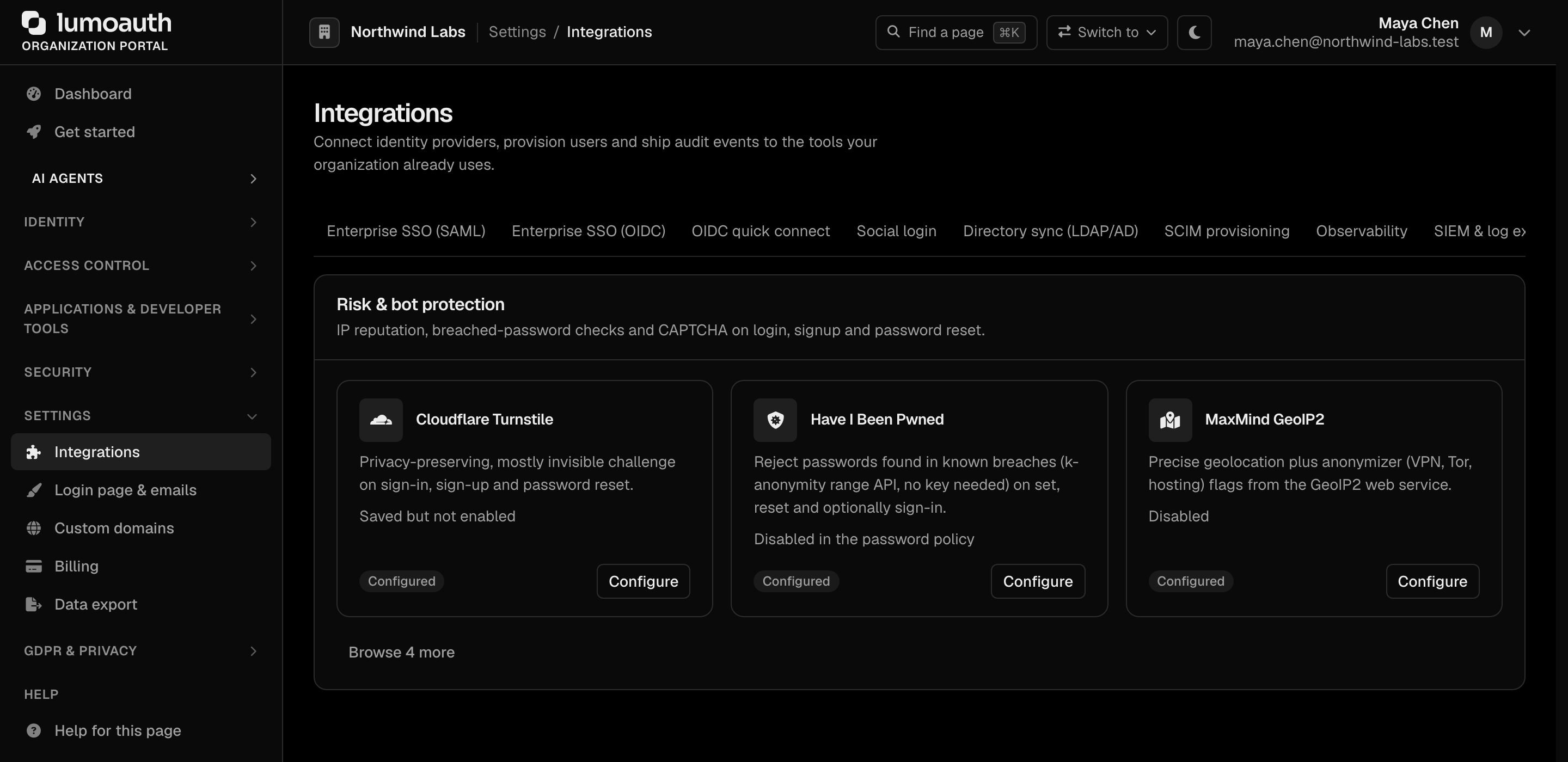
The Risk & bot protection section of Integrations adds three layers of defence to the
authentication flows. Everything here is configured per organization in the portal
(/orgs/{orgId}/portal/integrations); secrets are encrypted at rest.
| Layer | What it does | Where it applies |
|---|---|---|
| IP intelligence | Geolocation + proxy / VPN / Tor / hosting flags + abuse score for the sign-in IP | Adaptive authentication risk score |
| Breached passwords | Rejects passwords found in known breaches (Have I Been Pwned) | Registration, reset, forced change, optionally sign-in |
| CAPTCHA | Human verification before credentials are processed | Sign-in, registration, forgot password, magic link |
IP intelligence providers
Portal: Integrations → Risk & bot protection, then Configure on the MaxMind GeoIP2, IPQualityScore or AbuseIPDB card. The IP intelligence page (/orgs/{orgId}/portal/integrations/ip-intelligence) lists the configured providers and, under Add a provider, the ones you can add.
Requires the settings.manage permission.
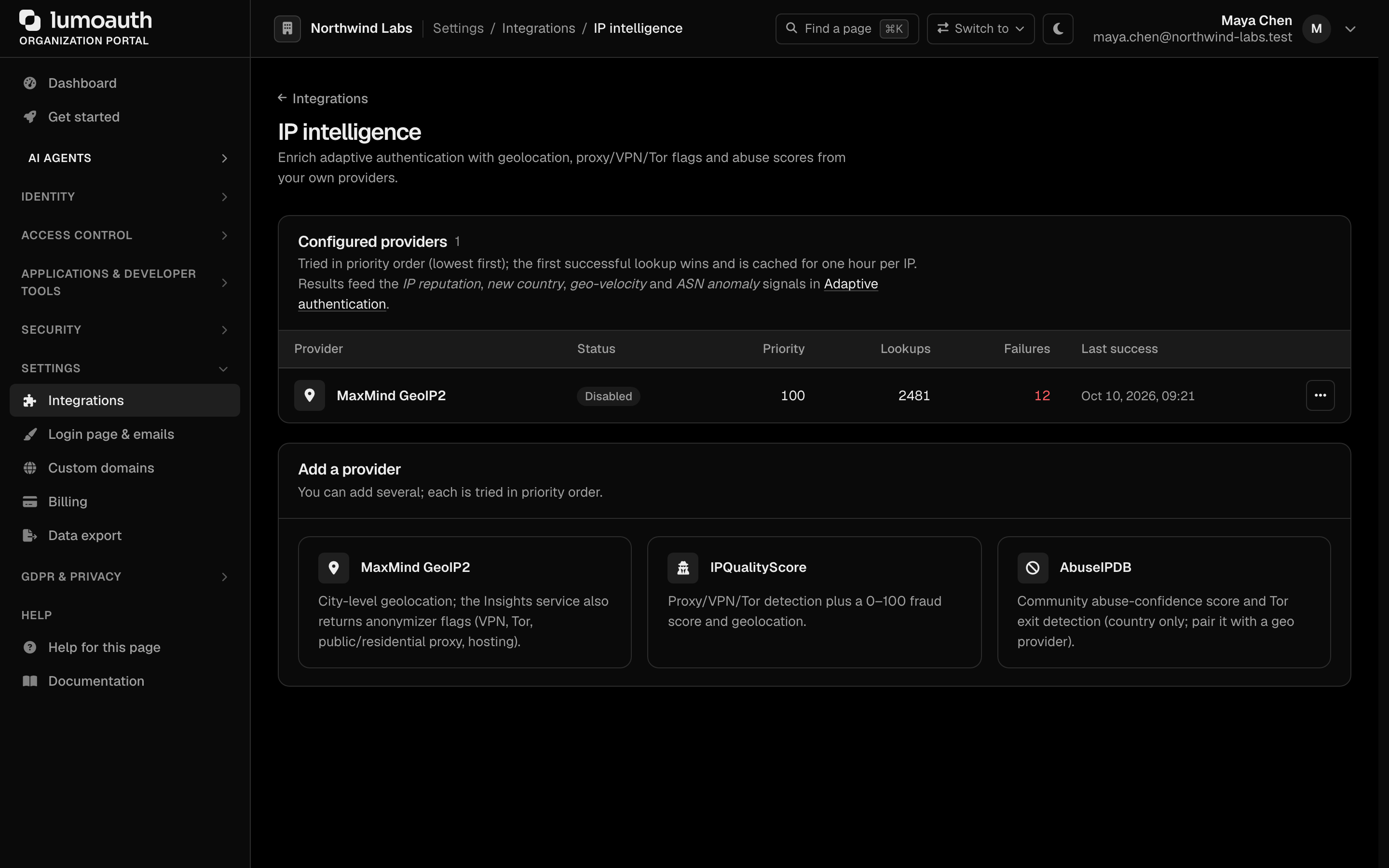
| Provider | Credentials | Returns |
|---|---|---|
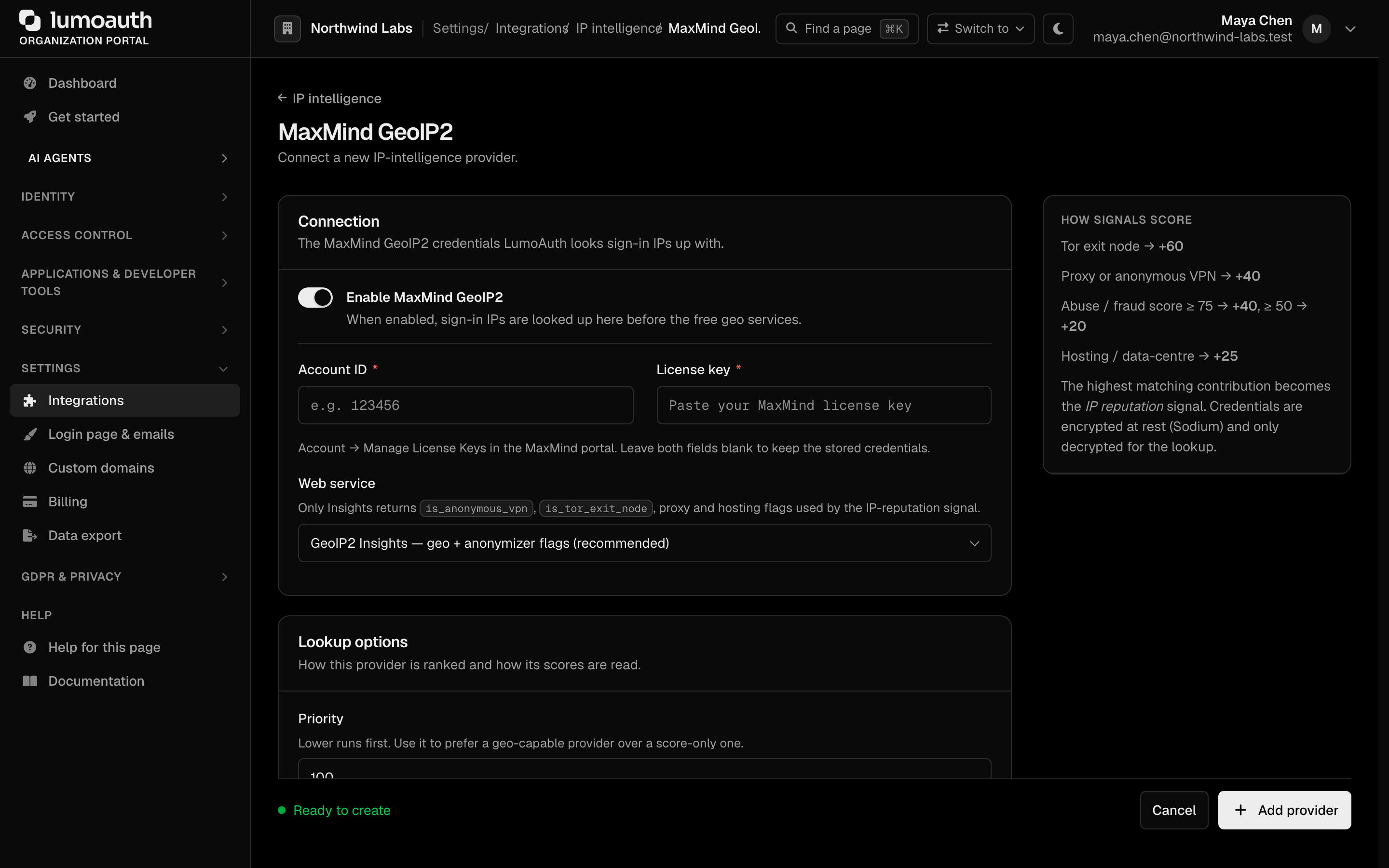
| MaxMind GeoIP2 | Account ID + license key; choose the Insights (recommended) or City web service | City-level geo, ISP/ASN; Insights adds is_anonymous_vpn, is_tor_exit_node, public/residential proxy and hosting flags |
| IPQualityScore | Private API key; optional strictness 0–3 | Geo, ISP/ASN, proxy/VPN/Tor flags, 0–100 fraud score |
| AbuseIPDB | API v2 key; report window in days | Country, ISP, Tor flag, hosting usage type, 0–100 abuse-confidence score |
You can add several providers. They are tried in priority order (lowest first) and the first successful answer wins; a successful result is cached for one hour per IP and organization. Each row shows lookup/failure counters and the last error, and a saved provider's page has a Test with a sample IP button that runs an uncached lookup.
Managed IP reputation (Fraud Shield)
Organizations on a plan that includes Fraud Shield do not need a provider account of their own: LumoAuth looks up every sign-in IP through its own MaxMind account. The IP intelligence page shows a Managed IP reputation panel with the service in use (GeoIP Insights by default, which includes the VPN / proxy / Tor / hosting flags) and a Test lookup button. Organizations that are not entitled see the panel with an upgrade link and continue to use the free geo lookups or their own providers.
The Block Tor exit nodes and Block datacenter and VPN ranges switches under Network guard on the Adaptive security page rely on these provider
flags: with your own provider or the managed feed enabled, a Tor exit node (block_tor) or a
VPN, proxy or hosting IP (block_vpn) is refused before any risk scoring and raises a high
security alert. Without either, the toggles cannot be relied on: no provider lookup is made for
them and the free geo services report no Tor flag. See Adaptive MFA (multi-factor authentication).
Resolution order for a lookup is always: your own enabled providers (priority order) → the managed feed → the free geo services. Adding your own MaxMind, IPQualityScore or AbuseIPDB integration therefore takes precedence over the managed feed.
How the signals score
When a provider answers, RiskAssessmentService treats its signals as authoritative for the
IP reputation signal (the highest matching contribution is used):
| Signal | Contribution |
|---|---|
| Tor exit node | +60 |
| Proxy or anonymous VPN | +40 |
| Abuse / fraud score ≥ 75 | +40 |
| Hosting / data-centre | +25 |
| Abuse / fraud score ≥ 50 | +20 |
| Clean per provider, IP never seen | +10 |
Geo-capable providers (MaxMind, IPQualityScore) also replace the free geo lookups for the new country, geo-velocity and ASN anomaly signals. A signal-only provider (AbuseIPDB) enriches the free geo result instead; pair it with a geo provider for the best coverage. Without any provider the existing behaviour (free geo services + static heuristics) is unchanged.
Breached passwords (Have I Been Pwned)
Passwords are checked against the Pwned Passwords
range API using k-anonymity: only the first five characters of the SHA-1 hash are sent
(GET https://api.pwnedpasswords.com/range/{prefix} with Add-Padding: true); the match is done
locally. No API key is needed, the password and its hash are never logged, and the call times out
after 2 seconds.
Per-organization policy (Security → Sign-in settings → Auth lifecycle; the Configure button on the Have I Been Pwned card of the Integrations page opens it):
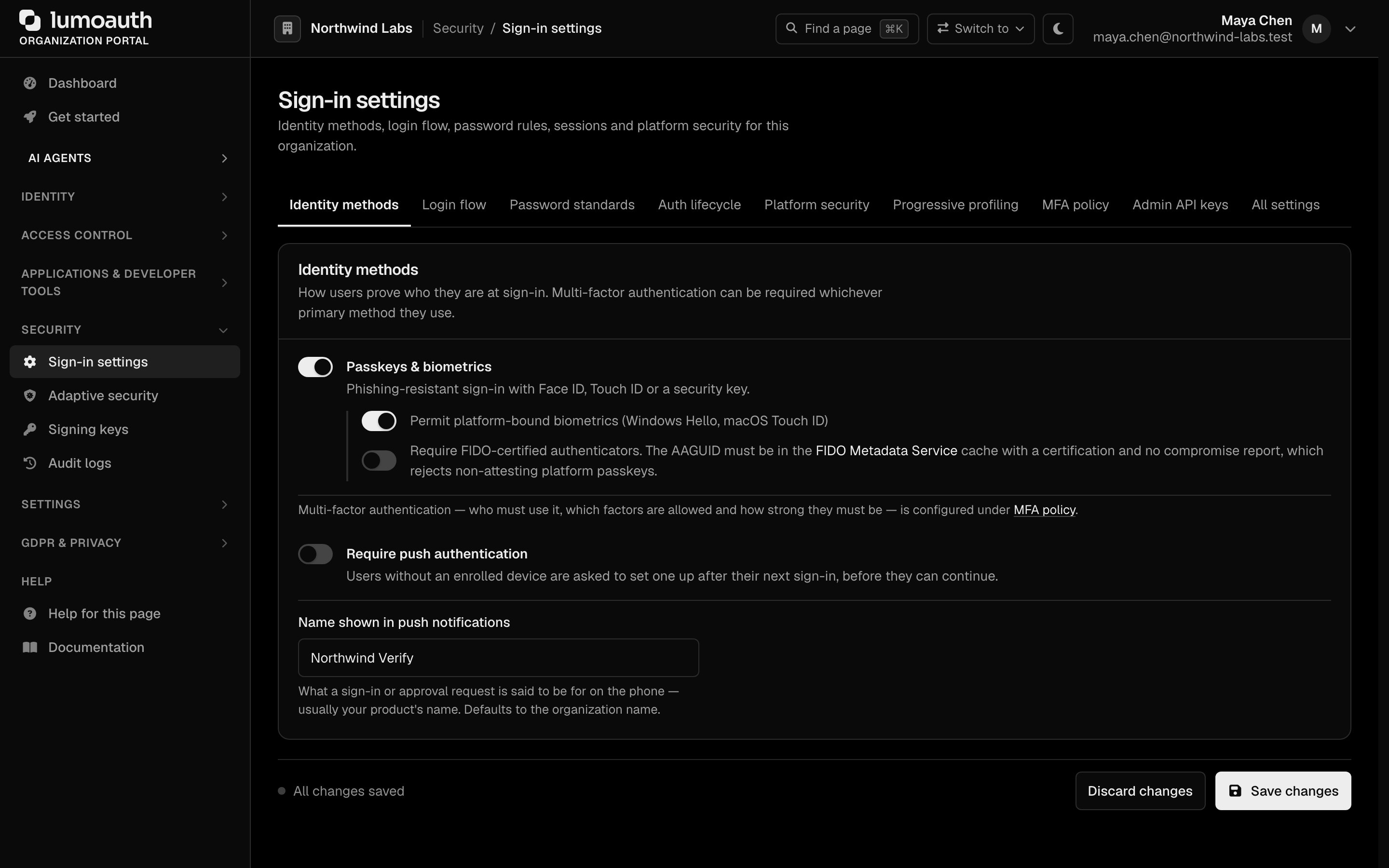
| Setting | Default | Effect |
|---|---|---|
| Reject passwords found in known breaches | on | Applied on registration, password reset and forced change. The user sees “This password has appeared in a known data breach … Please choose a different password”. |
| Minimum breach count | 1 | A password counts as breached once it appears at least this many times. |
| Also check at sign-in | off | See below. |
If the service is unreachable the password is accepted (fail open) and an audit entry
password.breach_check_unavailable is written.
Checking at sign-in
The plaintext password only exists during form login, so the login-time check is implemented as a
CheckPassportEvent listener (App\EventListener\BreachedPasswordLoginListener): it captures the
password just before Symfony verifies it, runs the range lookup only after the credentials were
accepted, and then
- adds the
breached_passwordsignal (+25) to the adaptive-authentication risk score, - flags the account with must change password so the next navigation lands on
/force-password-change, - writes a
password.breached_at_loginaudit entry.
Social, passkey and magic-link logins never carry a password and are not affected.
CAPTCHA
Portal: Integrations → Risk & bot protection, then Configure on the Cloudflare Turnstile, hCaptcha or reCAPTCHA Enterprise card. This opens the CAPTCHA & bot protection page (/orgs/{orgId}/portal/integrations/captcha). One provider per
organization.

| Provider | Keys | Verification endpoint |
|---|---|---|
| Cloudflare Turnstile | Site key + secret | https://challenges.cloudflare.com/turnstile/v0/siteverify |
| hCaptcha | Site key + secret | https://api.hcaptcha.com/siteverify |
| reCAPTCHA Enterprise | Score-based site key, Google Cloud API key, project id, minimum score | https://recaptchaenterprise.googleapis.com/v1/projects/{project}/assessments |
Placements decide where the widget renders and where a token is required:
- Sign-in — the password step (verified in the authentication pipeline before the user is
loaded or the password is hashed), the email-first account check, the push-approval completion,
and the hosted OAuth login endpoints
POST …/oauth/login/submitandPOST …/oauth/login/json(400 captcha_requiredfor JSON callers; send the token ascaptcha_token). - Registration — organization self-service sign-up (
/orgs/{orgId}/register). - Forgot password — the reset-link request.
- Magic link — the magic-link request form.
Passkey sign-in (WebAuthn, the browser standard behind passkeys) is never challenged.
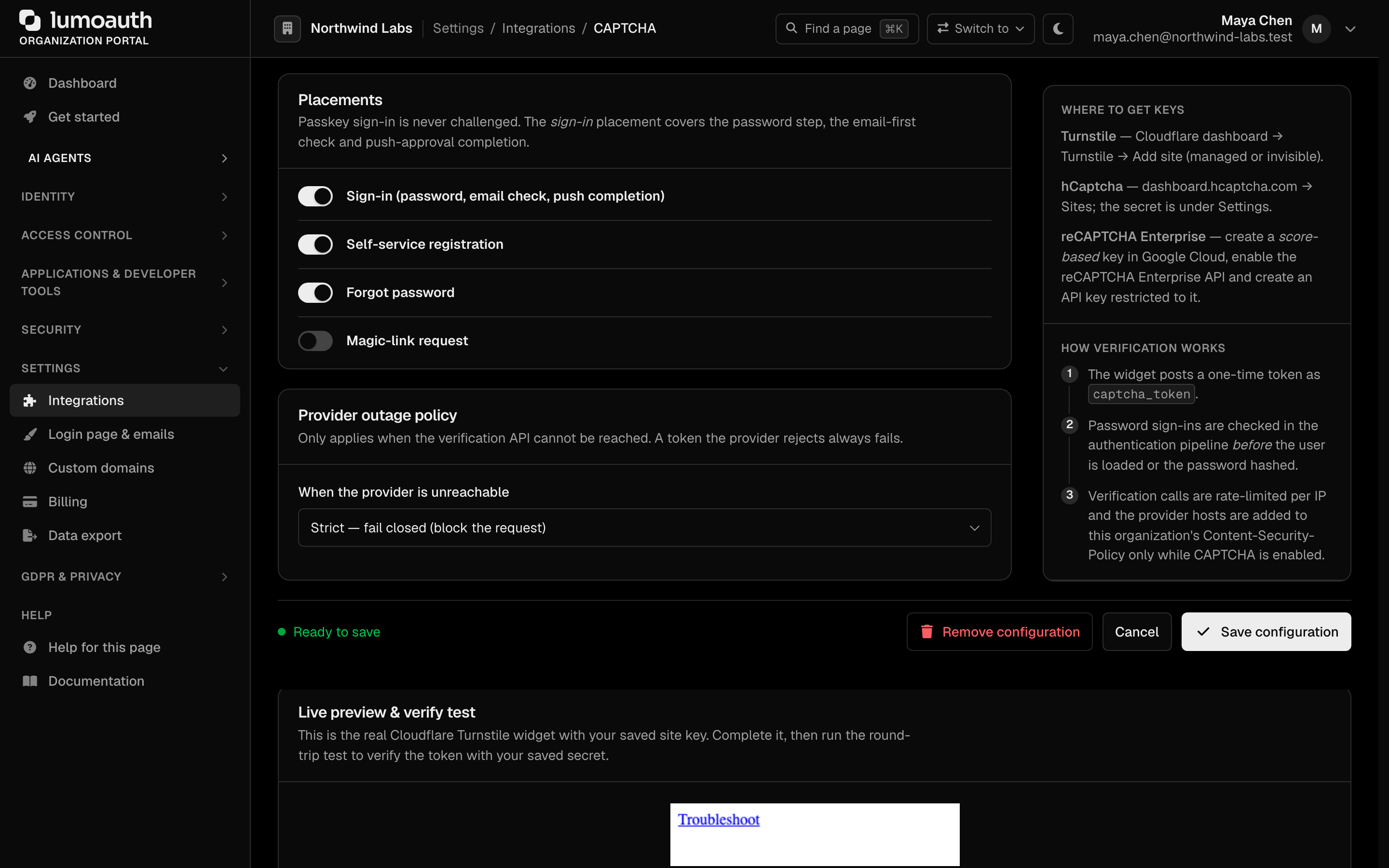
Provider outage policy (When the provider is unreachable): Strict — fail closed (block the request), the default, refuses the request when the provider cannot be reached; Lenient — fail open and write an audit entry
lets the request through and writes a captcha.bypassed audit entry. A token the provider rejects
always fails, in both modes. Verification calls are rate-limited per client IP
(30 per minute).
Under Live preview & verify test, the configuration page renders the live widget with the saved site key and offers a Verify test token round-trip against the saved secret, so you can validate keys before enabling the placements.
Front-end contract
The partial templates/auth/_captcha.html.twig renders the provider widget and a hidden
captcha_token field (provider-native field names are accepted as a fallback). The provider script
is loaded from its official host with the page's CSP nonce; the provider's frame/connect hosts are
added to the organization's Content-Security-Policy only while CAPTCHA is enabled. The widget is
rendered lazily when its step becomes visible, so keyboard focus and autofocus on the email or
password field are unaffected.
Audit events
| Event | When |
|---|---|
risk_provider.created / updated / toggled / deleted | Portal changes |
password.breach_check_unavailable | HIBP unreachable while setting a password (fail open) |
password.breached_at_login | Sign-in with a breached password (policy also check at sign-in) |
captcha.created / updated / deleted | Portal changes |
captcha.login_rejected | Sign-in blocked by a failed CAPTCHA before credential check |
captcha.bypassed | Provider outage let a request through in lenient mode |