Device posture (EDR / MDM)
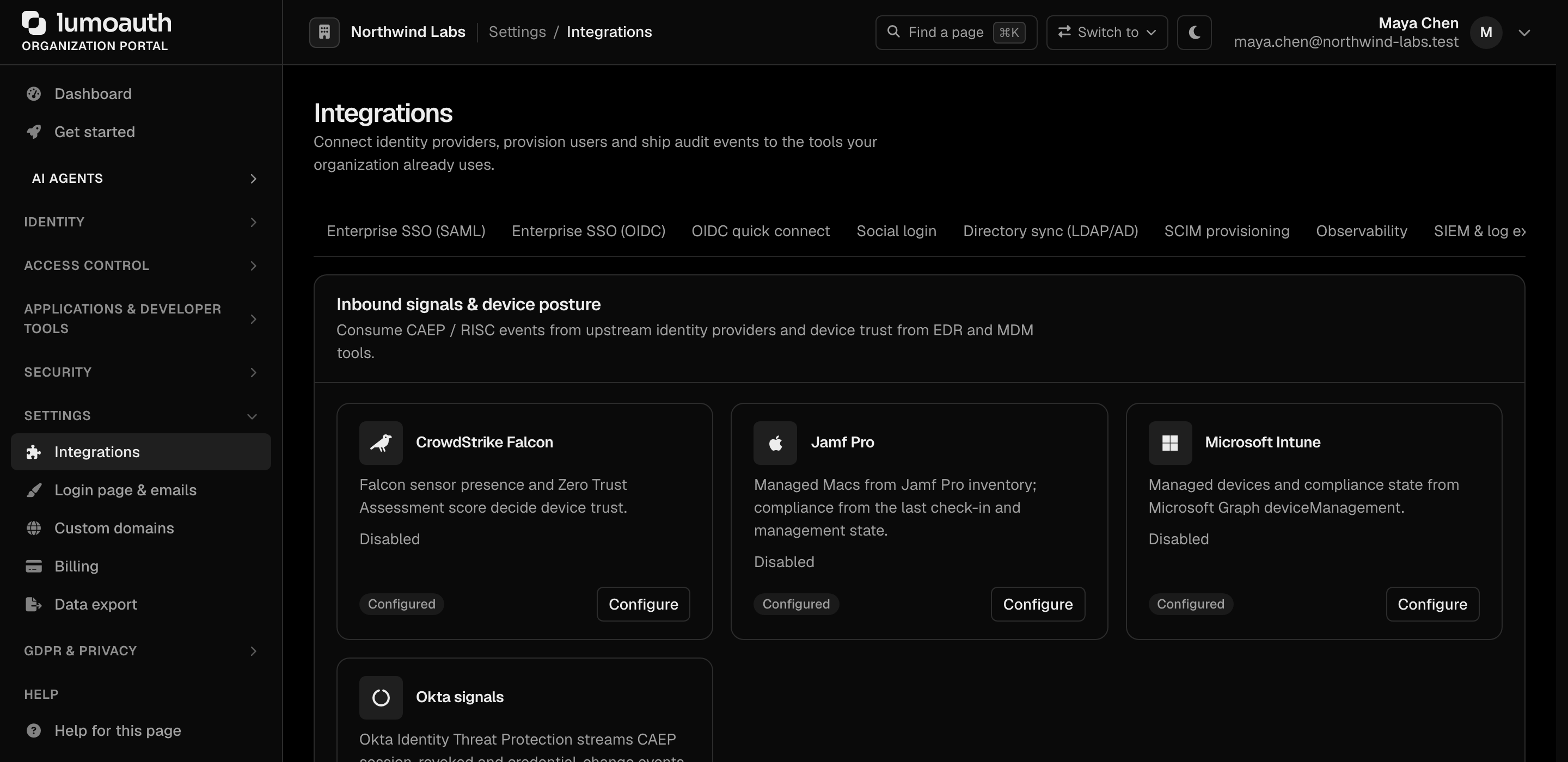
LumoAuth can ask your endpoint security (EDR) or device management (MDM) tool whether the
device a user is working from is known, trusted and compliant, and
expose the answer to authorization policies. Configure it under
Organization portal → Integrations → Inbound signals & device posture, or
directly at /orgs/{org}/portal/integrations/device-posture.
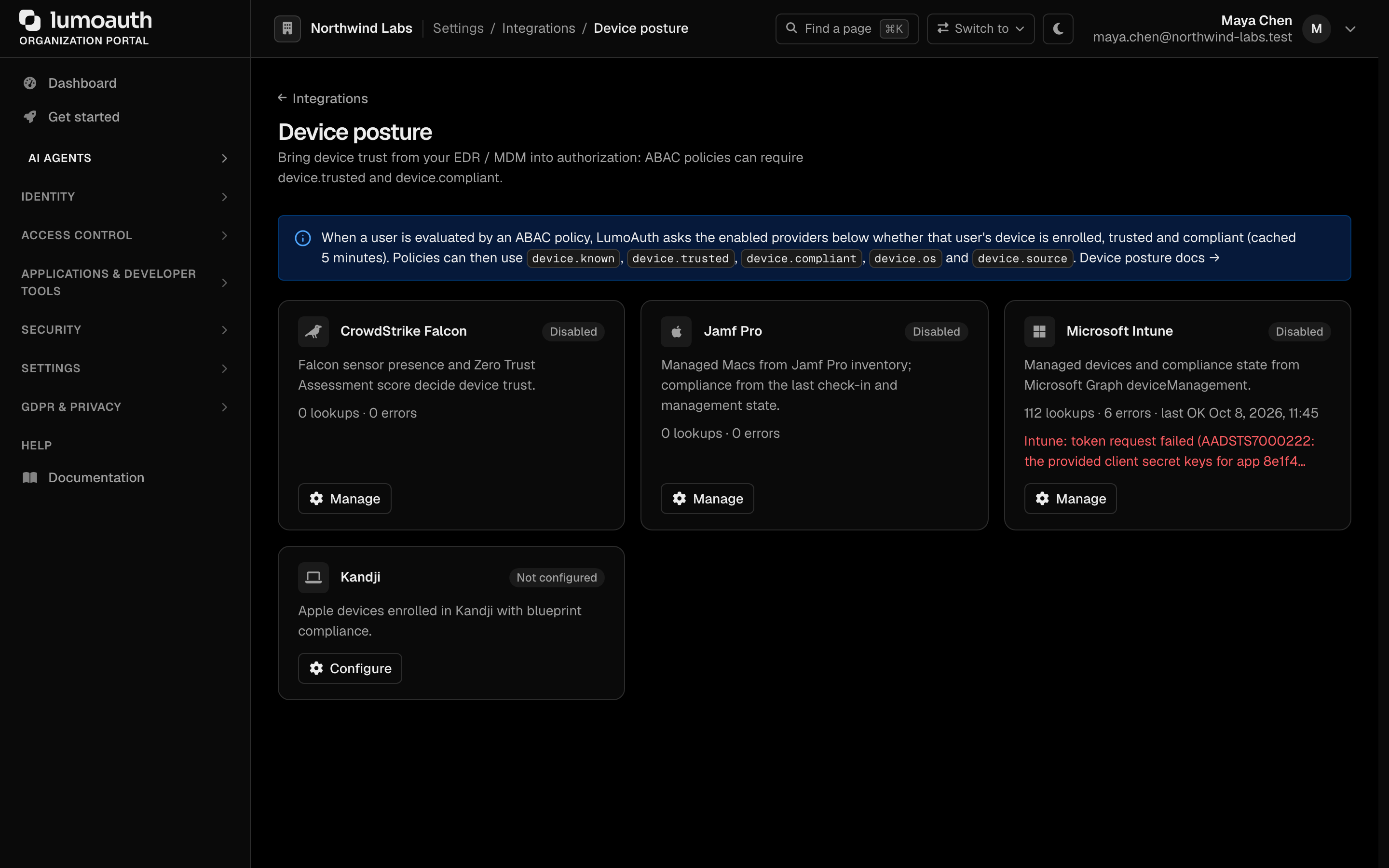
| Provider | How LumoAuth looks a user up | trusted | compliant |
|---|---|---|---|
| CrowdStrike Falcon | OAuth2 client credentials → GET /devices/queries/devices/v1?filter=last_login_user:'<local part>' → POST /devices/entities/devices/v2 → GET /zero-trust-assessment/v1/assessments | Falcon sensor present and host not network-contained | Zero Trust Assessment score ≥ minimum score (default 60); without ZTA, sensor seen in the last 24 h |
| Jamf Pro | POST /api/v1/auth/token (API user) → GET /api/v1/computers-inventory?filter=userAndLocation.email=="<email>" | Enrolled and remotely managed | Managed, last contact within max hours (default 72) and FileVault enabled |
| Microsoft Intune | Entra client credentials → Microsoft Graph GET /deviceManagement/managedDevices?$filter=userPrincipalName eq '<email>' | managementState = managed | complianceState = compliant on the most recently synced device |
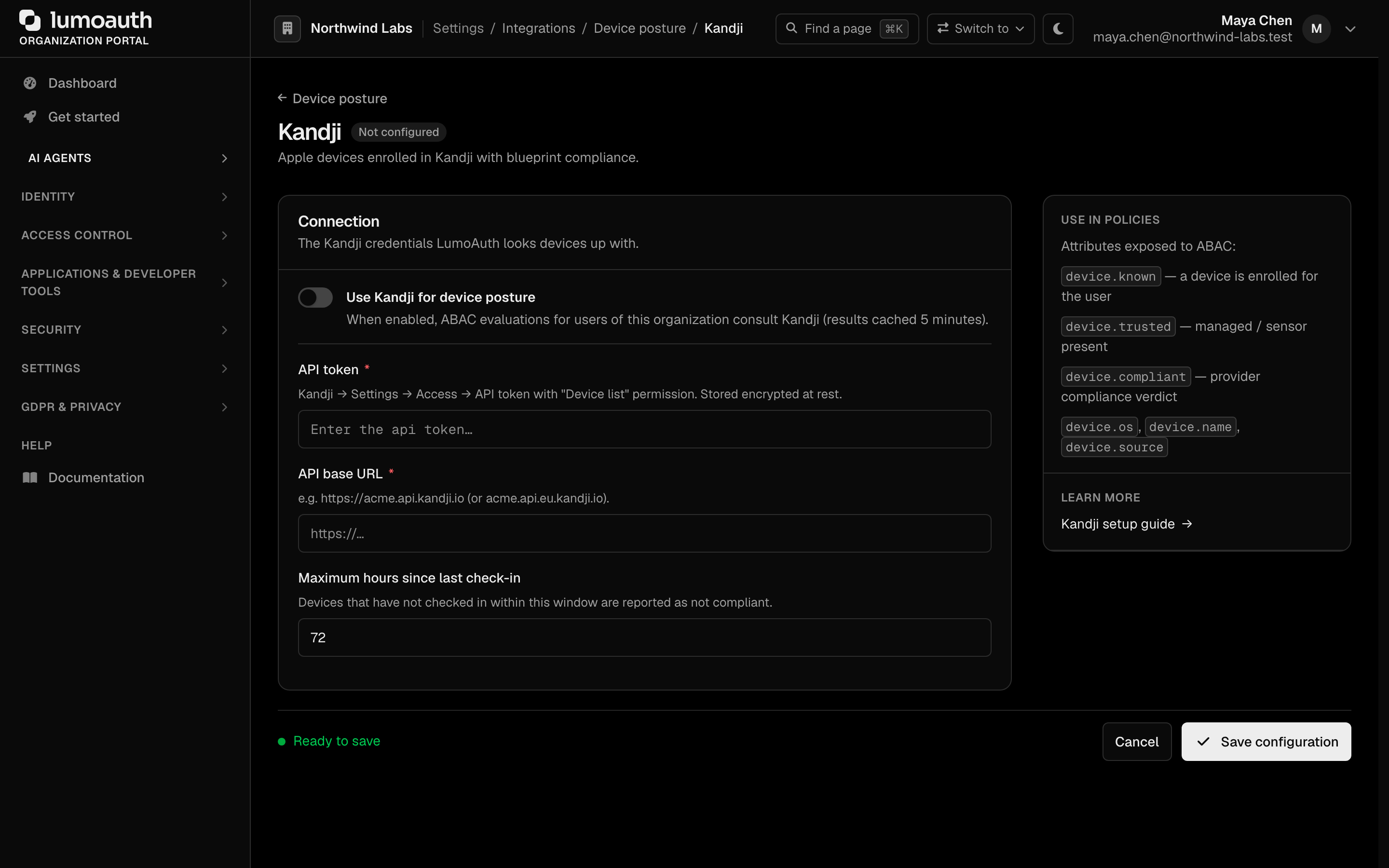
| Kandji | API token → GET /api/v1/devices?user_email=<email> | MDM enabled, agent installed, not removed | Trusted, not missing, checked in within max hours (default 72) |
Results are cached for 5 minutes per user (DEVICE_POSTURE_CACHE_TTL). The
first enabled provider that knows the user's device wins; providers are
consulted alphabetically (CrowdStrike, Intune, Jamf, Kandji).
Setup
- Create an API credential at the vendor with read access to devices (the configure page lists the exact scope or permission).
- Click Configure on the provider's card (Manage once it is set up), paste the credential (encrypted at rest), set the base URL / thresholds, switch on the Use … switch at the top of the form and click Save configuration.
- Use Test with a user to run a live lookup for an enrolled user's email — the page shows the device, OS, last seen and the verdict, or the provider's error message.
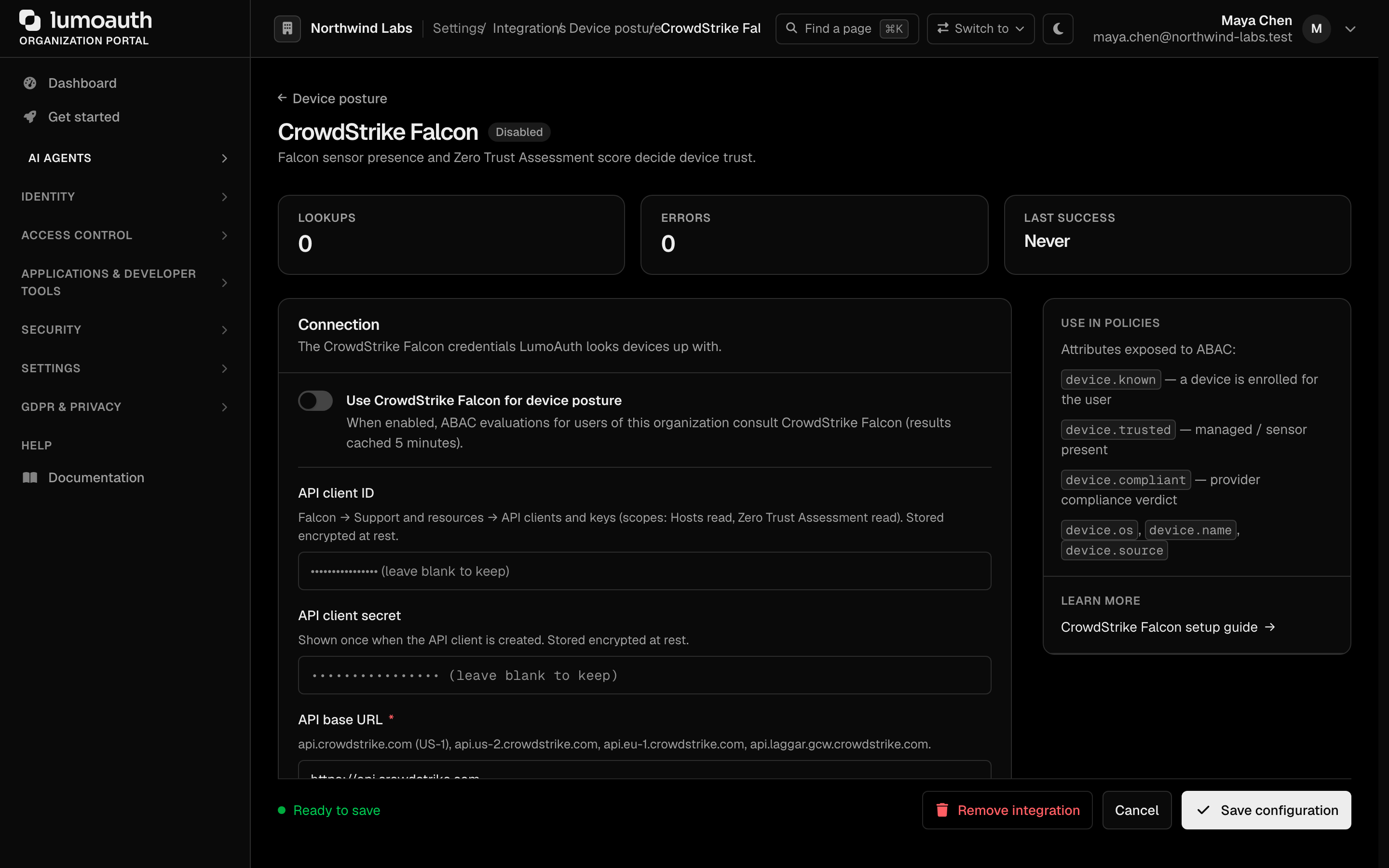
Base URLs must be public HTTPS hosts (private ranges are refused); every outbound call pins the resolved IP and times out after 10 s.
CrowdStrike Falcon
Falcon → Support and resources → API clients and keys: create a client
with Hosts: Read and Zero Trust Assessment: Read. Choose the API base
for your cloud (api.crowdstrike.com, api.us-2.crowdstrike.com,
api.eu-1.crowdstrike.com, api.laggar.gcw.crowdstrike.com). Hosts are
matched on the last interactive login user, so the local part of the user's
email must equal their OS username.
Jamf Pro
Create an API-only user (or API role) with Read Computers. Base URL is
your instance, e.g. https://acme.jamfcloud.com. Users are matched on the
User and Location → Email inventory field.

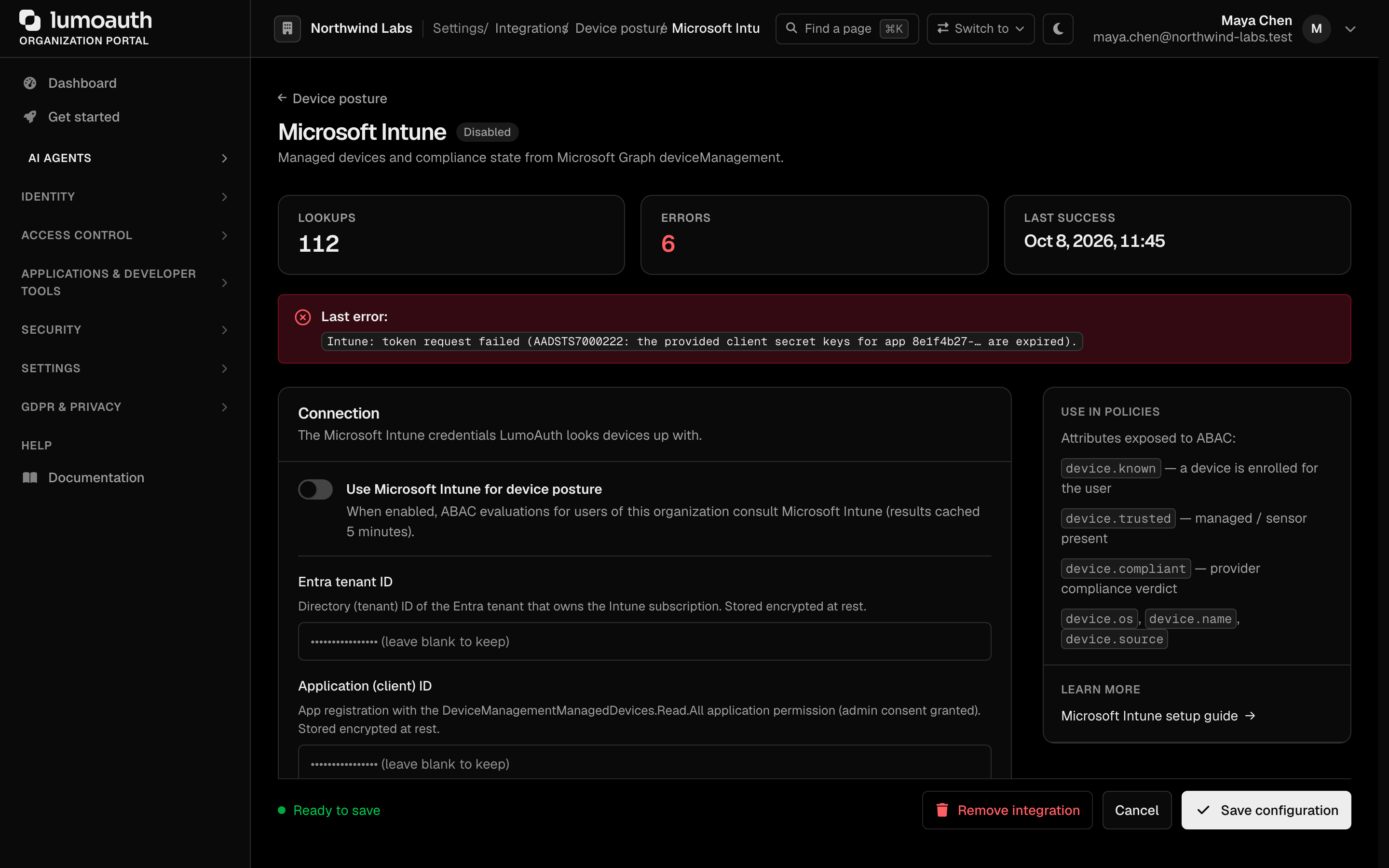
Microsoft Intune
App registration with the DeviceManagementManagedDevices.Read.All
application permission (admin consent). Enter the organization id, client id and
client secret. Users are matched on userPrincipalName.
Kandji
Settings → Access → API token with the Device list permission. Base URL
is your Kandji API host (https://acme.api.kandji.io or the EU variant).
Using it in policies
Once a provider is enabled, every evaluation of your attribute rules (ABAC, attribute-based access control: rules that compare attributes of the user, the resource and the request) gets a device
namespace:
| Attribute | Type | Meaning |
|---|---|---|
device.known | bool | a device is enrolled for the user |
device.trusted | bool | null | managed / sensor present (null when unknown) |
device.compliant | bool | null | provider compliance verdict (null when unknown) |
device.os | string | null | e.g. macOS 14.6, Windows 11.0 |
device.name | string | null | device / host name |
device.source | string | null | crowdstrike, jamf, intune, kandji |
device.lastSeen | string | null | ISO 8601 |
Example policy — only compliant devices may export data:
{
  "name": "export-requires-compliant-device",
  "effect": "allow",
  "resourceType": "document",
  "action": "export",
  "conditions": {
    "operator": "and",
    "conditions": [
      { "subject": "device.trusted",   "operator": "equals", "value": true },
      { "subject": "device.compliant", "operator": "equals", "value": true }
    ]
  }
}
Organizations without a device posture integration see no device
namespace at all, so existing policies are unaffected.
Relationship to Shared Signals
Device tools that speak CAEP (the Continuous Access Evaluation Profile of the Shared Signals Framework, SSF: a standard way for one system to tell another that a device or session is no longer trustworthy), such as Jamf, CrowdStrike and Duo, can also push
device-compliance-change events to LumoAuth as an inbound SSF stream — see
Receiving signals. The
pushed event is stored as a risk signal for adaptive authentication; the
provider lookups on this page give the current state on demand.
Internals
- Entity
DevicePostureIntegration(device_posture_integrations), one row per organization and provider; credentials are an encrypted JSON blob. DevicePostureService::evaluateForUser(tenant, user|email)returns aDevicePostureResult{found, trusted, compliant, deviceName, os, lastSeen, source}.DevicePostureAttributeProviderimplementsAbacAttributeProviderInterface(tagapp.abac_attribute_provider), the extension pointAbacEngineuses to add context namespaces. Providers are consulted in alphabetical order.- Audit events:
device_posture.integration_updated,device_posture.integration_deleted.
Standards used on this page
| Plain name | Standard |
|---|---|
| Shared Signals Framework (SSF) and Continuous Access Evaluation Profile (CAEP) | OpenID SSF 1.0 and OpenID CAEP 1.0 |
See the standards reference for what each one covers and how LumoAuth uses it.