Kubernetes
LumoAuth does not ship a Kubernetes operator or custom resource definitions. A cluster manages its LumoAuth identities the same way any other automation does: through the Admin API and the lumo CLI, with an organization API key held in a Kubernetes Secret. Where a pod needs its own agent identity, use workload identity so that no long-lived credential has to be stored in the cluster at all.
Give the cluster an API key
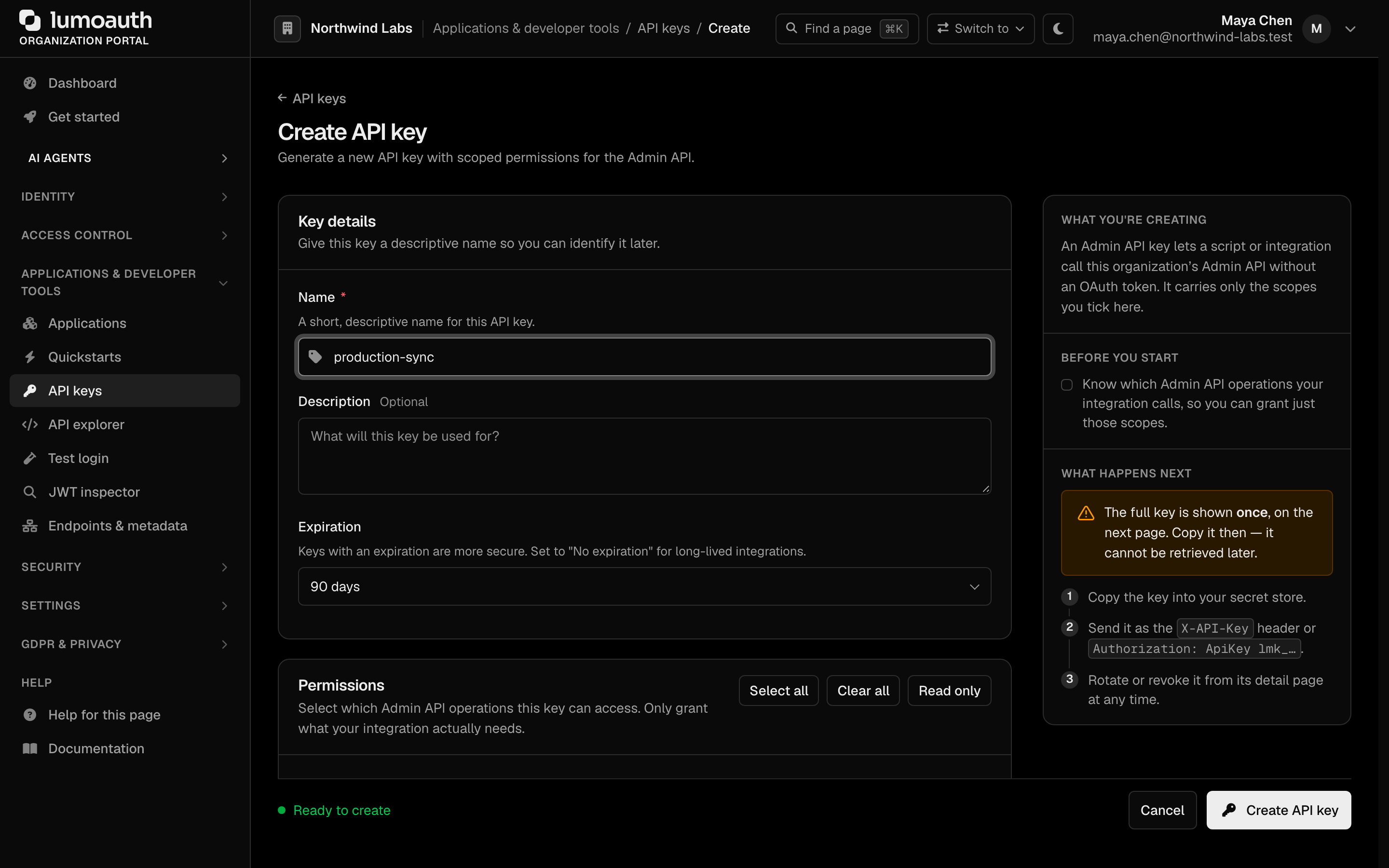
Create the key under Portal → Applications & developer tools → API keys (/orgs/{orgId}/portal/settings/api-keys, Create API key). Tick only the permissions the job needs, typically admin:clients:read, admin:clients:write, admin:agents:read and admin:agents:write.
kubectl -n apps create secret generic lumoauth-admin \
  --from-literal=LUMO_BASE_URL=https://app.lumoauth.dev \
  --from-literal=LUMO_ORG=acme-corp \
  --from-literal=LUMO_API_KEY="$LUMO_API_KEY"
Create an OAuth client from a Job
A one-off Job (or a Helm hook, or a step in your CI pipeline) runs the CLI with that Secret and writes the resulting credentials into a Secret the application mounts. The client secret is returned once, so the Job must capture it immediately.
apiVersion: batch/v1
kind: Job
metadata:
  name: register-customer-portal
  namespace: apps
spec:
  template:
    spec:
      restartPolicy: Never
      serviceAccountName: lumoauth-registrar      # may create/update Secrets in this namespace
      containers:
        - name: register
          image: your-registry/lumo-tools:latest   # any image with `lumo`, `kubectl` and `jq` installed (see the CLI install page)
          envFrom:
            - secretRef: { name: lumoauth-admin }
          command: ["/bin/sh", "-c"]
          args:
            - |
              set -eu
              out=$(lumo apps create \
                --name "Customer portal" \
                --redirect-uris https://portal.acme.example/auth/callback \
                --output json)
              kubectl create secret generic customer-portal-oidc \
                --from-literal=client_id="$(echo "$out" | jq -r .client_id)" \
                --from-literal=client_secret="$(echo "$out" | jq -r .client_secret)" \
                --from-literal=issuer_url="$LUMO_BASE_URL/orgs/$LUMO_ORG" \
                --dry-run=client -o yaml | kubectl apply -f -
Consume the Secret as usual:
env:
  - name: OIDC_CLIENT_ID
    valueFrom:
      secretKeyRef: { name: customer-portal-oidc, key: client_id }
  - name: OIDC_CLIENT_SECRET
    valueFrom:
      secretKeyRef: { name: customer-portal-oidc, key: client_secret }
  - name: OIDC_ISSUER
    valueFrom:
      secretKeyRef: { name: customer-portal-oidc, key: issuer_url }
Run lumo apps --help for the exact flags; lumo apps rotate-secret rotates the secret and prints the new one, and lumo apps delete removes the client when the workload is retired.
Agents with workload identity (no stored credential)
For an AI agent running as a pod, prefer workload identity: the pod proves who it is with a projected ServiceAccount token, and LumoAuth exchanges that token for an agent token. Nothing secret is stored in the cluster.
- Create the agent with the Kubernetes workload-identity provider in the portal under AI Agents → Agents (or through the Admin API agents endpoint). The identity is
k8s:<namespace>/<serviceAccount>, the issuer is your cluster's OIDC issuer URL and the audience is<your LumoAuth URL>/orgs/<org>. - Make sure the cluster's OIDC issuer serves
/.well-known/openid-configurationover HTTPS and is reachable from LumoAuth. This is the same prerequisite as workload attestation generally. - Mount a token with the matching audience:
serviceAccountName: invoice-bot
volumes:
  - name: lumo-token
    projected:
      sources:
        - serviceAccountToken:
            path: token
            expirationSeconds: 3600
            audience: https://app.lumoauth.dev/orgs/acme-corp
- The workload presents the projected token to LumoAuth and receives an agent token in return. The exchange request is described in Workload attestation.
An agent's identity type is fixed when it is created. To move an agent from an API key to workload identity, create a new agent and retire the old one.
Agents with an API key
If a workload cannot use projected tokens, create an API-key agent instead (lumo agents create --name … --capabilities …). The key is printed once; write it into a Secret in the same step, exactly as in the Job above. lumo agents rotate-credentials issues a new key and invalidates the old one.
Keeping things in sync
There is no controller reconciling cluster objects with LumoAuth, so:
- changes made in the portal are not reverted by the cluster, and deleting a Kubernetes Secret does not delete the LumoAuth object;
- remove an application or agent with
lumo apps delete/lumo agents delete(or from the portal) when you retire the workload; - keep the registration script in the same repository as the deployment so that both are reviewed together.
See also
- Configuration as code: the Admin API and CLI surface for every resource.
- Workload attestation: how LumoAuth verifies a Kubernetes projected token.