Outbound SCIM vendor presets
LumoAuth can act as a SCIM client (SCIM 2.0 is the standard for automatic user provisioning between systems) and push user creations, updates and
deletions — and, optionally, groups and their memberships — to a downstream
application, either as changes happen or in a periodic batch reconcile.
Every SCIM server claims to implement SCIM 2.0,
and every one of them bends it somewhere: Okta wants an SSWS authorization
scheme, Salesforce refuses DELETE, GitHub pins an API version header, Entra
only accepts bulk payloads.
A target preset captures those differences. Pick your vendor in
Organization portal → Integrations → SCIM provisioning → Outbound
SCIM (/orgs/{orgId}/portal/integrations/scim-outbound) and LumoAuth prefills the base URL and auth style, then applies
that vendor's quirks on every request.
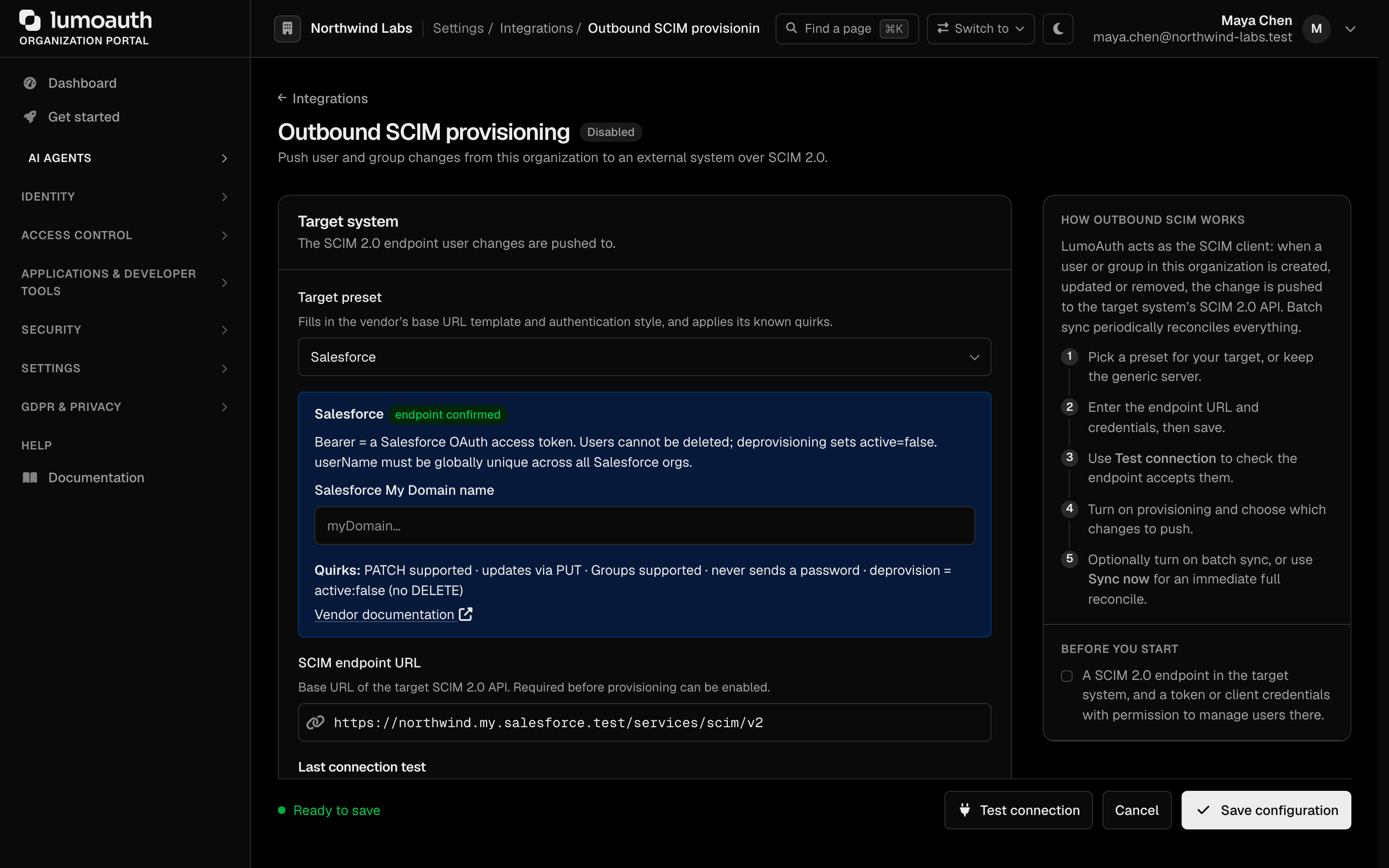
Choosing Generic SCIM 2.0 server (no vendor quirks) — the default — keeps
the previous behaviour exactly: PUT updates, DELETE deprovisioning,
application/scim+json, Bearer tokens. Existing configurations are
unaffected until you deliberately pick a preset.
Available presets
| Preset | Base URL template | Auth | Key quirks |
|---|---|---|---|
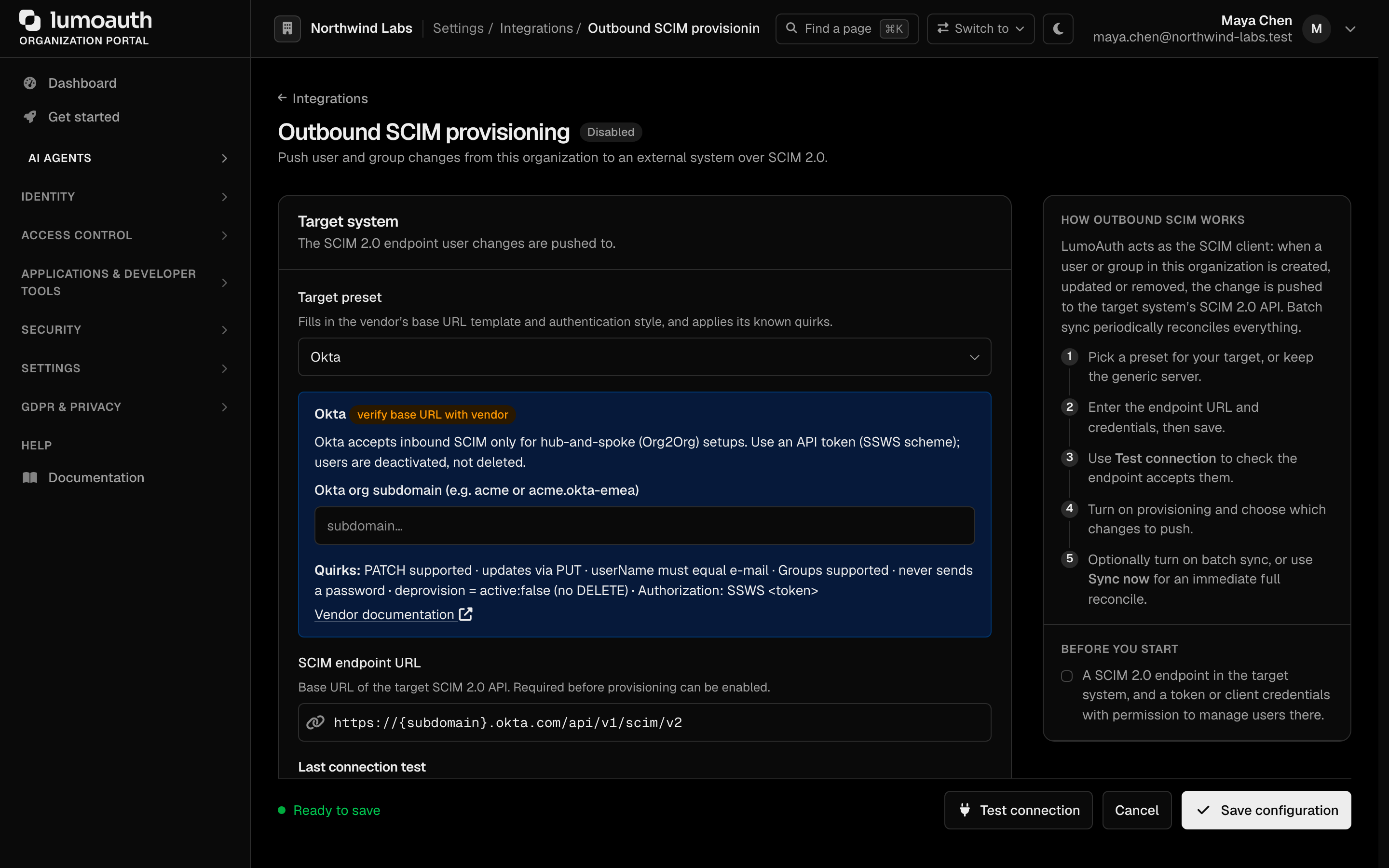
| Okta | https://{subdomain}.okta.com/api/v1/scim/v2 | Bearer (SSWS scheme) | userName = e-mail; no password; deprovision by deactivation |
| Microsoft Entra ID | …/servicePrincipals/{servicePrincipalId}/synchronization/jobs/{jobId}/bulkUpload | OAuth2 client credentials | Bulk-only, no PATCH, no Groups, no filtering, enterprise extension always sent |
| OneLogin | https://{subdomain}.onelogin.com/scim/v2 | Bearer | userName = e-mail; no password; deprovision by deactivation |
| JumpCloud | https://console.jumpcloud.com/api/v2/scim/v2 | Bearer | userName = e-mail; no password |
| Google Workspace | https://www.googleapis.com/scim/v2 | OAuth2 | userName = e-mail; requires a SCIM gateway (see below) |
| Salesforce | https://{myDomain}.my.salesforce.com/services/scim/v2 | Bearer (OAuth access token) | application/json; no password; deprovision by deactivation |
| GitHub Enterprise Cloud | https://api.github.com/scim/v2/organizations/{org} | Bearer | No Groups; no password; sends X-GitHub-Api-Version |
| Slack | https://api.slack.com/scim/v1 | Bearer | SCIM v1.1; application/json; DELETE deactivates the member |
| Zoom | https://api.zoom.us/scim2 | OAuth2 (server-to-server) | userName = e-mail; no password; deprovision by deactivation |
| Atlassian Cloud | https://api.atlassian.com/scim/directory/{directoryId} | Bearer | userName = e-mail; no password; Groups supported |
The form asks for the placeholder values (subdomain, org, directory id …) and builds the base URL for you; you can always overwrite it afterwards. Next to the preset name the page shows a tag: endpoint confirmed for presets whose endpoint shape LumoAuth has confirmed against vendor documentation, or verify base URL with vendor for the others, which are a starting point — check the base URL in your vendor's admin console before enabling.
What a quirk changes
| Quirk | Default | Effect when a preset overrides it |
|---|---|---|
update_method | put | Sends a SCIM PatchOp instead of a full replacement |
supports_patch | true | When false, updates always use a full write |
delete_strategy | delete | deactivate sends active: false instead of DELETE /Users/{id} |
password_handling | generate | skip omits the password attribute (vendors that reject it) |
bearer_scheme | Bearer | Okta's SSWS scheme |
content_type | application/scim+json | application/json for vendors that reject the SCIM media type |
id_attribute | id | Attribute read back as the vendor's resource id |
filter_supported | true | When false, lookups by userName are skipped |
supports_groups | true | When false, Push group changes is ignored for this target (no /Groups requests) |
bulk_only | false | Everything is wrapped in a SCIM BulkRequest (Entra) |
enterprise_schema | false | Adds the enterprise user extension to every user payload |
headers | — | Vendor-mandated static headers |
Setting one up
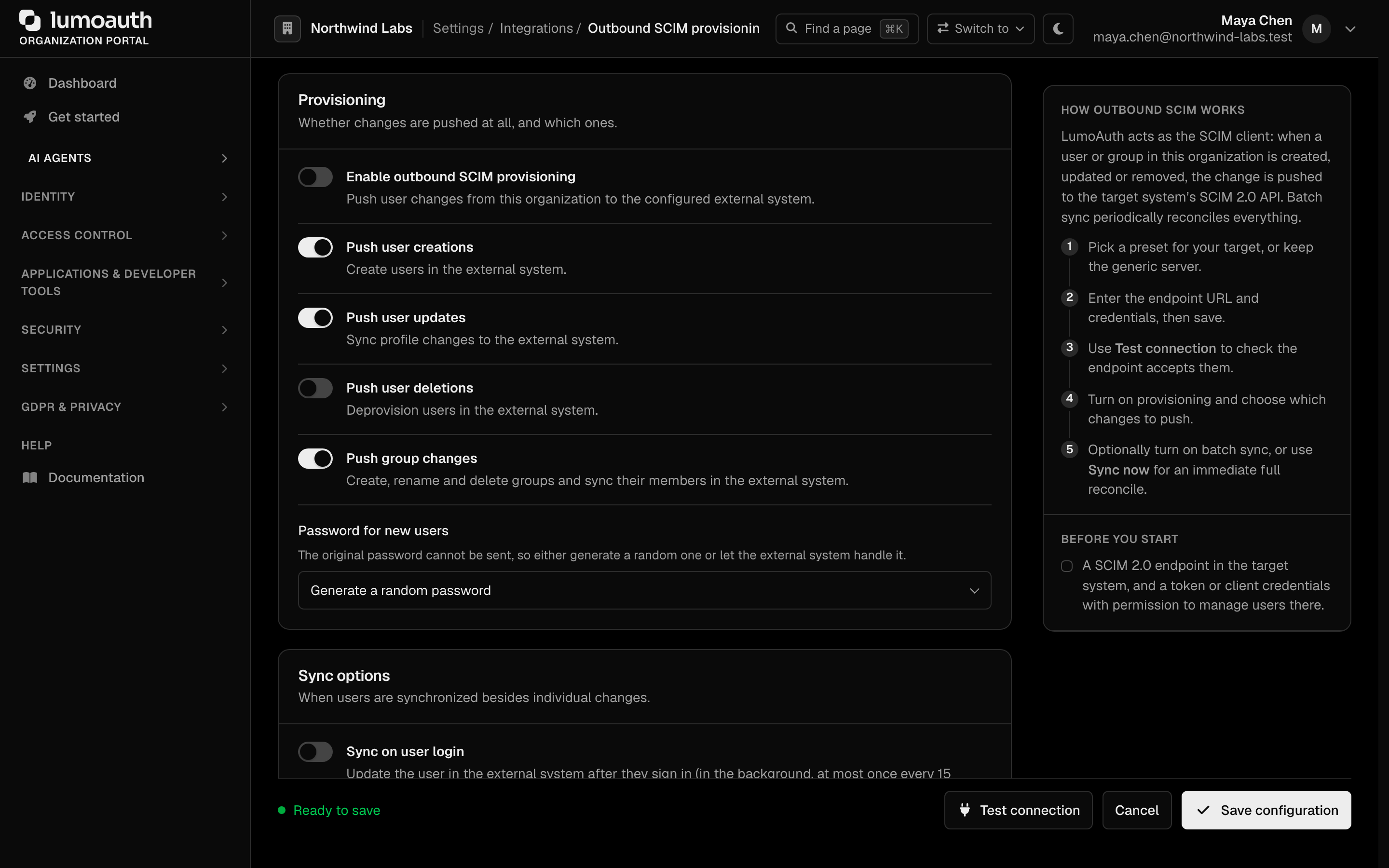
- Open Integrations, find the SCIM provisioning section and click Set up on the Outbound SCIM card.
- Pick your vendor under Target preset. The page shows the vendor's notes, its quirks and a link to the vendor documentation, and fills in the placeholder fields.
- Fill in the placeholders — the base URL and, for OAuth2 presets, the token URL are generated as you type.
- Paste the bearer token, Basic credentials or OAuth2 client credentials.
They are encrypted at rest; leave the field blank
when editing to keep the stored value. Any secret field can instead hold a
secret://<manager>/<ref>reference to your secrets manager; it is resolved each time a push runs, and a reference that cannot be resolved fails the push rather than sending anything. - Click Save configuration, press Test connection, then switch on Enable outbound SCIM provisioning and choose which events to push: Push user creations, Push user updates, Push user deletions and Push group changes.
- Optionally turn on Sync on user login and Batch sync under Sync options (see below).

Groups, login sync and batch sync
Push group changes
When Push group changes is on (and the preset's target has a Groups endpoint), every change to a LumoAuth group is pushed in the background — whether it was made in the portal, the Admin API, an HRIS (HR information system) sync or a GDPR erasure:
| Change in LumoAuth | Request to the target (SCIM 2.0) |
|---|---|
| Group created | POST /Groups with displayName, externalId (the LumoAuth group id) and members |
| Group renamed | PATCH /Groups/{id} — replace displayName |
| Members added / removed | PATCH /Groups/{id} — add members, remove members[value eq "…"] |
| Group deleted | DELETE /Groups/{id} |
Members are referenced by the id the target gave each user when LumoAuth
pushed it. A member the target does not know yet is pushed first when Push
user creations is on; otherwise it is left out of the group (and logged)
until a later sync provisions it. LumoAuth remembers every remote user and
group id per target; changing the endpoint URL starts from a clean slate.
If the target reports a remembered group as gone (404), LumoAuth recreates
it; if a create hits a 409, it adopts the existing group with the same
displayName.
Sync on user login
With Sync on user login on (and Push user updates on), each interactive sign-in queues a background update of that user on the target — at most once every 15 minutes per user. The sign-in never waits for, or fails because of, the target.
Batch sync
Batch sync periodically reconciles the whole organization with the target, at the interval you choose (Every hour, Daily or Weekly). A run:
- updates every active user, creating any the target does not have yet;
- sends
active: falsefor deactivated or blocked users the target already knows (they are never created remotely); - deprovisions users deleted in LumoAuth that were previously pushed — only when Push user deletions is on, and only users LumoAuth itself pushed; remote accounts LumoAuth never created are never touched;
- when Push group changes is on, makes every group's name and full member list match, and deletes remote groups whose LumoAuth group was deleted.
Rate limiting (429) and transient 5xx responses are retried with backoff,
honouring Retry-After. A run that fails ten pushes in a row stops early and
is retried on the next hourly check. Runs never overlap for one organization.
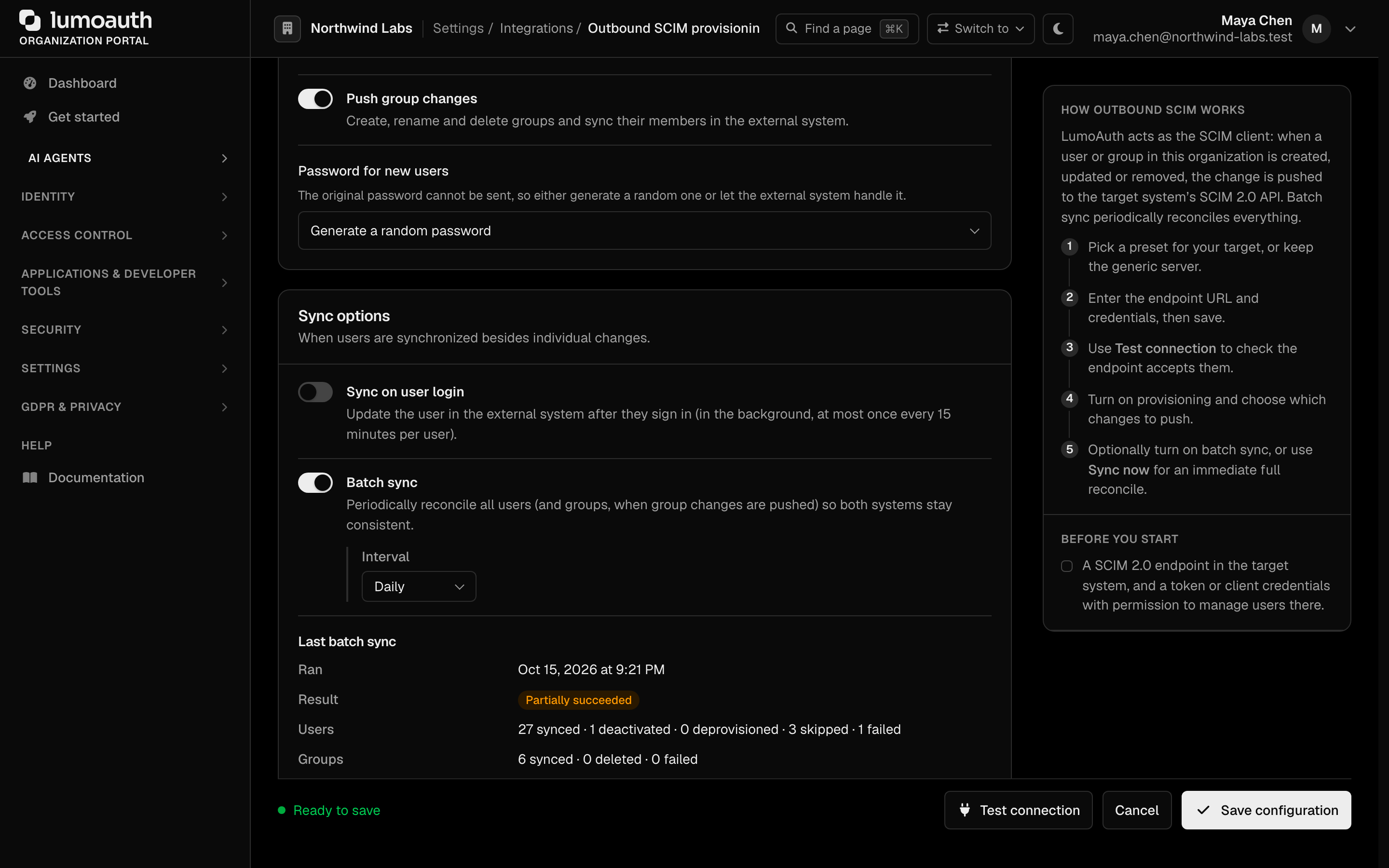
The page shows the time, result and counts of the last run, and Sync now
queues an immediate full run (at most once every five minutes). Each run is
audit-logged as scim_outbound.batch_sync_completed or
scim_outbound.batch_sync_failed.
OAuth 2.0 client credentials
With Authentication type → OAuth 2.0 client credentials, LumoAuth fetches
an access token before pushing and sends it as Authorization: Bearer.
| Field | Notes |
|---|---|
| Client ID / Client secret | Sent to the token endpoint with HTTP Basic (client_secret_basic) |
| Token URL | Must be a public https URL; redirects are not followed |
| Scope | Optional; sent as scope when set |
The token is cached until 60 seconds before its expires_in (1 hour when the
vendor omits it); changing the client secret fetches a new one. A token
endpoint that fails, returns no access_token or a non-Bearer token type
fails the push. Changing the endpoint URL or token URL requires re-entering
the stored secret.
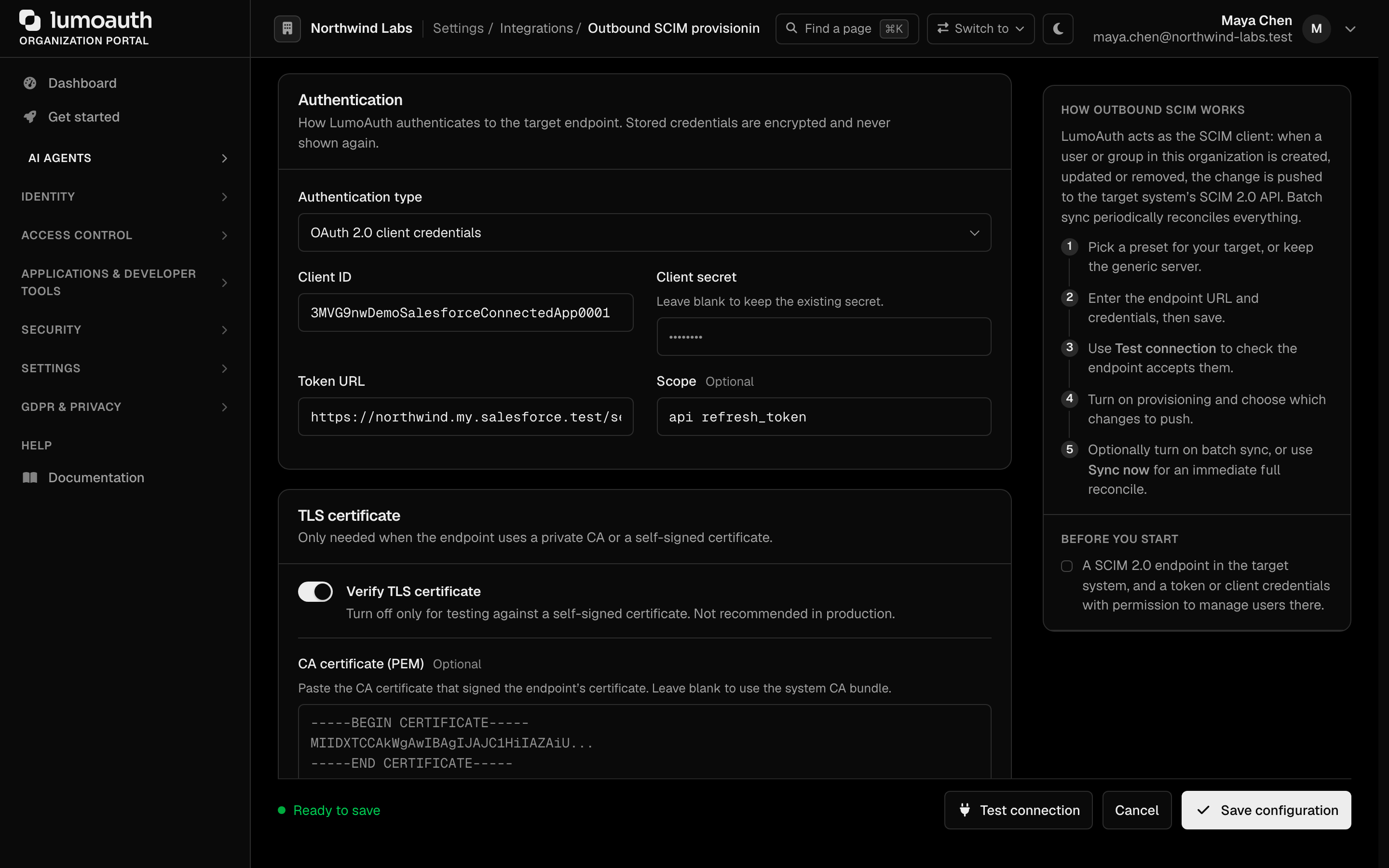
The endpoint must be a public HTTPS host. Requests pin the resolved IP (DNS-rebinding guard), and every push is audit-logged.
Vendor notes
- Okta accepts inbound SCIM only in hub-and-spoke (Org2Org) setups, with an
API token using the
SSWSscheme. Users are deactivated, never deleted. - Microsoft Entra ID API-driven inbound provisioning accepts only SCIM
BulkRequestpayloads on thebulkUploadendpoint. Use a client-credentials app with theSynchronizationData-User.Uploadpermission. - Google Workspace has no native SCIM server — run a SCIM gateway in front of the Directory API and enter the gateway's base URL.
- Salesforce requires a globally unique
userNameacross all Salesforce orgs, and deprovisions withactive: false. - GitHub requires SAML SSO on the organization and a token with
admin:org. Enterprise Managed Users use/scim/v2/enterprises/{enterprise}instead and do support Groups. - Slack exposes SCIM v1.1 on Business+ and Enterprise Grid.
userNameis the Slack handle; the e-mail goes inemails[].DELETEdeactivates. - Zoom needs a Server-to-Server OAuth app with the
scim2scope. - Atlassian Cloud issues the API key when you turn on user provisioning for a directory in Atlassian Guard.
Related
- Inbound SCIM 2.0 API — letting an upstream IdP provision into LumoAuth
- HRIS sync — HR system as the source of truth
Standards used on this page
| Plain name | Standard |
|---|---|
| SCIM 2.0 (user and group provisioning) | RFC 7643 and RFC 7644 |
See the standards reference for what each one covers and how LumoAuth uses it.