SMS and email providers
Both integrations live under Integrations → SMS & email delivery and require the settings.manage permission. The SMS provider delivers one-time codes for MFA (multi-factor authentication, a second proof of identity at sign-in); the email provider carries every transactional email. Each organization has at most one SMS provider and one email provider. Click Configure on a provider card to open the SMS provider or Email provider page with that provider preselected.
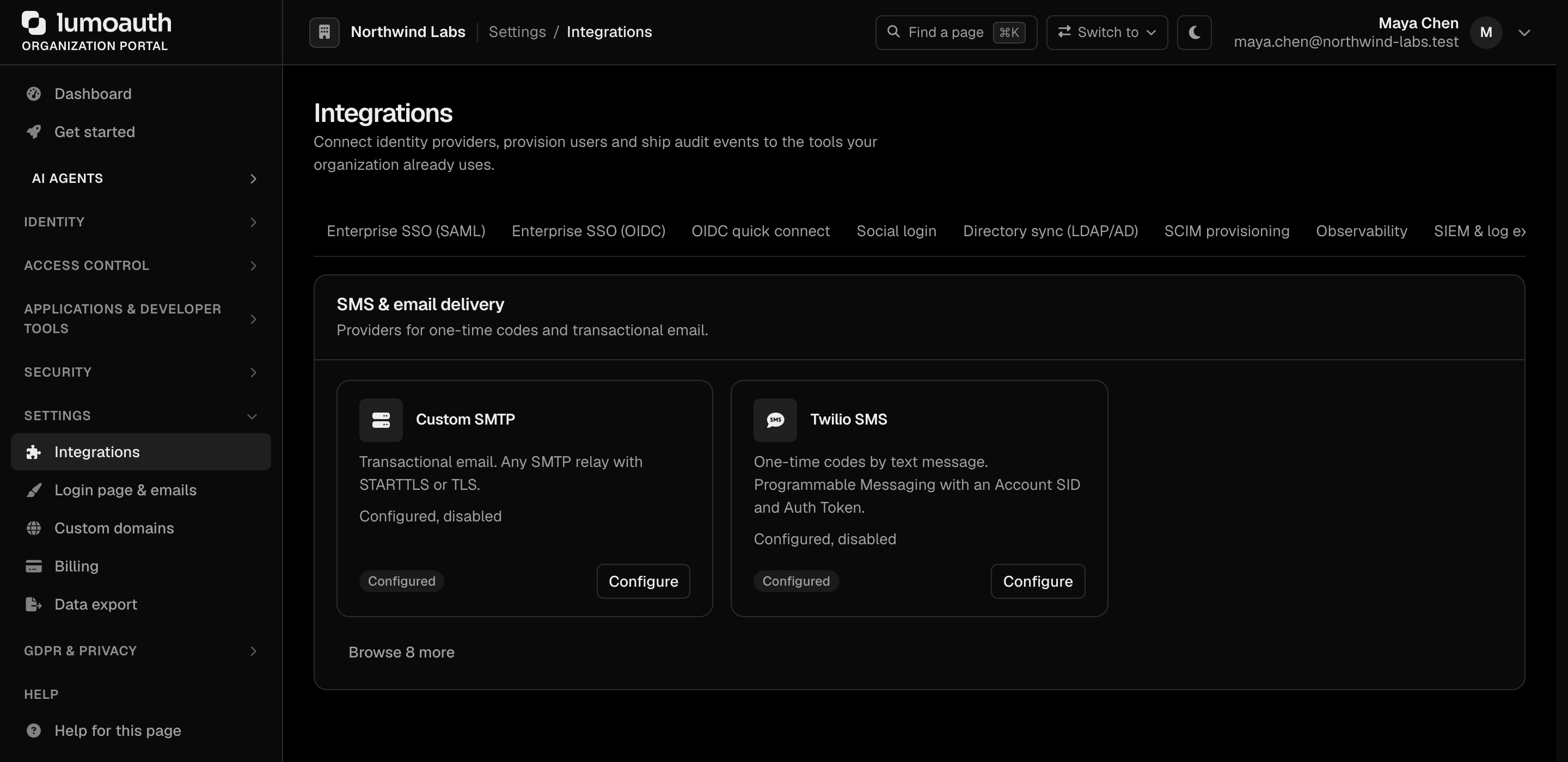
SMS providers
Path: /orgs/{orgId}/portal/integrations/sms
| Provider | Credentials | Settings | API |
|---|---|---|---|
| Twilio | Account SID, Auth Token | From number (E.164) or Messaging Service SID | Programmable Messaging Messages.json, HTTP basic auth |
| Vonage | API key, API secret | Sender ID / from | SMS API rest.nexmo.com/sms/json |
| AWS SNS | Access key ID, secret access key (IAM user with sns:Publish) | Region, optional Sender ID | Publish to a phone number, signed with AWS Signature V4 |
| MessageBird | Access key | Originator | Messaging API rest.messagebird.com/messages |
Pick the provider under SMS provider, fill in its credentials, switch on Enable SMS delivery and click Save configuration.
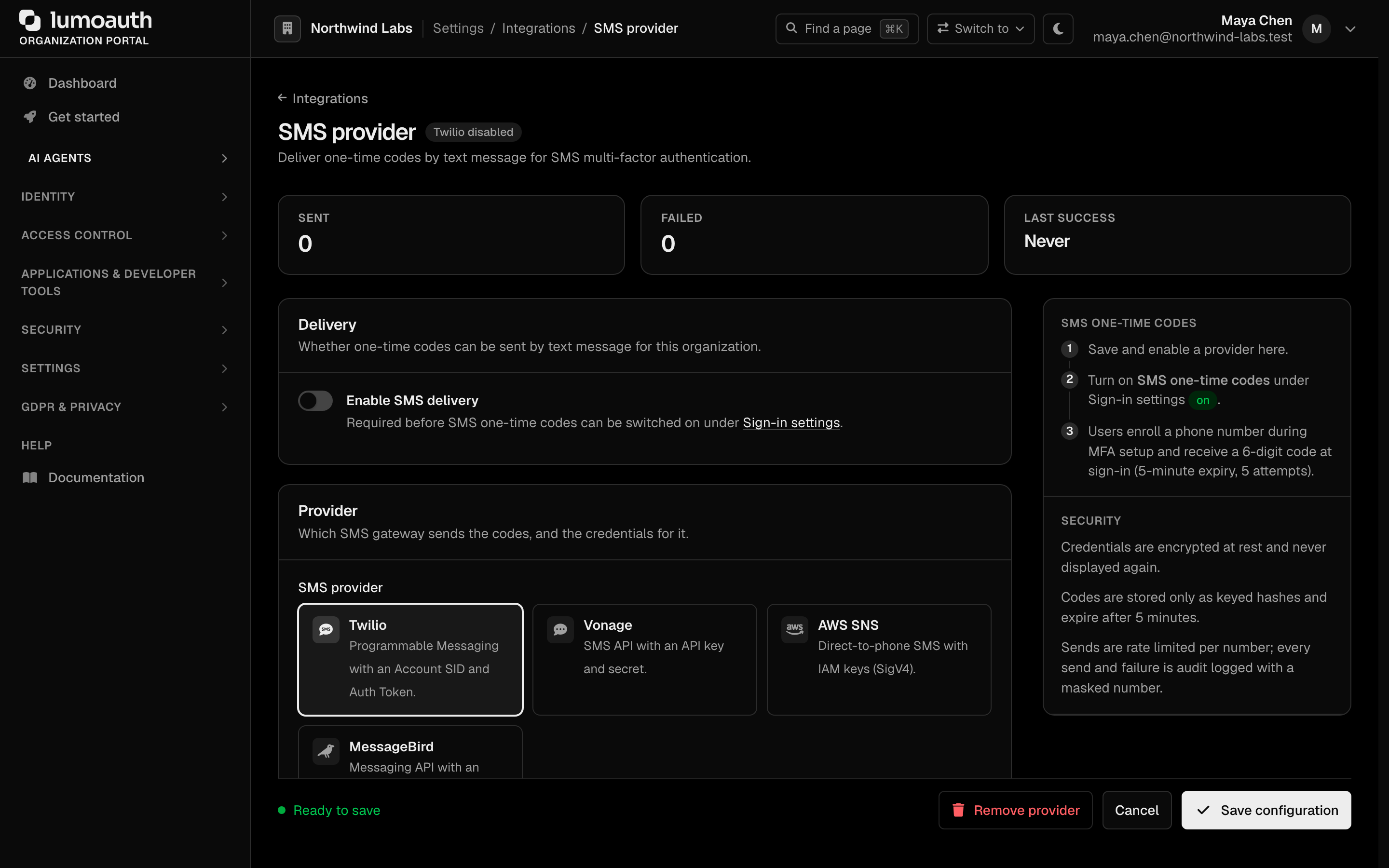
Once saved, use Send test SMS to confirm delivery to your own number. The test counts against the rate limit below. Sent / failed counters and the last error are shown on the page and on the Integrations tile.
SMS one-time codes (MFA)
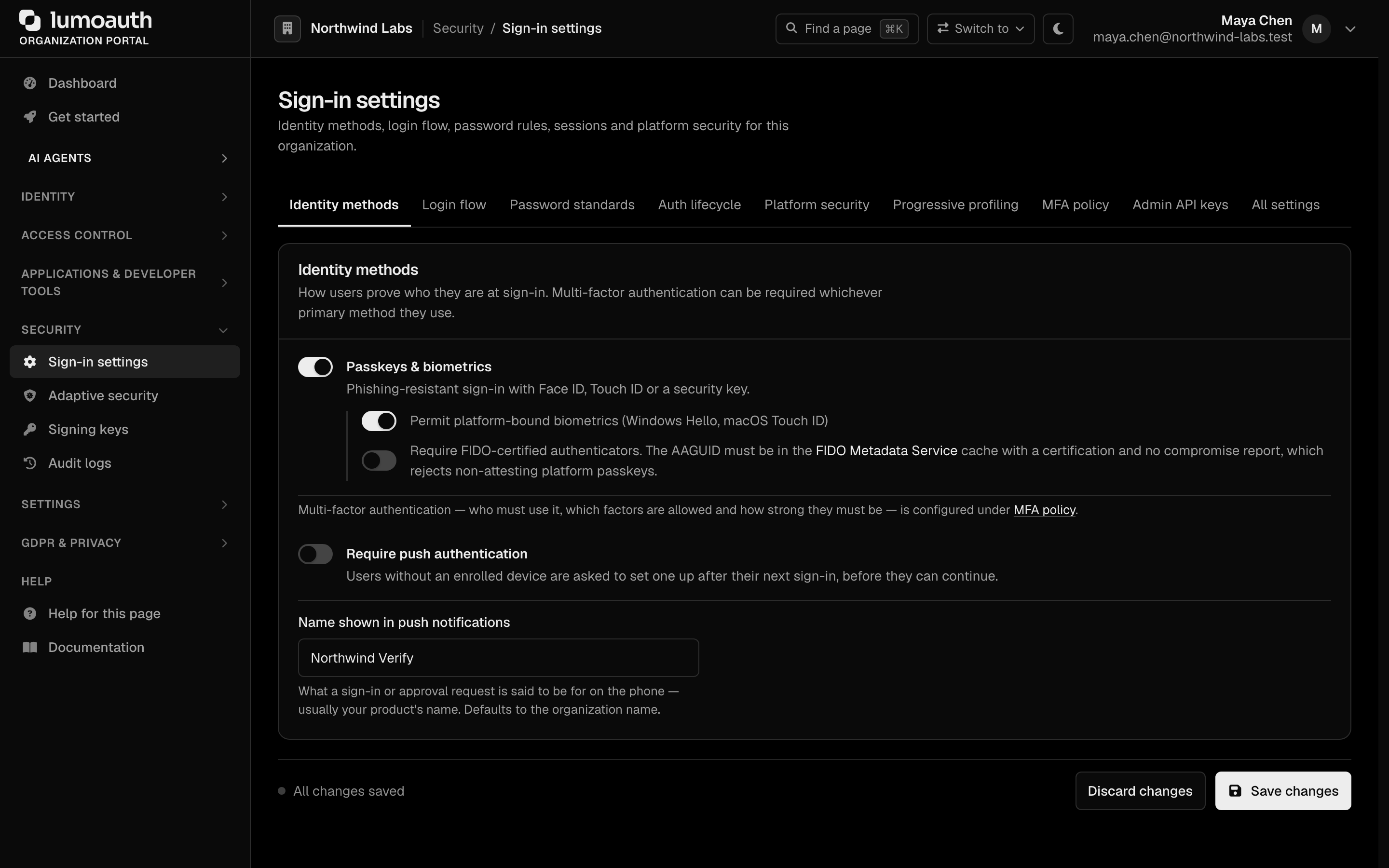
Once an SMS provider is enabled, text messages can be ticked under Allowed factors in the MFA policy (Security → Sign-in settings → MFA policy, policy key allowed_factors containing sms_otp). Until a provider exists the checkbox is disabled (the policy explains that text messages become available once a provider is configured) and text messages are removed from the effective policy, so users are never offered a factor that cannot be delivered. Text messages are a tier 4 ("Basic") factor: users are steered to passkeys, the LumoAuth app or an authenticator app first, and SMS is recommended only after those.
- Enrollment. On the Secure your account screen, choosing Use text messages (
/auth/secure-account/sms) the user picks a country (preset from the browser language) and enters their mobile number. The number is validated before anything is sent, a 6-digit code is texted, and the user enters it on the same screen. Nothing becomes active until the code is verified; the phone is stored in E.164 on an authenticator of typesms_otp. Custom UIs usePOST /me/authenticators/sms_otp/enroll(MFA API). - Sign-in. When text messages are the user's default factor, the MFA challenge sends the code automatically; otherwise users pick "Text •••• 1234" under Try another way. Other factors and recovery codes keep working.
- Codes are 6 digits, expire after 5 minutes, allow 5 attempts and are single-use; sending a new code invalidates the previous one. They are stored only as an HMAC-SHA256 hash in the application cache, never in plaintext.
- Resend is available after 30 seconds, then 60 seconds, then 120 seconds for further resends.
Message format
123456 is your Acme Corporation code.

@auth.acme.com #123456
The first line uses the organization name. The last line lets Android autofill the code for the right site (domain-bound one-time codes); the domain is the organization's custom domain, or the LumoAuth host when it has none.
Number validation
Numbers are parsed and validated with libphonenumber (Google's phone-number rules) before a code is sent, and stored in E.164:
| Check | Result |
|---|---|
| Not a valid number for its country | Rejected: "That phone number is not valid. Check the number and country code." |
| Landline | Always rejected: "Landlines cannot receive text messages. Use a mobile number." |
VoIP number, with sms_block_voip on | Rejected: "Internet (VoIP) phone numbers cannot receive sign-in codes. Use a mobile number." |
Country not in sms_country_allowlist (when the list is not empty), or in sms_country_denylist | Rejected: "Text messages cannot be sent to numbers in this country." |
| Number already enrolled by the same user | Rejected |
The line type comes from libphonenumber's numbering-plan data, not a live carrier lookup, so ported numbers may be classified by their original range. Configure VoIP blocking and the country lists in the MFA policy.
Limits and audit
- Rate limit. Sending is capped per organization and phone number (5 per 10 minutes), on top of the resend back-off and the MFA challenge limits.
- Audit. Every send, failure and rate-limit hit is audit-logged with a masked number (
sms.sent,sms.failed,sms.rate_limited); a wrong enrollment code is logged asmfa.sms_failed. Enrollment, challenges and removal emit the standardmfa.*events.
Removing the provider or unticking text messages stops new SMS challenges immediately. Users whose only factor is SMS should add another method (or use a recovery code) before that happens.
Codes are delivered by text message only; there is no voice-call delivery. Line type comes from libphonenumber's numbering-plan data, not a live carrier lookup. There is no SMS-pumping (toll-fraud) detection beyond the rate limits above, and an organization has one SMS provider at a time, so there is no automatic failover between providers.
Email providers
Path: /orgs/{orgId}/portal/integrations/email
| Provider | Credentials | Settings | Transport |
|---|---|---|---|
| Amazon SES | Access key ID, secret access key (IAM user with ses:SendRawEmail) | Region | SES SMTP interface (email-smtp.<region>.amazonaws.com:587); the SMTP password is derived from the secret key automatically |
| SendGrid | API key (Mail Send permission) | — | v3 Mail Send API |
| Mailgun | API key | Sending domain, US or EU region | Messages API |
| Resend | API key | — | Emails API |
| Postmark | Server token | — | Postmark API |
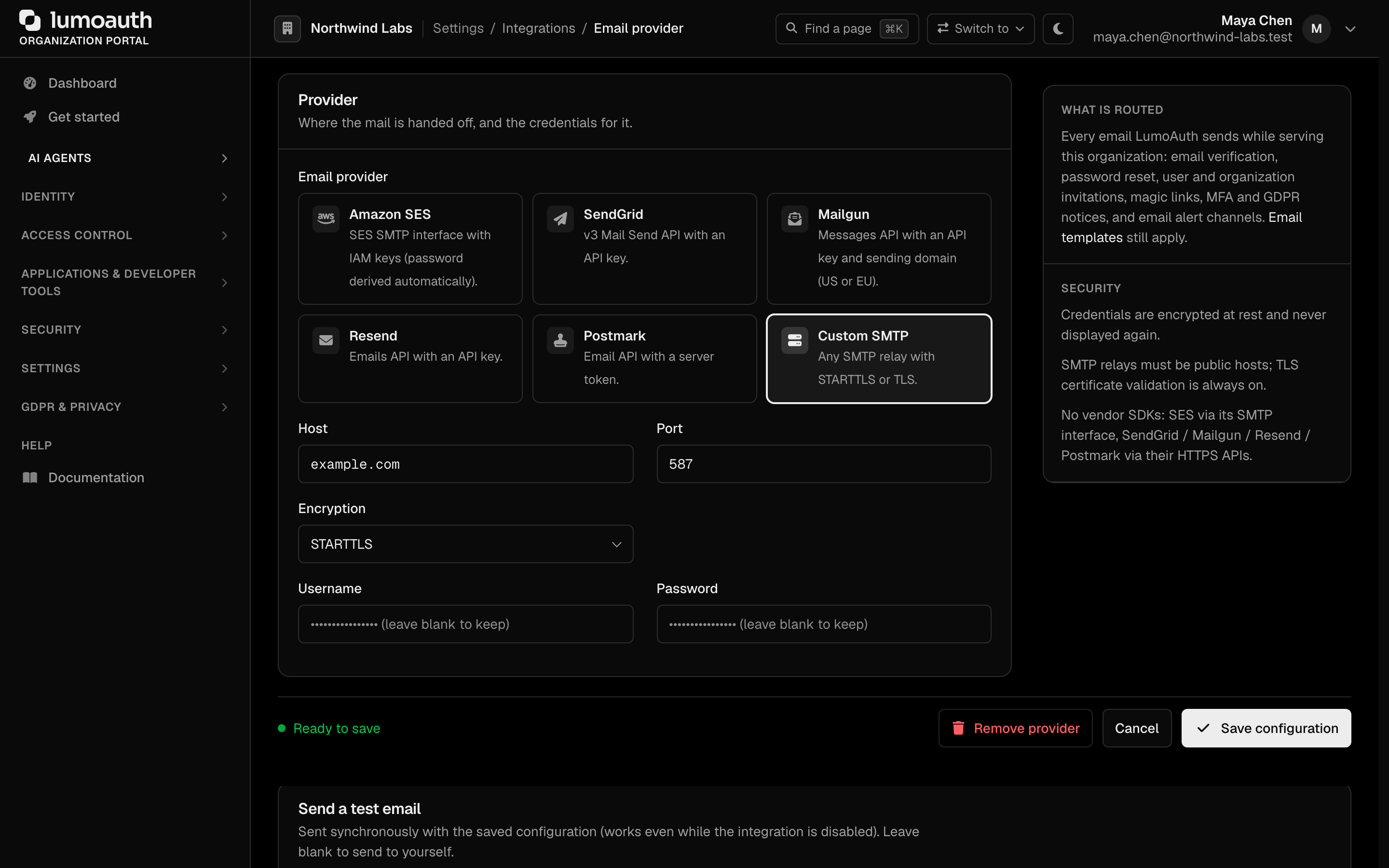
| Custom SMTP | Username, password | Host, port, STARTTLS / TLS / none | SMTP (public hosts only, certificate validation always on) |
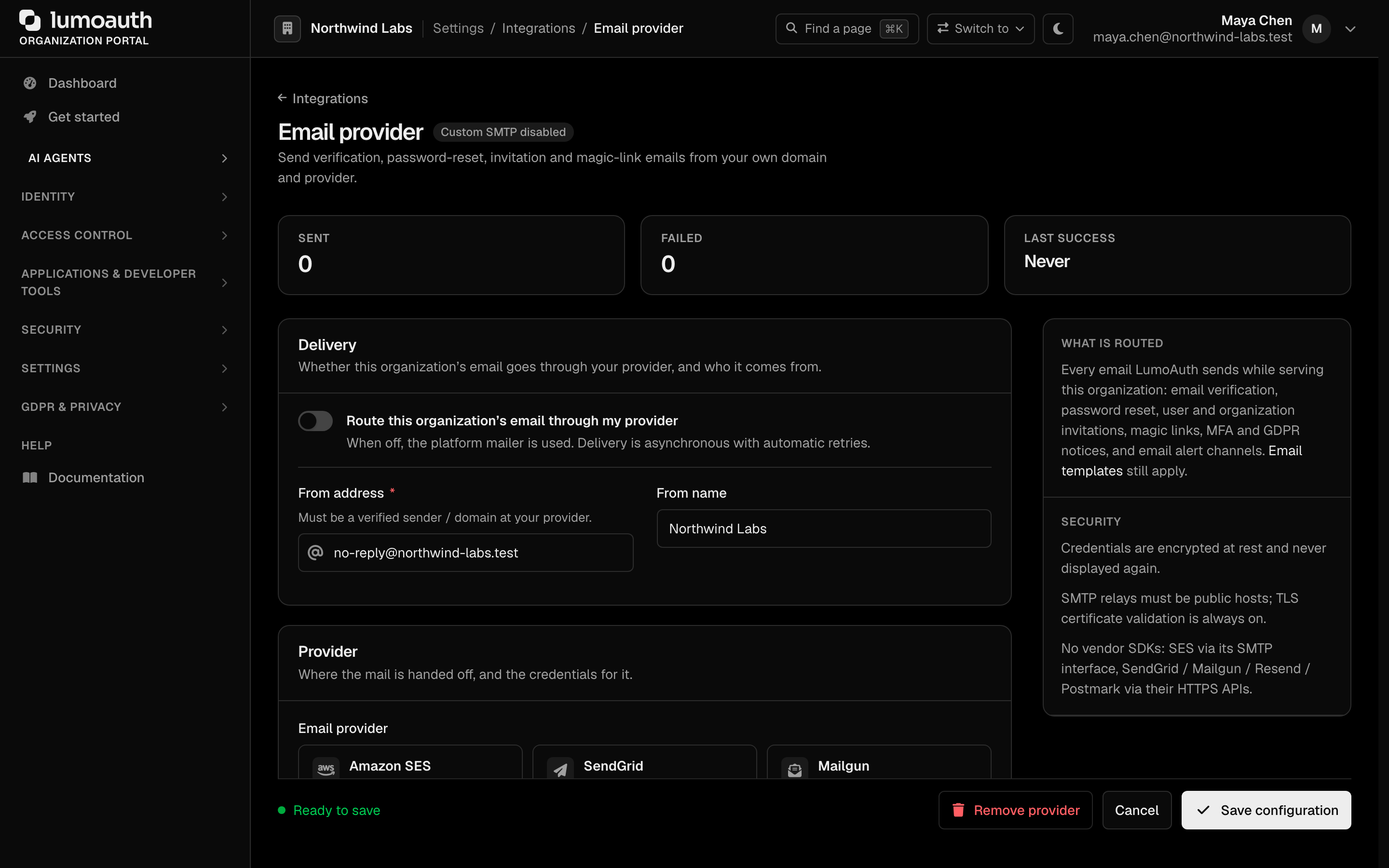
Set the From address (it must be a verified sender at your provider) and an optional From name, choose the provider under Email provider and fill in its credentials, click Save configuration, and use Send test email. Switch on Route this organization's email through my provider to start sending through it. The test is sent synchronously with the saved configuration even while the integration is disabled, so you can verify before switching over.
What is routed
When the integration is enabled, every email LumoAuth sends while serving your organization goes through it: email verification, password reset, user and organization invitations, magic links, email one-time codes, MFA security notices, GDPR notifications and email alert channels. Email templates still apply; only the transport and the From header change. Without an enabled integration, mail goes through the platform mailer from a LumoAuth address. Provider credentials may be secret:// references, resolved at send time; an unresolvable reference fails the send rather than falling back. Delivery is asynchronous with three retries, and the page shows sent / failed counters and the last error.
When the integration is disabled or removed, mail falls back to the platform mailer with no other change in behaviour.
Security
- Credentials are encrypted at rest and never displayed again; leave a secret blank on edit to keep the stored value. Changing the provider replaces the stored credentials.
- SMS and email credentials may be
secret://references to a secrets manager; they are resolved when a message is sent and fail closed. - Provider endpoints are fixed vendor hosts reached over HTTPS with DNS pinning and strict TLS. SMTP relays must resolve to public addresses.
- No vendor SDKs are used; every provider is called through
symfony/http-clientor Symfony Mailer’s SMTP transport.