Add authentication to your React Native app
This guide walks you through adding authentication and access control to a React Native (Expo) application using @lumoauth/client and the PKCE flow (PKCE is a one-time secret that protects the sign-in code, so a mobile app needs no client secret).
Before you start
You need:
- A LumoAuth account with an organization (sign up)
- A registered OAuth application with a custom URI scheme redirect (e.g.,
myapp://auth/callback) - Expo SDK 49+ or bare React Native
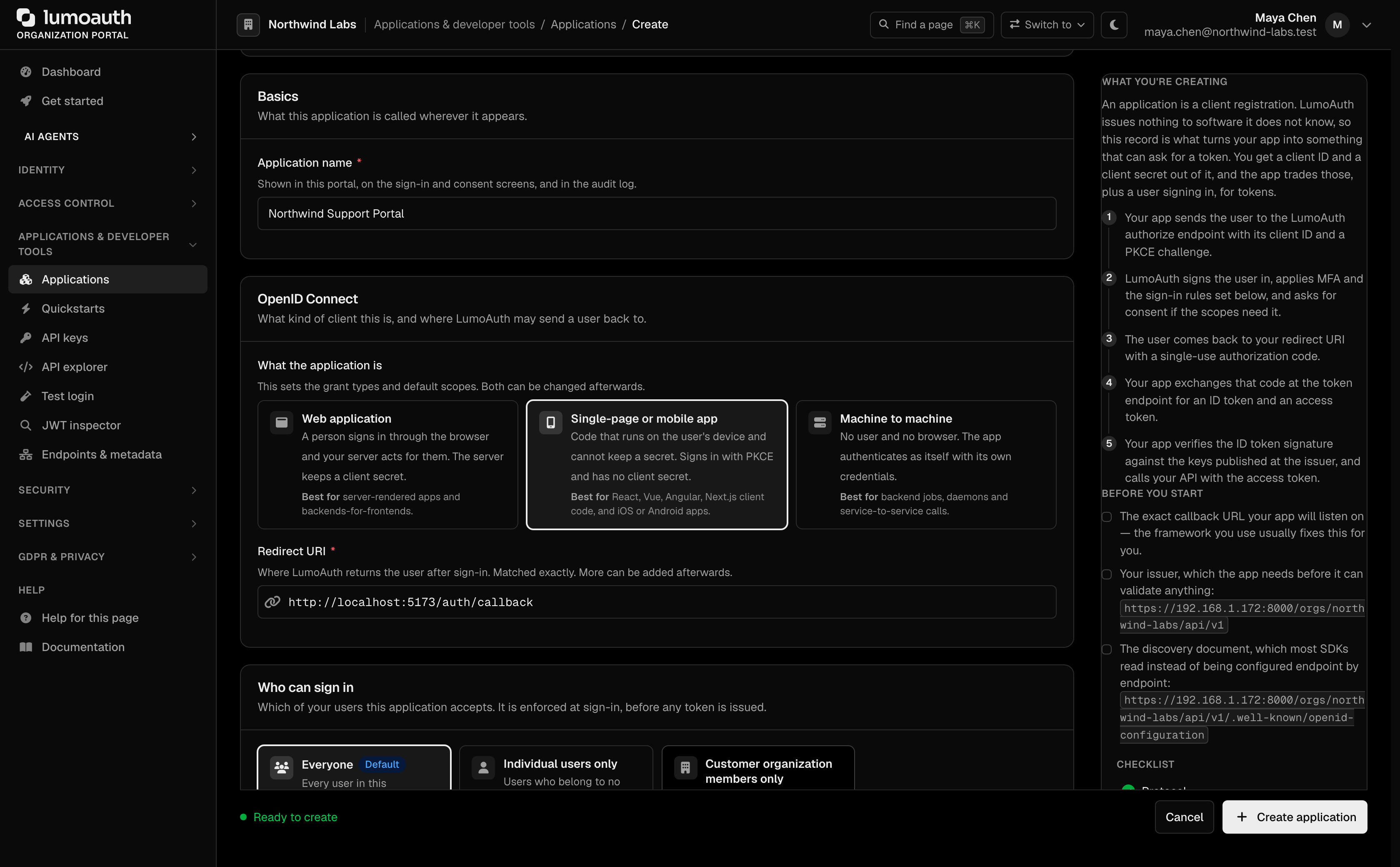
To register the application, open Applications in the portal sidebar and click New application. Enter an Application name, choose Single-page or mobile app, enter the Redirect URI, and click Create application.
Install dependencies
npm install @lumoauth/client
npx expo install expo-auth-session expo-secure-store expo-crypto expo-web-browser
For bare React Native (without Expo), use react-native-keychain instead of expo-secure-store.
Register your URI scheme
In app.json:
{
  "expo": {
    "scheme": "myapp"
  }
}
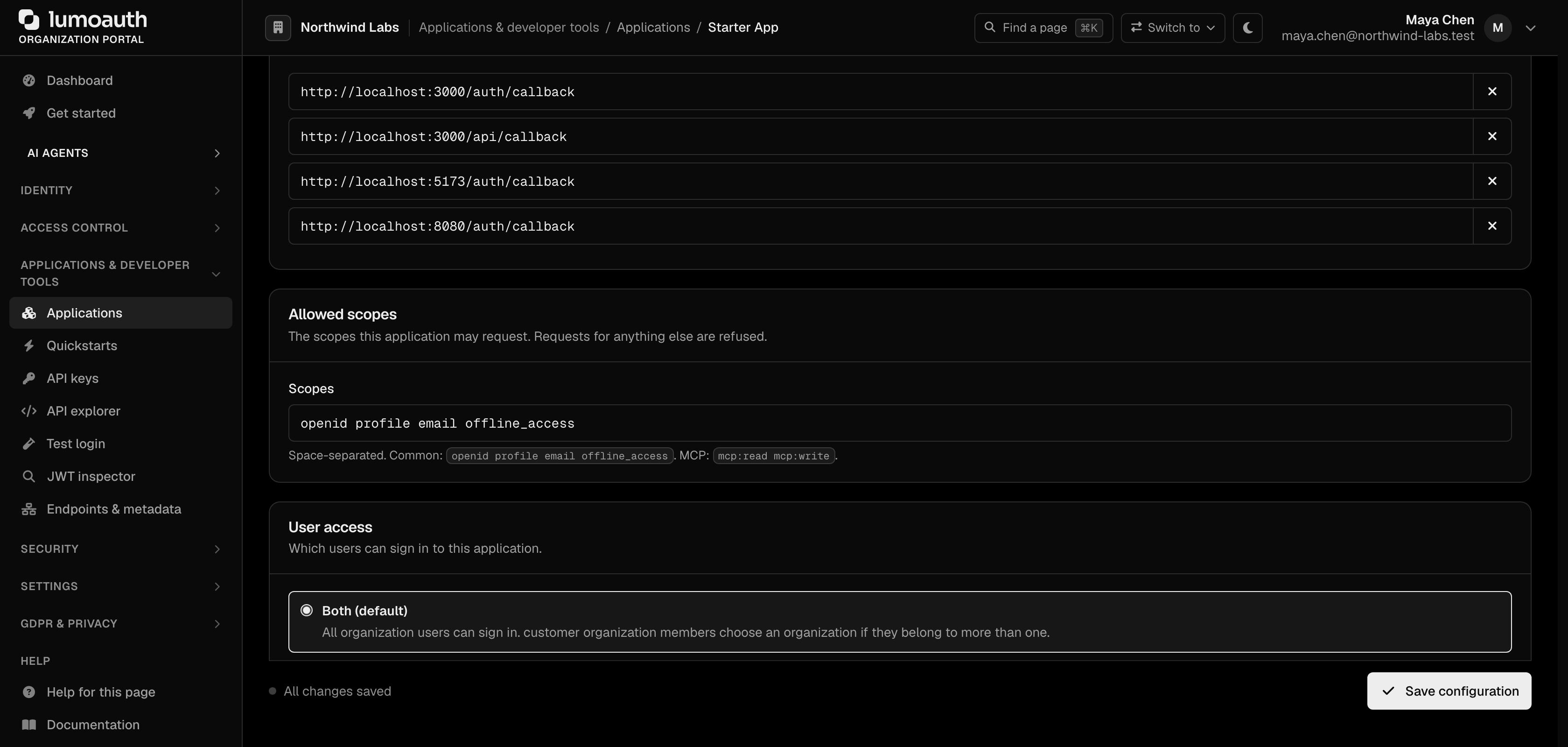
Your redirect URI will be myapp://auth/callback. It must be listed under Redirect URIs on the application's Configuration tab in the portal (click Add URI, then Save configuration).
Environment variables
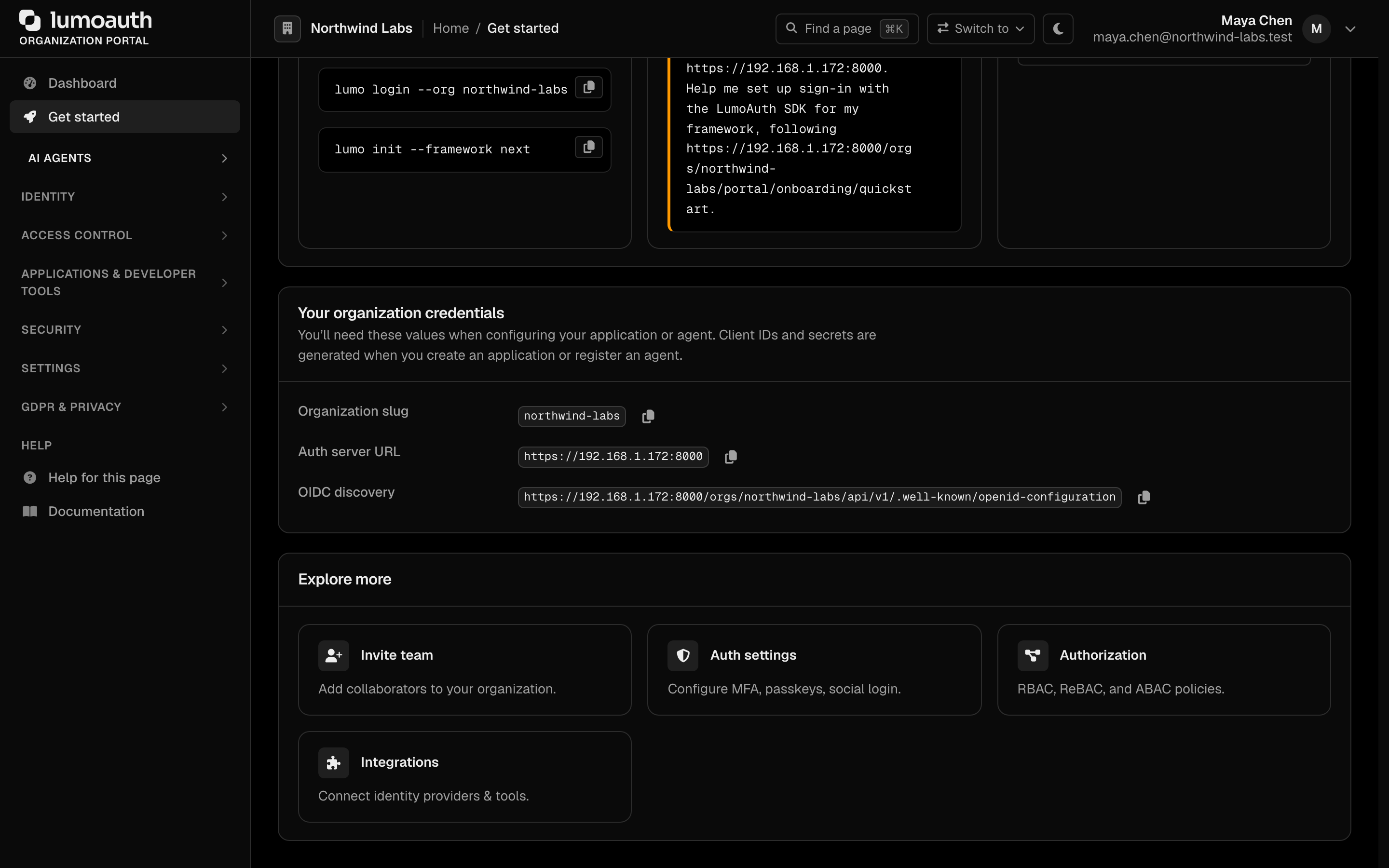
Your organization ID is the Organization slug shown under Your organization credentials on the portal's Get started page. The client ID is on the application's Credentials tab.
EXPO_PUBLIC_LUMOAUTH_DOMAIN=https://app.lumoauth.dev
EXPO_PUBLIC_LUMOAUTH_ORG_ID=YOUR_ORG_ID
EXPO_PUBLIC_LUMOAUTH_CLIENT_ID=YOUR_CLIENT_ID
Auth hook
Create hooks/useLumoAuth.ts:
import { useState, useEffect, useCallback } from 'react';
import * as SecureStore from 'expo-secure-store';
import * as WebBrowser from 'expo-web-browser';
import { AuthModule, LumoAuth } from '@lumoauth/client';

WebBrowser.maybeCompleteAuthSession();

const DOMAIN = process.env.EXPO_PUBLIC_LUMOAUTH_DOMAIN!;
const ORG_ID = process.env.EXPO_PUBLIC_LUMOAUTH_ORG_ID!;
const CLIENT_ID = process.env.EXPO_PUBLIC_LUMOAUTH_CLIENT_ID!;
const REDIRECT_URI = 'myapp://auth/callback';

const authModule = new AuthModule({ baseUrl: DOMAIN, orgId: ORG_ID, clientId: CLIENT_ID });

export function useLumoAuth() {
  const [accessToken, setAccessToken] = useState<string | null>(null);
  const [isLoaded, setIsLoaded] = useState(false);

  useEffect(() => {
    SecureStore.getItemAsync('lumoauth_access_token').then(token => {
      setAccessToken(token);
      setIsLoaded(true);
    });
  }, []);

  const signIn = useCallback(async () => {
    const { url, codeVerifier, state } = await authModule.buildAuthorizationUrl({
      redirectUri: REDIRECT_URI,
    });

    await SecureStore.setItemAsync('lumoauth_verifier', codeVerifier);
    await SecureStore.setItemAsync('lumoauth_state', state);

    const result = await WebBrowser.openAuthSessionAsync(url, REDIRECT_URI);
    if (result.type !== 'success') return;

    const params = new URL(result.url).searchParams;
    const code = params.get('code');
    const returnedState = params.get('state');
    const savedState = await SecureStore.getItemAsync('lumoauth_state');
    const storedVerifier = await SecureStore.getItemAsync('lumoauth_verifier');

    if (!code || returnedState !== savedState || !storedVerifier) {
      throw new Error('Invalid OAuth callback');
    }

    const tokens = await authModule.exchangeCodeForTokens({
      code,
      codeVerifier: storedVerifier,
      redirectUri: REDIRECT_URI,
    });

    await SecureStore.setItemAsync('lumoauth_access_token', tokens.access_token);
    if (tokens.refresh_token) {
      await SecureStore.setItemAsync('lumoauth_refresh_token', tokens.refresh_token);
    }
    await SecureStore.deleteItemAsync('lumoauth_verifier');
    await SecureStore.deleteItemAsync('lumoauth_state');
    setAccessToken(tokens.access_token);
  }, []);

  const signOut = useCallback(async () => {
    if (accessToken) authModule.revokeToken(accessToken, accessToken).catch(() => {});
    await SecureStore.deleteItemAsync('lumoauth_access_token');
    await SecureStore.deleteItemAsync('lumoauth_refresh_token');
    setAccessToken(null);
  }, [accessToken]);

  const getClient = useCallback(() =>
    new LumoAuth({
      baseUrl: DOMAIN,
      orgId: ORG_ID,
      clientId: CLIENT_ID,
      token: () => SecureStore.getItemAsync('lumoauth_access_token').then(t => t || ''),
    }), []
  );

  return { isSignedIn: !!accessToken, isLoaded, accessToken, signIn, signOut, getClient };
}
Use it in a screen
import { View, Button, ActivityIndicator } from 'react-native';
import { useLumoAuth } from '../hooks/useLumoAuth';

export default function HomeScreen() {
  const { isSignedIn, isLoaded, signIn, signOut, getClient } = useLumoAuth();

  if (!isLoaded) return <ActivityIndicator />;

  async function checkPermission() {
    const client = getClient();
    const allowed = await client.permissions.check('documents.edit');
    console.log('allowed:', allowed);
  }

  return isSignedIn ? (
    <View>
      <Button title="Check Permission" onPress={checkPermission} />
      <Button title="Sign Out" onPress={signOut} />
    </View>
  ) : (
    <Button title="Sign In with LumoAuth" onPress={signIn} />
  );
}