OAuth 2.0 API
LumoAuth implements OAuth 2.0 (the core sign-in and token protocol) and OpenID Connect (the identity layer on top of it). OAuth 2.0 defines the authorize endpoint, where a user signs in and approves access, the token endpoint, where your app collects tokens, and the standard grant types (the ways an app can ask for a token). OpenID Connect adds an ID token, a signed statement of who signed in, alongside the access token. These endpoints let your applications authenticate users, obtain tokens, and access protected resources. Terms you have not met before are explained in the glossary.
Do this first
Every integration follows the same four steps. Each one takes minutes.
- Read discovery.
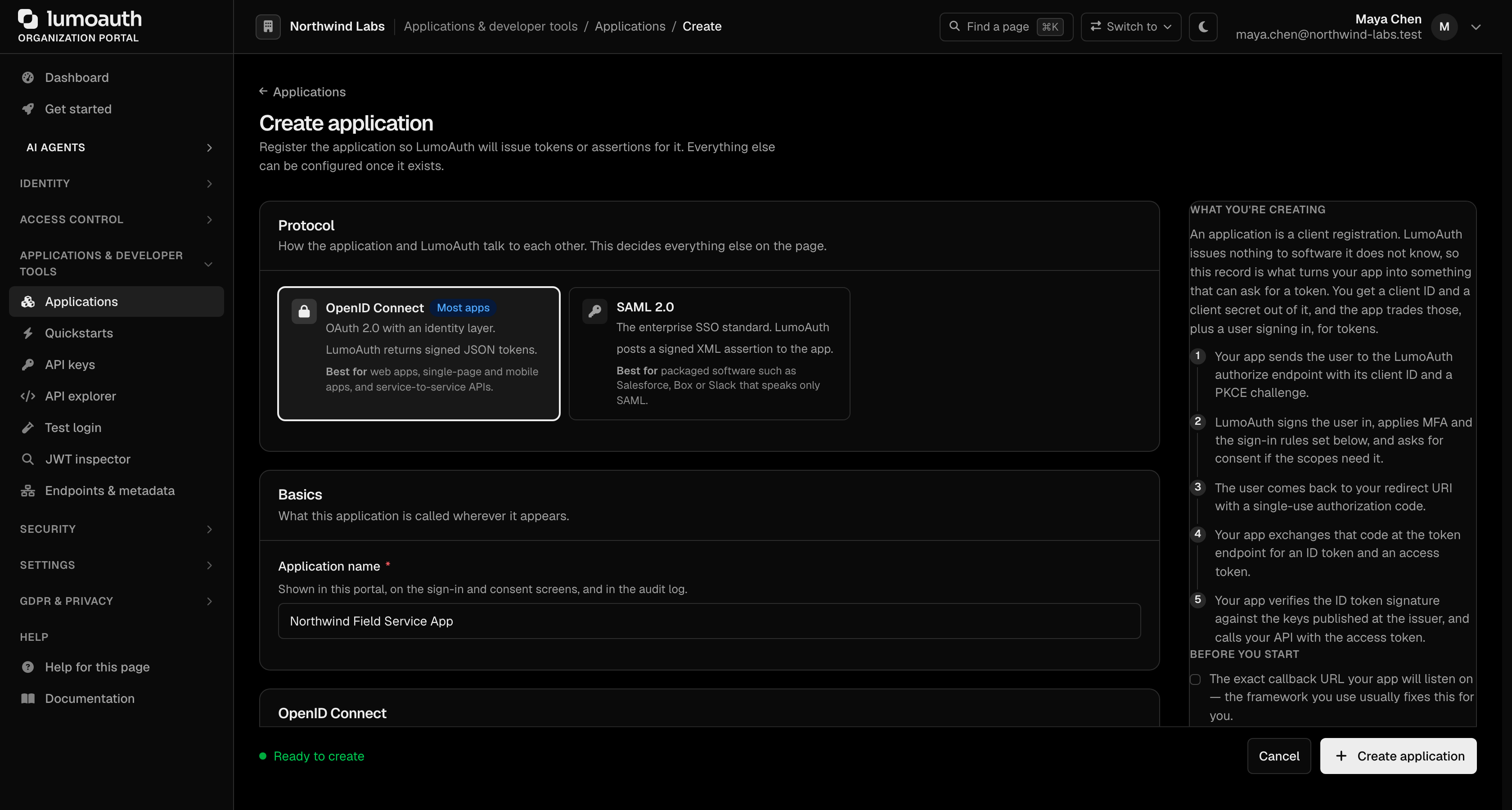
GET /orgs/{orgId}/api/v1/.well-known/openid-configurationreturns every endpoint URL, theissuer, and the supported algorithms. Never hard-code endpoint paths. - Register a client in the portal (Applications → New application) or through the admin API. Register the exact
redirect_uriyour app will send. - Run the Authorization Code flow with PKCE (
S256). See the Authorization endpoint and Token endpoint. - Validate what comes back. Compare the
issparameter and theissclaim of every token with the discoveryissuerbyte-for-byte, verifystate, and verify token signatures againstjwks_uri. The integrator checklist lists everything to check.
Available Endpoints
GET /orgs/{orgId}/api/v1/oauth/authorize
Starts the OAuth flow. Redirects the user to authenticate and grant permissions. Details.
POST /orgs/{orgId}/api/v1/oauth/token
Exchanges authorization codes for tokens, refreshes tokens, or uses client credentials. Details.
POST /orgs/{orgId}/api/v1/oauth/par
Pushed authorization requests (PAR): your app sends the authorization request to LumoAuth first and redirects the browser with a short reference, so the request cannot be tampered with. Details.
POST /orgs/{orgId}/api/v1/oauth/introspect
Token introspection: an API (resource server) calls this endpoint to ask LumoAuth whether a token is still valid and what it allows. Details.
POST /orgs/{orgId}/api/v1/oauth/revoke
Token revocation: invalidates an access or refresh token before it expires, for example when a user signs out of your app. Details.
GET / POST /orgs/{orgId}/api/v1/oauth/userinfo
Returns information about the authenticated user or agent. Details.
GET / POST /orgs/{orgId}/api/v1/oauth/logout and GET /orgs/{orgId}/api/v1/oauth/check_session
Signs the user out of LumoAuth and of every application in the session (logout), plus the session-monitoring iframe a browser app can embed to notice that the session ended. Details.
POST /orgs/{orgId}/api/v1/oauth/login/submit and POST /orgs/{orgId}/api/v1/oauth/login/json
The hosted login page's credential submit and its JSON sibling for applications that render their own sign-in form. Details.
POST /orgs/{orgId}/api/v1/connect/register
Dynamic client registration: an application registers itself through the API instead of being created in the portal. Details.
Issuer identifier
The issuer in discovery, the iss claim in every access token, ID token and logout token, the iss in introspection responses, and the iss parameter on authorization responses are all the same string. Which string depends on the host the request arrives on:
| Where the request arrives | issuer |
|---|---|
| Organization path | https://app.lumoauth.dev/orgs/acme-corp/api/v1 |
| Verified custom domain | https://auth.acme.com (the bare domain, no path) |
Use one entry point per application and read the issuer from that entry point's discovery document. Tokens minted before September 2026 carried https://app.lumoauth.dev/orgs/acme-corp (without /api/v1); LumoAuth still accepts that legacy form while those tokens expire, but it no longer mints it.
The issuer identifier in the authorization response (the iss parameter) and OpenID Connect Core 3.1.3.7 (ID token validation) both solve the same problem: a client talking to several authorization servers can be tricked into sending a code or token to the wrong one. To comply, compare iss with the discovery issuer byte-for-byte before you trust a code or a token. Never disable issuer checks in your OIDC library.
Supported Grant Types
LumoAuth supports the following OAuth 2.0 grant types:
| Grant Type | Description | Use Case |
|---|---|---|
authorization_code | User-interactive flow with redirects | Web apps, SPAs, mobile apps |
client_credentials | Machine-to-machine authentication | Backend services, APIs, cron jobs |
refresh_token | Obtain a new access token without re-prompting the user | Maintaining long-lived sessions |
urn:ietf:params:oauth:grant-type:device_code | Device authorization (sign in on another device): the device shows a short code that the user enters on their phone or laptop. See Device flow | CLIs, TVs, devices without a browser |
urn:openid:params:grant-type:ciba | Client-initiated backchannel authentication (CIBA): a service asks the user to approve a sign-in on their own device, with no browser redirect. See CIBA | Call centres, point of sale, AI agents asking for approval |
urn:ietf:params:oauth:grant-type:token-exchange | Token exchange: swap one token for another with a narrower audience or on behalf of another party, the mechanism behind delegation and impersonation. See Token exchange | Service-to-service delegation, impersonation |
urn:ietf:params:oauth:grant-type:jwt-bearer | JWT bearer grant: redeem a signed assertion from a trusted identity provider for LumoAuth tokens (Cross App Access). Accepted by the token endpoint although it is not listed in grant_types_supported | Cross App Access between enterprise applications |
Organization-Scoped URLs
All OAuth endpoints are scoped to a specific organization via the {orgId} path parameter. This ensures isolation between organizations: users, clients, and tokens from one organization cannot be used in another.
An organization represents an isolated environment in LumoAuth. Each organization has its own users, applications, roles, and configuration. It is identified by a unique slug (e.g., acme-corp).
Inactive clients
A client that an administrator has disabled is treated as an unknown client on every OAuth endpoint: authorize, token, PAR, CIBA, device authorization, introspection and revocation all answer invalid_client (or the authorize endpoint's inline error page). Existing tokens are not revoked by disabling a client; revoke them first if you need them gone. See Enable / Disable Client.
Authentication Methods
When calling the token endpoint, you can authenticate your client using:
HTTP Basic Authentication (Recommended)
curl -X POST https://app.lumoauth.dev/orgs/acme-corp/api/v1/oauth/token \
  -u "CLIENT_ID:CLIENT_SECRET" \
  -d "grant_type=client_credentials"
Request Body Parameters
curl -X POST https://app.lumoauth.dev/orgs/acme-corp/api/v1/oauth/token \
  -d "grant_type=client_credentials" \
  -d "client_id=YOUR_CLIENT_ID" \
  -d "client_secret=YOUR_CLIENT_SECRET"
Stronger methods (private_key_jwt, where the client signs a short-lived JWT with its own private key, and tls_client_auth, where it presents a client certificate) are described on the FAPI 2.0 page. Client secrets are stored hashed and are shown exactly once, at creation or rotation.
Response Format
Successful token responses follow the OAuth 2.0 specification:
{
  "access_token": "eyJhbGciOiJSUzI1NiIsInR5cCI6ImF0K2p3dCJ9...",
  "token_type": "Bearer",
  "expires_in": 3600,
  "refresh_token": "dGhpcyBpcyBhIHJlZnJlc2ggdG9rZW4...",
  "scope": "openid profile email",
  "id_token": "eyJhbGciOiJSUzI1NiIsInR5cCI6IkpXVCJ9..."
}
Next Steps
- Authorization endpoint — start the user-interactive flow
- Token endpoint — exchange codes and refresh tokens
- PKCE — required for public clients
- Integrator checklist — issuer validation, exact redirect URIs, PKCE, DPoP (sender-constrained tokens), token storage
Standards used on this page
| Plain name | Standard |
|---|---|
| OAuth 2.0 (the core sign-in and token protocol) | RFC 6749 |
| OpenID Connect (OIDC) | OpenID Connect Core 1.0 |
| Discovery document | RFC 8414 and OpenID Connect Discovery |
| Proof Key for Code Exchange (PKCE) | RFC 7636 |
| Pushed authorization requests (PAR) | RFC 9126 |
| Token introspection | RFC 7662 |
| Token revocation | RFC 7009 |
| Logout | OpenID Connect RP-Initiated Logout, Front-Channel Logout, Back-Channel Logout and Session Management |
| Dynamic client registration | RFC 7591 and RFC 7592 |
| Issuer identifier in the response | RFC 9207 |
| Device authorization (sign in on another device) | RFC 8628 |
| Client-initiated backchannel authentication (CIBA) | OpenID CIBA Core 1.0 |
| Token exchange (delegation) | RFC 8693 |
| JWT client authentication and the JWT bearer grant | RFC 7523 |
| Mutual TLS client authentication | RFC 8705 |
| Sender-constrained tokens (DPoP) | RFC 9449 |
See the standards reference for what each one covers and how LumoAuth uses it.