Getting Started with AI Access Control
AI agents are not users. They run autonomously, chain actions across multiple systems, and sometimes act on a human's behalf — all without a browser, password prompt, or consent screen. The authentication patterns most apps rely on (shared API keys, user credentials) were not designed for this shape of caller.
LumoAuth models every agent as its own identity, with explicit capabilities, an audit trail, and revocation that takes effect immediately.
The AI Access Control model
Agent registration
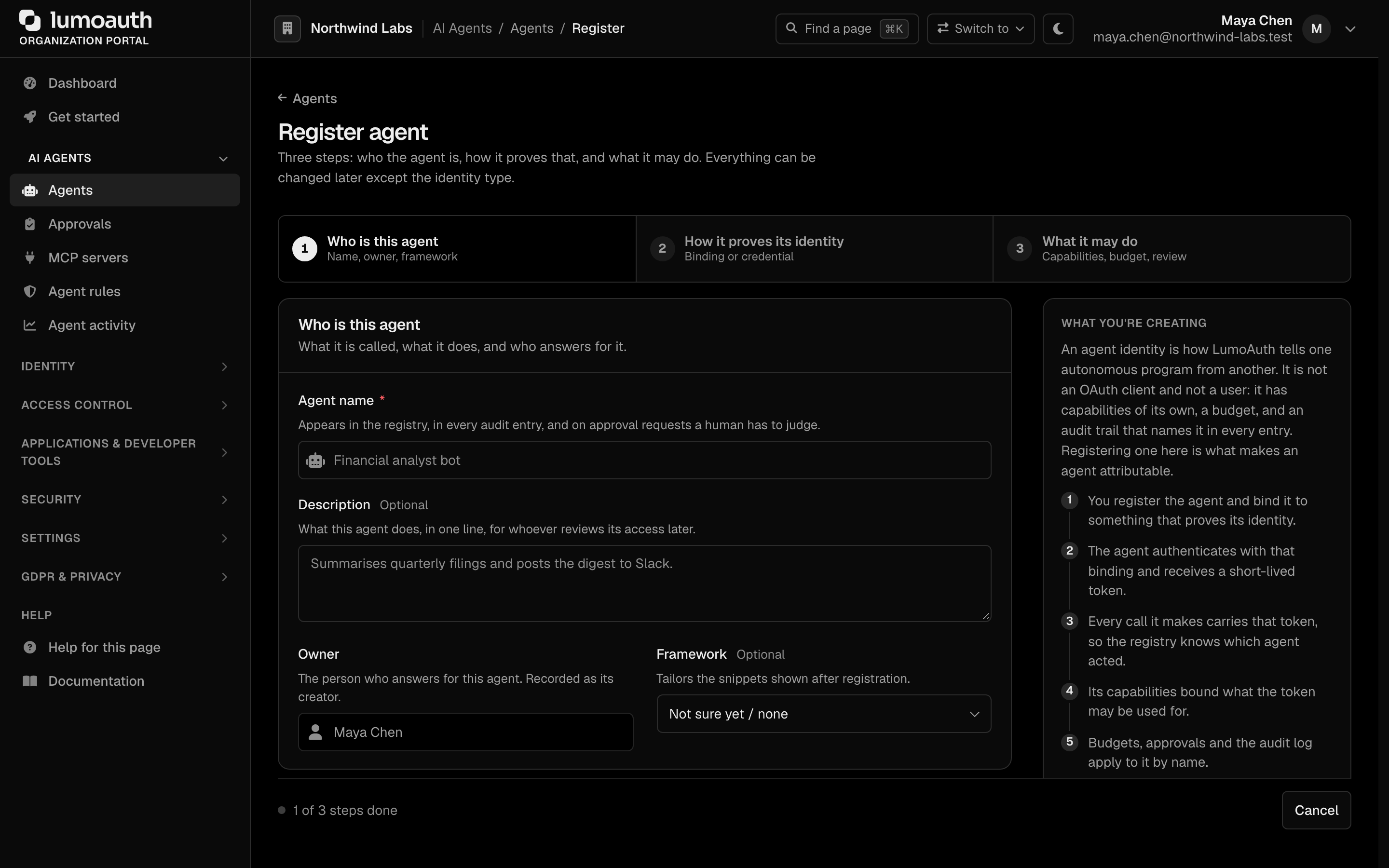
Every agent is a first-class identity in LumoAuth — like a user record, but for software. Registration records what the agent is, what it can do, and how it proves its identity. Agents authenticate with signed JWTs (signed tokens; Ed25519 keys recommended) or with a workload identity token from the platform they run on — no passwords.
Workload federation
When an agent runs in Kubernetes, AWS, or GCP, it already has a cryptographically verified identity from that platform. LumoAuth can trust that identity directly, so the agent never needs a static secret to rotate or leak.
Scoped capabilities
Agent permissions are explicit. Instead of a single service account that can do everything, each agent declares the capabilities it actually needs (document.read, payments.authorize). Anything outside that list is denied.
Chain of Agency
When an agent acts on behalf of a user — or on behalf of another agent acting for a user — LumoAuth uses token exchange to produce a delegation token that records the full call chain: "Search Tool, called by Research Bot, acting for Alice." Every hop is signed and shows up in the audit log, so you can answer "who really did this?" after the fact.
JIT permissions
For sensitive operations, an agent should not carry standing permissions. Instead it requests a just-in-time (JIT) approval. A human is notified in real time and approves or denies. The token LumoAuth issues is scoped to that single operation and expires automatically.
Your first agent in 5 steps
1. Register your agent. In the organization portal (AI Agents → Agents → Register agent, or via the API), create an agent identity with a name and the capabilities it will request. This is its permanent identity record.
2. Generate credentials. Create an Ed25519 key pair. The public key goes into the agent registration; the private key goes into your secret manager. If the agent runs in Kubernetes or a cloud function, skip this step and use workload federation instead.
3. Get an access token. The agent signs a short-lived JWT assertion with its private key and exchanges it at the token endpoint for a LumoAuth access token. The token is scoped to the capabilities declared at registration — the agent can request a subset, never more.
4. Authorize actions. Before taking a sensitive action, the agent calls the Ask API ("Can I read and summarize documents for user alice@acme.com?") or the standard authorization check endpoint. LumoAuth returns allow or deny, with a reason.
5. Request JIT approval for sensitive ops. For high-risk operations (payment processing, data deletion), the agent requests a JIT permission. A human approves or denies. The granted token expires after the operation completes.
Framework integrations
| Framework | Registry guide | JIT guide |
|---|---|---|
| LangChain / LangGraph | Registry | JIT |
| CrewAI | Registry | JIT |
| OpenAI Agents SDK | Registry | JIT |
| Agno | Registry | JIT |
| Google ADK | Registry | JIT |
Next step
- Agent Quick Start → — full walkthrough with code in Node.js and Python
- Agent Registry → — registration, credentials, and key management in detail
Standards used on this page
| Plain name | Standard |
|---|---|
| Token exchange (delegation) | RFC 8693 |
See the standards reference for what each one covers and how LumoAuth uses it.