Agent Registry
Register AI agents in LumoAuth to give them their own identity, capabilities, and usage limits. Registered agents authenticate and are tracked separately from users.
Creating an agent
Agents are usually created in the organization portal: open AI Agents → Agents (/orgs/{orgId}/portal/agents) and click Register agent. The same config can be set programmatically via the Admin API.
Registration is a three-step wizard: Who is this agent (name, description, owner, framework, optional metadata), How it proves its identity (the identity type and its binding or credential settings) and What it may do (capabilities, acting for people, budget and limits, and a review of what will be registered).
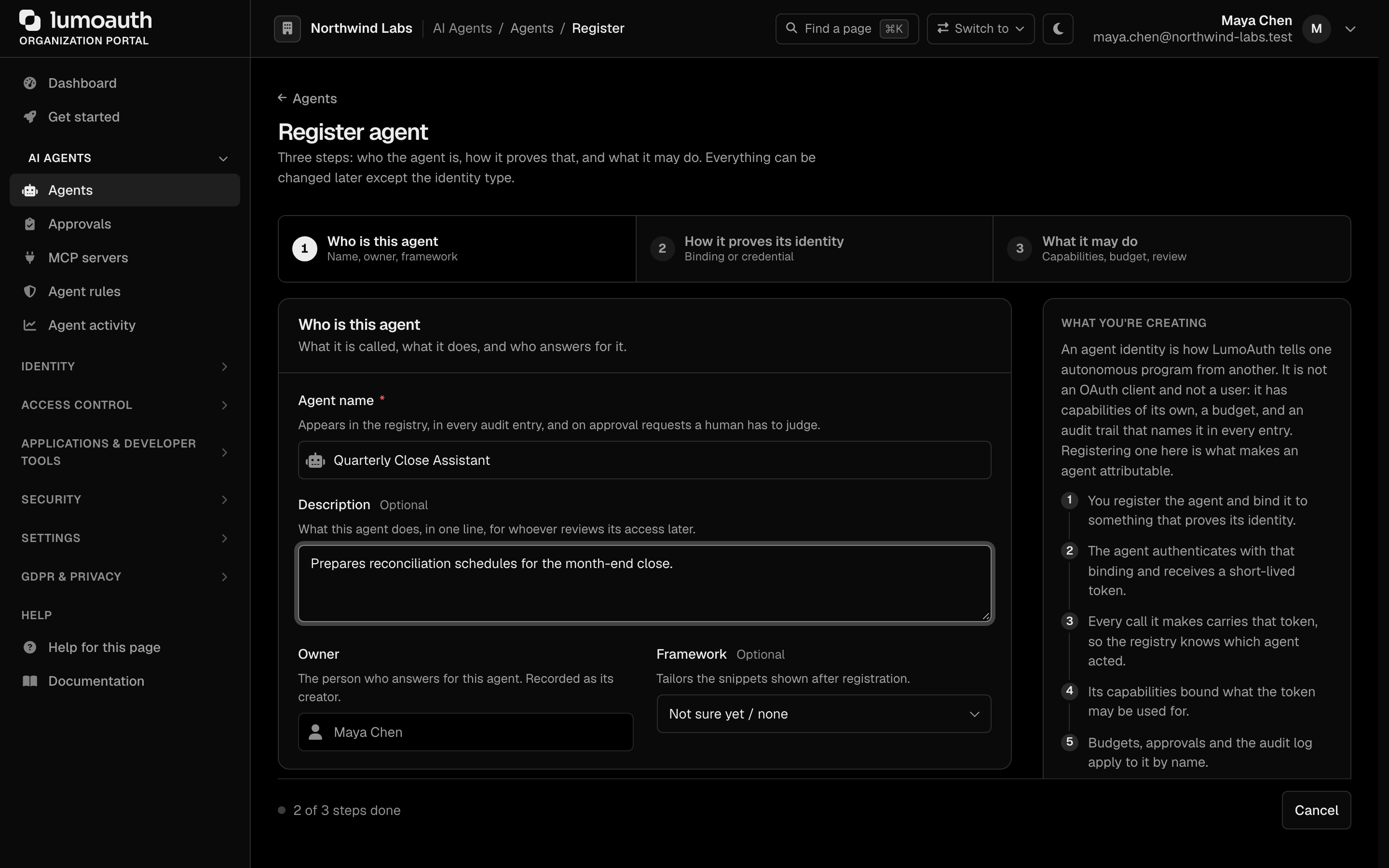
Step 3 holds the capability picker, the Acting for people switches and the budget limits:
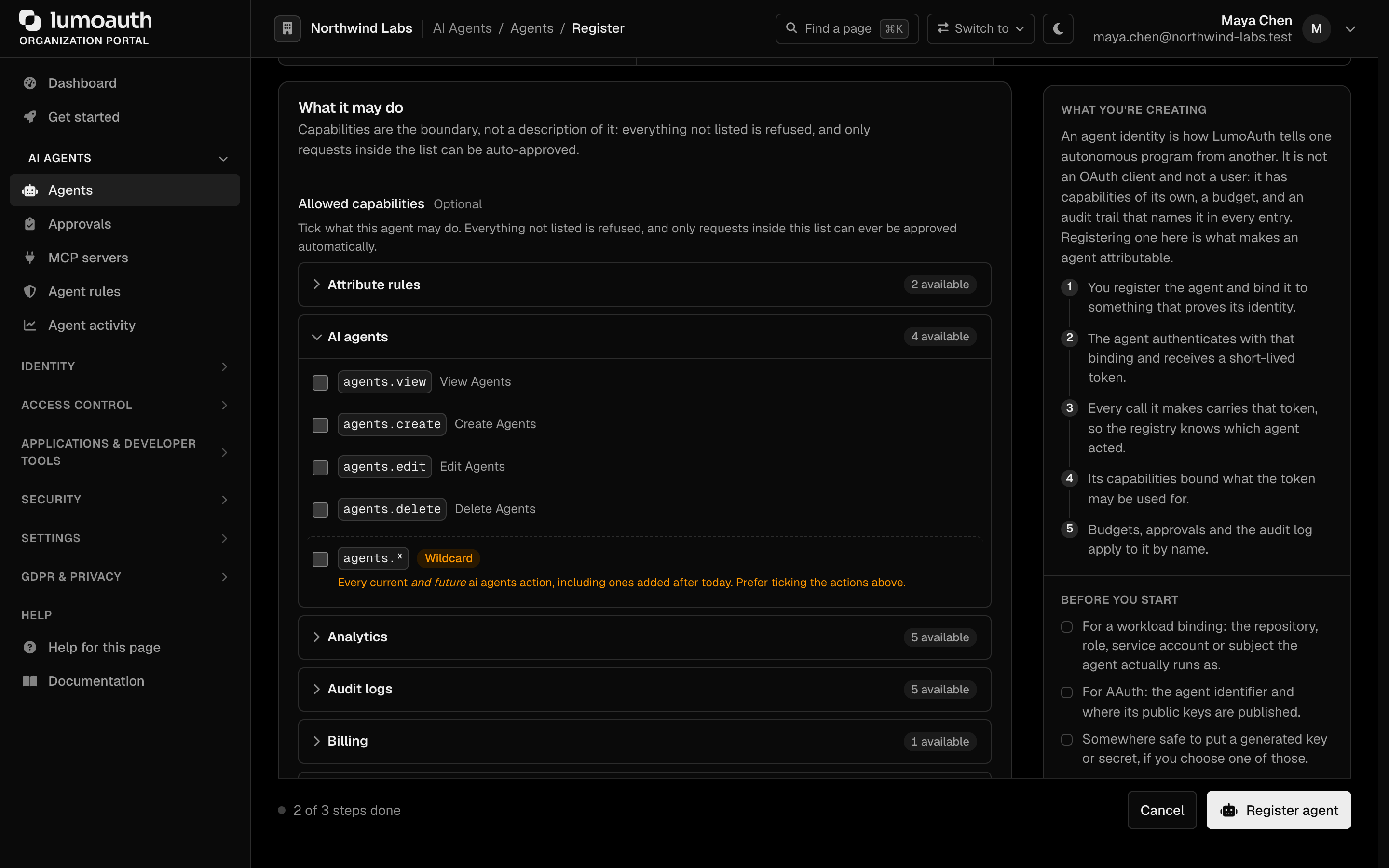
Each agent has:
| Property | Description |
|---|---|
| Name | Human-readable identifier (e.g., "Research Assistant Bot") |
| Agent ID | The public agt_… identifier, generated at registration |
| Credential | Generated for you when the identity type needs one: an API key or a client ID and secret, each shown once on the page after registration. Workload identity, AAuth, client certificate and custom identities have no secret |
| Capabilities | Scopes/permissions the agent is allowed to request |
| Budget and limits | Daily hard limit, max steps per task and a timeout |
| Identity Type | How the agent authenticates. The register form offers Workload identity, AAuth, Client certificate, Client ID and secret, API key and Custom; the type is fixed once the agent is registered |
| Workload Identity | External identity sources (Kubernetes, AWS, GCP) for cloud-native deployments |
| AAuth Identity | AAuth, the agent identity protocol: the agent signs each request with its own key, and tokens are bound to that key |
Agent IDs are unique per organization
The public agent_id (agt_… when generated, or caller-chosen on the legacy
POST /orgs/{orgId}/api/v1/agents/register endpoint) is unique within an
organization, not globally. Registering a second agent with an agent_id
that already exists in the same organization returns 409 Conflict
({"error": "conflict", …}); the same id in another organization is
unrelated and never blocks — one organization cannot squat on, or enumerate,
another organization's agent ids. Every lookup by agent_id is scoped to the
organization in the URL.
Registering through the API
POST /orgs/{orgId}/api/v1/agents/register acts as the authenticated caller, never as an
identity named in the body:
| Caller | Requirement |
|---|---|
| Browser session | A user of this organization; the body must be sent as Content-Type: application/json (415 otherwise) |
| OAuth access token | The admin or admin:agents:write scope; a token with only openid profile gets 403 forbidden |
API key (lmk_) | The admin:agents:write scope |
The user (or the key's creator) must hold agents.create. Re-registering an existing agent
name updates that agent and therefore needs agents.edit; without it the call returns
409 conflict (An agent named "…" already exists in this organization) instead of
overwriting its capabilities or workload identity.
The legacy inline email / password fields are an optional re-authentication for accounts
without MFA only. They must be the caller's own credentials (403 otherwise), are rate
limited (429 with Retry-After), and for an MFA-enrolled account they are refused with:
{ "error": "mfa_required", "error_description": "Password re-authentication is not accepted for accounts with multi-factor authentication. Omit email/password and call this endpoint with your authenticated session or access token." }
(403). Omit them and rely on the session or token. Each refusal is audited as
agent.reauth_refused_mfa, agent.reauth_failed or agent.reauth_rate_limited.
Unified agent identity (AAuth linking)
LumoAuth keeps one registry for all agents. Agents registered via the AAuth protocol (HTTPS-URL identity, per-agent keys) are linked to a core registry agent — link, not merge: both objects keep their own lifecycle and credentials, but they are navigable in both directions and the core agent carries the governance features (risk scoring, access policies, dormancy lifecycle).
- Creating an agent with the AAuth identity type in the portal creates the core agent and its AAuth credentials together, already linked.
- The unified agent list (AI Agents → Agents) shows every core agent on
its Agents tab, with an AAuth-linked badge for agents that have
AAuth credentials; the AAuth credentials and AAuth resources tabs
list the AAuth side. The agent detail page
(
/orgs/{orgId}/portal/agents/{agentId}) gains an AAuth credentials panel (identifier, JWKS, refresh-token state, active token count). - Unlinked AAuth agents keep working exactly as before — linking is additive. Deleting a core agent from the portal removes its AAuth credentials with it; deleting through the admin API clears the link only.
Agent vs OAuth client
Agents use OAuth 2.0 for authentication, with extra properties on top:
| Feature | Standard OAuth Client | Agent |
|---|---|---|
| Authentication | Client credentials | Client credentials, workload identity, or AAuth protocol |
| Identity Type | Application | AI Agent |
| Usage Limits | Rate limiting only | Budget policies (tokens, API calls, costs) |
| Delegation | Not typically | Can act on behalf of users |
| UserInfo Response | Application info | Agent info with capabilities |
Configuring capabilities
Capabilities define what the agent can do. They map onto OAuth scopes but are shaped for agent use cases.
Capabilities are normalised when stored: lower-case, with : and - folded into . (Users:Delete → users.delete, read:* → read.*). The Ask API, JIT auto-approval and the creator-containment check all judge this canonical form, so spelling a wildcard with a colon never sidesteps a rule written with a dot. Only * and prefix.* are wildcards; a tenant admin cannot grant *, nor a catalogue permission or wildcard they do not hold themselves. Capability changes are audited as agent.updated with the old and new lists (creation and deletion as agent.created / agent.deleted).
{
  "budget_policy": {
    "max_tokens_per_day": 100000,
    "max_api_calls_per_hour": 500,
    "max_cost_per_month_usd": 50,
    "require_approval_above_usd": 10
  }
}
Budget limits are enforced in real time. When an agent exceeds its budget, subsequent requests are rejected until the budget resets or is increased.
Agent authentication
Authenticating as the agent
When you register an agent, LumoAuth mints an agent API key (agk_ prefix), shown
once at creation. Present it as a Bearer token to call agent endpoints directly — it
authenticates the agent as a ROLE_AGENT principal:
curl https://app.lumoauth.dev/orgs/acme-corp/api/v1/agents/me \
  -H "Authorization: Bearer agk_abc123xyz..."
The agk_ key is accepted on agent, JIT, and authz-check routes only. See
API Authentication for the full reference, or use the
SDK below to skip the raw HTTP.
Key expiry. Keys do not expire by default. Give them a lifetime (180 days
recommended) with apiKeyExpiresInDays or an ISO-8601 apiKeyExpiresAt when
creating or updating the agent through the Admin API; the response exposes
apiKeyExpiresAt / apiKeyExpired. An expired key is refused with 401 even
though it still matches. Rotating a key whose expiry has already passed gives
the new key the recommended 180 days; a future expiry is kept. Each successful
agk_ authentication records the agent's lastUsedAt (throttled to one write
per five minutes), which dormancy policies and the risk score rely on.
Install the LumoAuth Agent SDK
The lumoauth package provides the LumoAuthAgent client and a
require_capability decorator used in all examples on this page.
pip install lumoauth
Environment variables (set these before running any example):
| Variable | Description | Default |
|---|---|---|
LUMOAUTH_URL | LumoAuth instance URL | https://app.lumoauth.dev |
LUMOAUTH_ORG_ID | Your organization ID | (required) |
AGENT_CLIENT_ID | Agent's OAuth client ID | (required) |
AGENT_CLIENT_SECRET | Agent's OAuth client secret | (required) |
All four can also be passed directly to the LumoAuthAgent() constructor.
Complete example
from lumoauth import LumoAuthAgent, require_capability

# 1. Initialize - reads env vars automatically
agent = LumoAuthAgent()

# 2. Authenticate (OAuth 2.0 client credentials)
if not agent.authenticate():
    raise SystemExit("Authentication failed - check credentials.")

# 3. Inspect identity and capabilities
info = agent.get_agent_info()
print(f"Agent : {info['name']}")
print(f"Caps  : {info['capabilities']}")

budget = agent.get_budget_status()
if budget:
    print(f"Tokens: {budget.get('tokens_used_today', 0)}/{budget.get('max_tokens_per_day', 'unlimited')}")

# 4. Make authenticated API calls
if agent.has_capability("read:documents"):
    resp = agent.api_request("GET", f"/orgs/{agent.org_id}/api/v1/documents/123")
    print(resp.json())

# 5. Token exchange for a secured MCP server (RFC 8693 — swap the agent token
#    for one audience-bound to the MCP server)
mcp_token = agent.get_mcp_token("urn:mcp:financial-data")
if mcp_token:
    print("MCP token obtained - pass it to your MCP client.")
Subclassing with capability gates
Use the require_capability decorator to gate methods on agent permissions:
from lumoauth import LumoAuthAgent, require_capability

class ResearchAgent(LumoAuthAgent):
    @require_capability('tool:search_web')
    def search(self, query: str) -> dict:
        return self.api_request(
            "POST", f"/orgs/{self.org_id}/api/v1/tools/search", data={"query": query}
        ).json()

    @require_capability('write:documents')
    def save_findings(self, data: dict) -> str:
        resp = self.api_request(
            "POST", f"/orgs/{self.org_id}/api/v1/documents", data=data
        )
        return resp.json()["id"]
Agent information in UserInfo
When an agent calls the UserInfo endpoint, the response contains agent-specific data:
{
  "sub": "agent:research-bot",
  "name": "Research Assistant Bot",
  "agent_id": "agt_abc123def456",
  "identity_type": "agent",
  "capabilities": [
    "read:documents",
    "tool:search_web",
    "tool:execute_code"
  ],
  "budget_policy": {
    "max_tokens_per_day": 100000,
    "tokens_used_today": 15234,
    "max_api_calls_per_hour": 500,
    "api_calls_this_hour": 47
  },
  "organization": "acme-corp",
  "workload_identity": null
}
A2A agent cards
Registered agents can publish a signed A2A (Agent2Agent) v1.0 Agent Card so other agents and orchestrators can discover and verify them:
- GET
/orgs/{orgId}/api/v1/agents/{agentId}/agent-card— public; returns the JWS-signed AgentCard for an active agent that has declared an A2A endpoint (404 when the agent is unknown, inactive, or not A2A-configured). Cacheable for 5 minutes. - POST
/orgs/{orgId}/api/v1/agents/agent-card/verify— authenticated; verifies a presented signed card. Body is the card JSON itself, or{"card": {...}, "jwks_uri": "https://..."}to verify against an external issuer's key set. Returns{"valid": true, "signer": …, "card_summary": …}or{"valid": false, "error": …}.
Card signatures are verified against the issuing organization's JWKS by
default; failures are audited as a2a.card_verify_failed.
Publishing at the well-known location
A2A clients expect the card at a /.well-known/ path. On the agent's edit
page, open the A2A agent card section, enter the A2A endpoint URL
(and optionally the A2A skills), turn on Publish at the well-known
location and click Save changes.
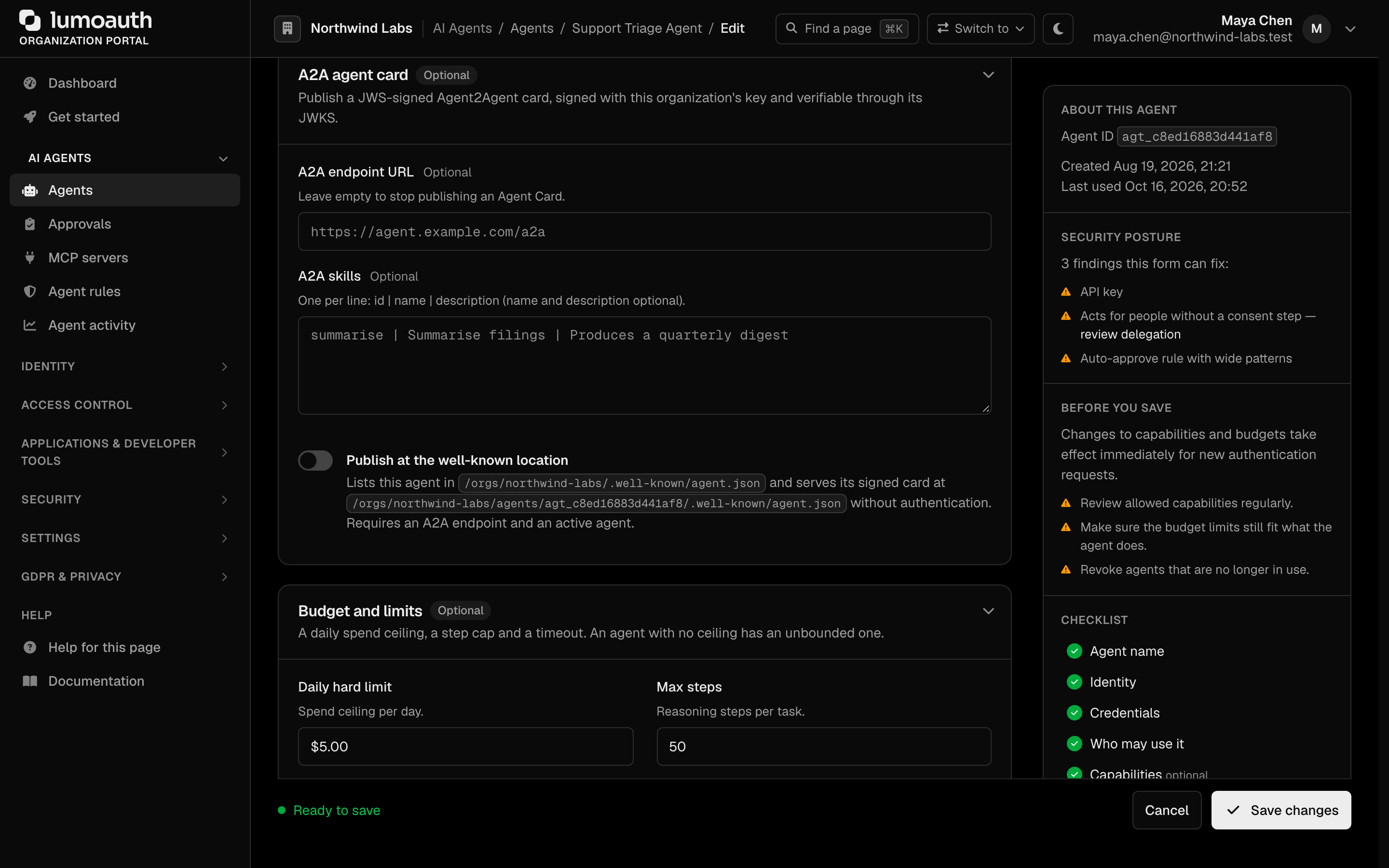
The same signed card is then served publicly at:
- GET
/orgs/{orgId}/agents/{agentId}/.well-known/agent.json— the signed AgentCard for one agent. - GET
/orgs/{orgId}/.well-known/agent.json— an index of every published card in the organization:{"protocolVersion": …, "provider": {…}, "agents": [{"name", "description", "version", "url"}]}, whereurlis the per-agent location above. A2A defines one card per agent origin, so an organization hosting many agents publishes this index for orchestrators to enumerate.
Both responses are cacheable for 5 minutes. Publishing is opt-in per agent and only applies to agents that are active and have declared an A2A endpoint; anything else returns 404. The flag changes nothing about authentication — the card advertises how to authenticate, it is not a credential.
Importing from external agent registries
If your agents are already registered in another directory, import them instead
of retyping them. In the organization portal, open Settings → Integrations,
choose Agent ecosystem and pick a provider under Agent registries
(/orgs/{orgId}/portal/integrations/agent-ecosystem):
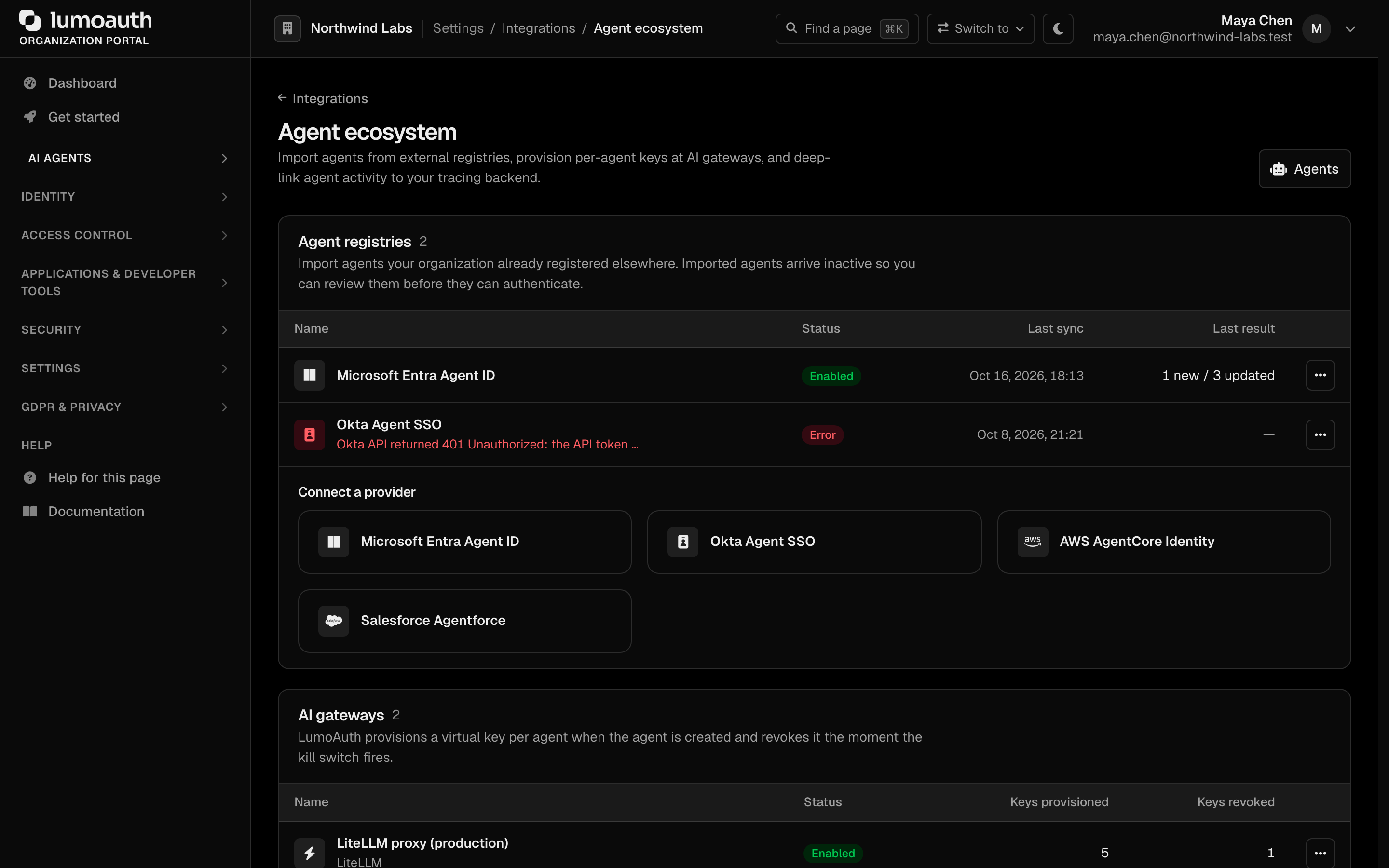
| Registry | What is imported | Identity mapping |
|---|---|---|
| Microsoft Entra Agent ID | Service principals tagged AgentIdentity (Graph $filter is overridable), via client credentials with Application.Read.All | workload / azure, subject azure:{tenantId}:{appId} — attestable by the Azure verifier |
| Okta Agent SSO | OIDC service apps, apps with profile.agent/agentType, or a label prefix, via an SSWS API token | workload / generic OIDC with the org authorization-server issuer and the app's client id |
| AWS AgentCore Identity | Bedrock AgentCore workload identities, over the SigV4-signed control plane | custom, subject aws-agentcore:{arn} (AgentCore identities are not IAM roles, so the IRSA verifier does not apply) |
| Salesforce Agentforce | BotDefinition records, via the connected app's client-credentials flow | custom, subject salesforce:{instance}:{DeveloperName} |
After you save the connection with Add connection, run a sync from the registry's page (Preview (dry run) first, then Sync now).
How importing behaves:
- Idempotent. An external agent is matched on
(organization, registry, external id), so running a sync twice changes
nothing. The generated
agent_idis{provider}-{external id}, de-duplicated within the organization. - Inactive on arrival. New agents are created with status
inactive— the registry's "registered but not yet activated" state. Review the agent, give it capabilities and a credential, then activate it. Importing can never grant access by itself. - Your edits win. Re-syncing refreshes name, description and metadata. Status, capabilities, credentials and a workload binding you set yourself are never overwritten; a binding is only pre-filled when the agent has none.
- Read-only. LumoAuth never writes back to your registry.
Credentials are encrypted at rest, every outbound call
is SSRF-guarded (HTTPS, public addresses, pinned DNS, no redirects, 10-second
timeout), and each run is audited as agent_registry.synced or
agent_registry.sync_failed with the created/updated/unchanged/skipped counts.
Integrating with agent frameworks
Pick your framework for a complete example showing authentication, capability gating, budget checks, and token exchange for MCP servers (tool servers agents call over the Model Context Protocol).
All examples require the lumoauth package (install instructions)
and the environment variables LUMOAUTH_URL, LUMOAUTH_ORG_ID, AGENT_CLIENT_ID, and AGENT_CLIENT_SECRET.
| Framework | Guide |
|---|---|
| LangChain / LangGraph | View example → |
| CrewAI | View example → |
| Agno | View example → |
| Google ADK | View example → |
| OpenAI Agents SDK | View example → |
| Microsoft Agent Framework | View example → |