Signing Keys
LumoAuth uses cryptographic signing keys to sign JWTs (JSON Web Tokens: the signed format of access tokens and ID tokens) and SAML 2.0 assertions. Clients verify these signatures using public keys published in the JWKS (JSON Web Key Set, the list of public keys used to verify tokens) at /orgs/{orgId}/api/v1/.well-known/jwks.json. Proper key management keeps tokens trustworthy and lets you rotate keys without downtime.
Key Types
| Key Type | Algorithm | Use Case |
|---|---|---|
| RSA | RS256, RS384, RS512 | Default; widely supported |
| ECDSA (elliptic curve) | ES256, ES384, ES512 | Smaller keys, faster operations |
| RSA-PSS | PS256, PS384, PS512 | Profiles that require PSS padding |
Managing Signing Keys
Portal
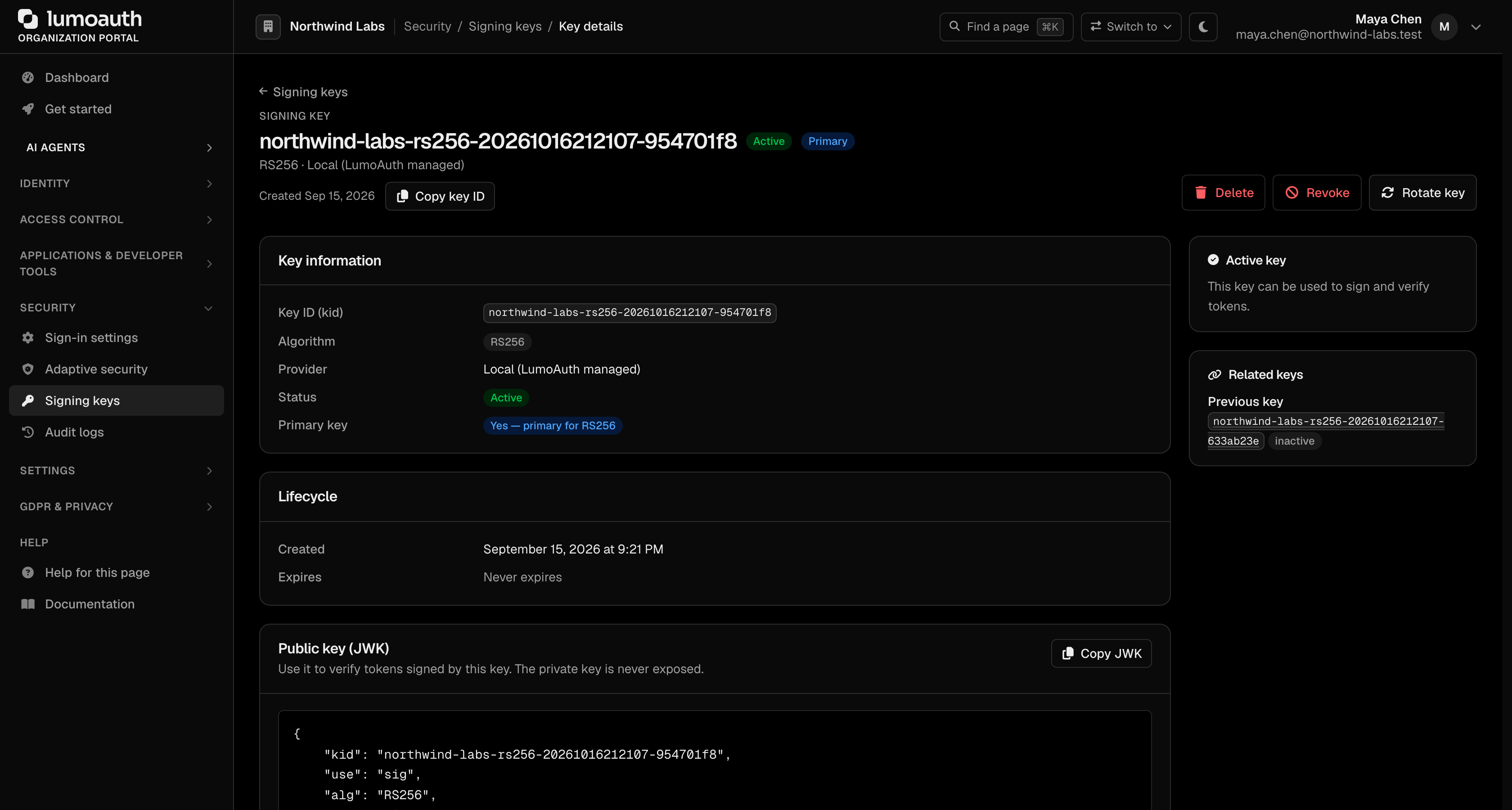
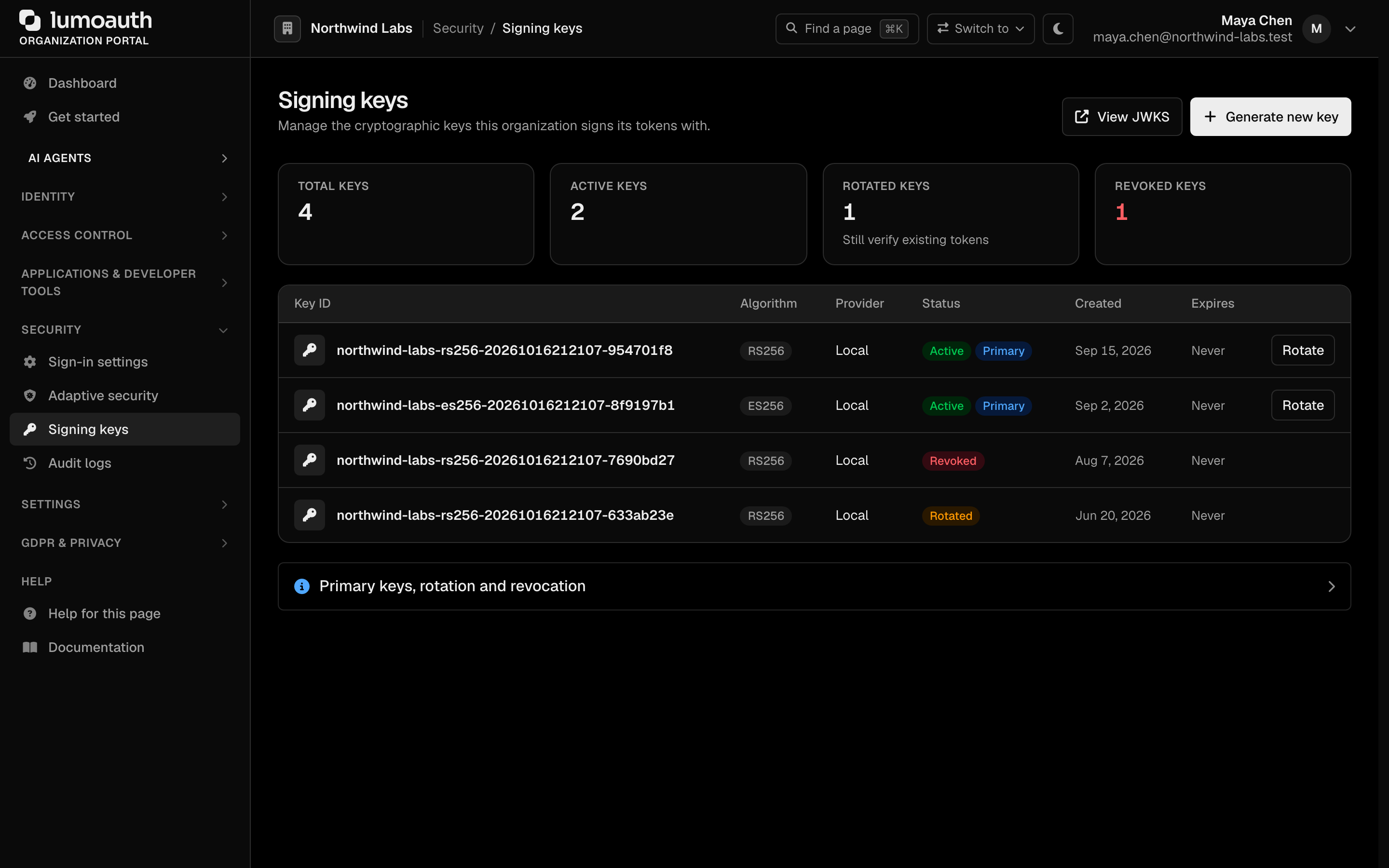
Open Signing keys in the Security group of the portal sidebar (/orgs/{orgId}/portal/signing-keys). The page lists every key with its key ID, algorithm, provider, status, creation and expiry dates:
- Primary key - The active key that signs new tokens (one per algorithm)
- Rotated keys - Replaced keys that stay in the JWKS so previously issued tokens keep verifying
- Revoked keys - Keys that have been withdrawn; they are no longer published in the JWKS
- Rotate (on a key's row) - Generates a replacement key and marks the current one as rotated
- Generate new key - Opens the Generate signing key page, where you choose the algorithm, the key storage, and whether the new key signs new tokens straight away
- View JWKS - Opens the published key set
Click a key ID to open its detail page. Setting a different primary key (Set as primary), revoking a key (Revoke) and deleting a key (Delete) are done there.
Generating a key
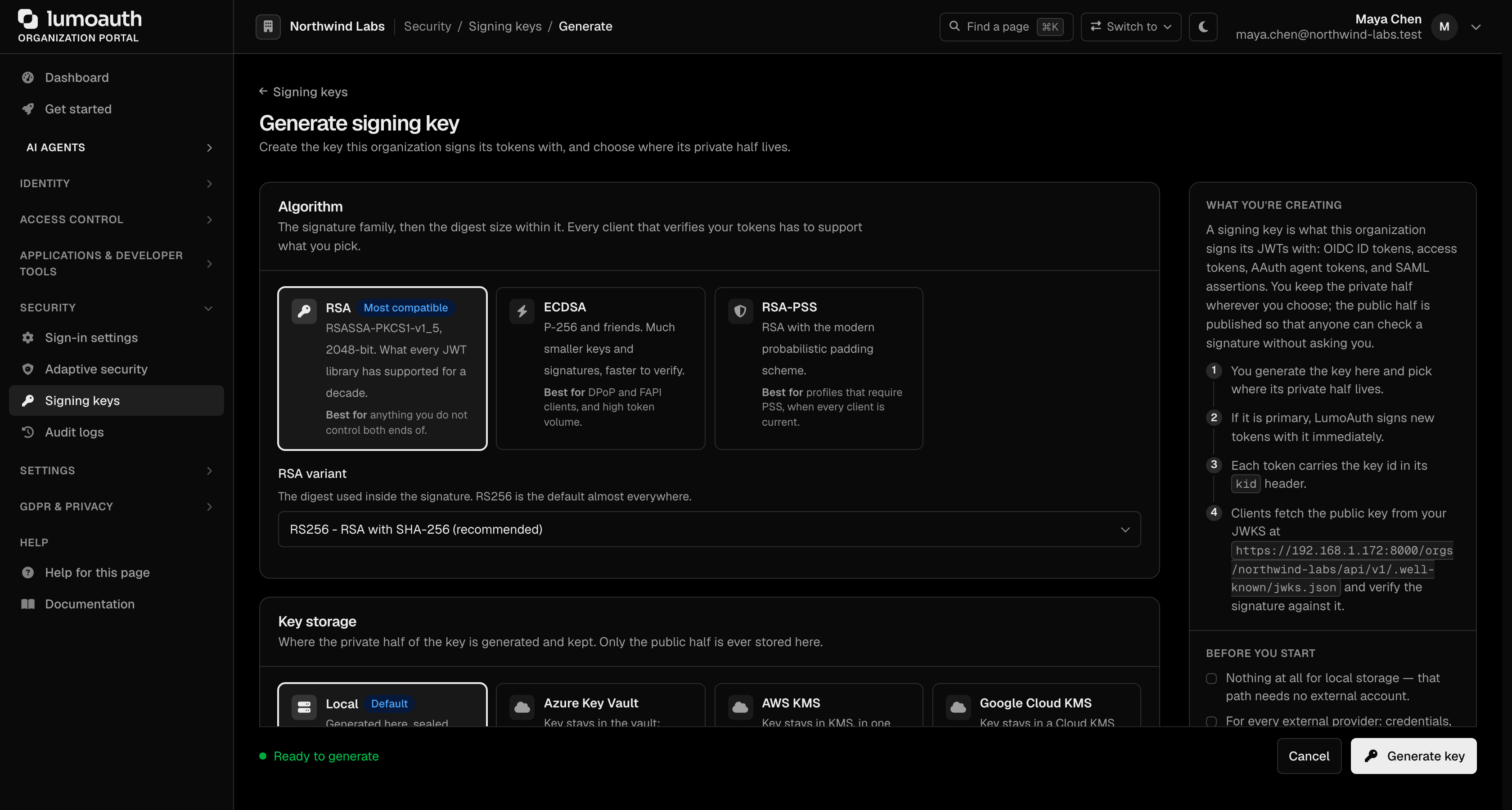
- Click Generate new key.
- Under Algorithm, pick RSA, ECDSA or RSA-PSS, then the variant (for example RS256).
- Under Key storage, keep Local or pick an external key store.
- Under Activation and rotation, turn on Sign new tokens with this key to make it the primary key for its algorithm, or leave it off to publish the key first and switch later. Optionally set Rotate after (days).
- Click Generate key.
JWKS Endpoint
Applications verify tokens by fetching the public keys from the JWKS (JSON Web Key Set) document:
GET /orgs/{orgId}/api/v1/.well-known/jwks.json
Response:
{
  "keys": [
    {
      "kty": "RSA",
      "kid": "key-id-1",
      "use": "sig",
      "alg": "RS256",
      "n": "...",
      "e": "AQAB"
    }
  ]
}
Key Rotation
Why Rotate Keys?
- Security best practice - Periodic rotation limits exposure if a key is compromised
- Compliance - Some standards require regular rotation
- Key compromise - Immediate rotation if a key is suspected compromised
Rotation Process
- Go to
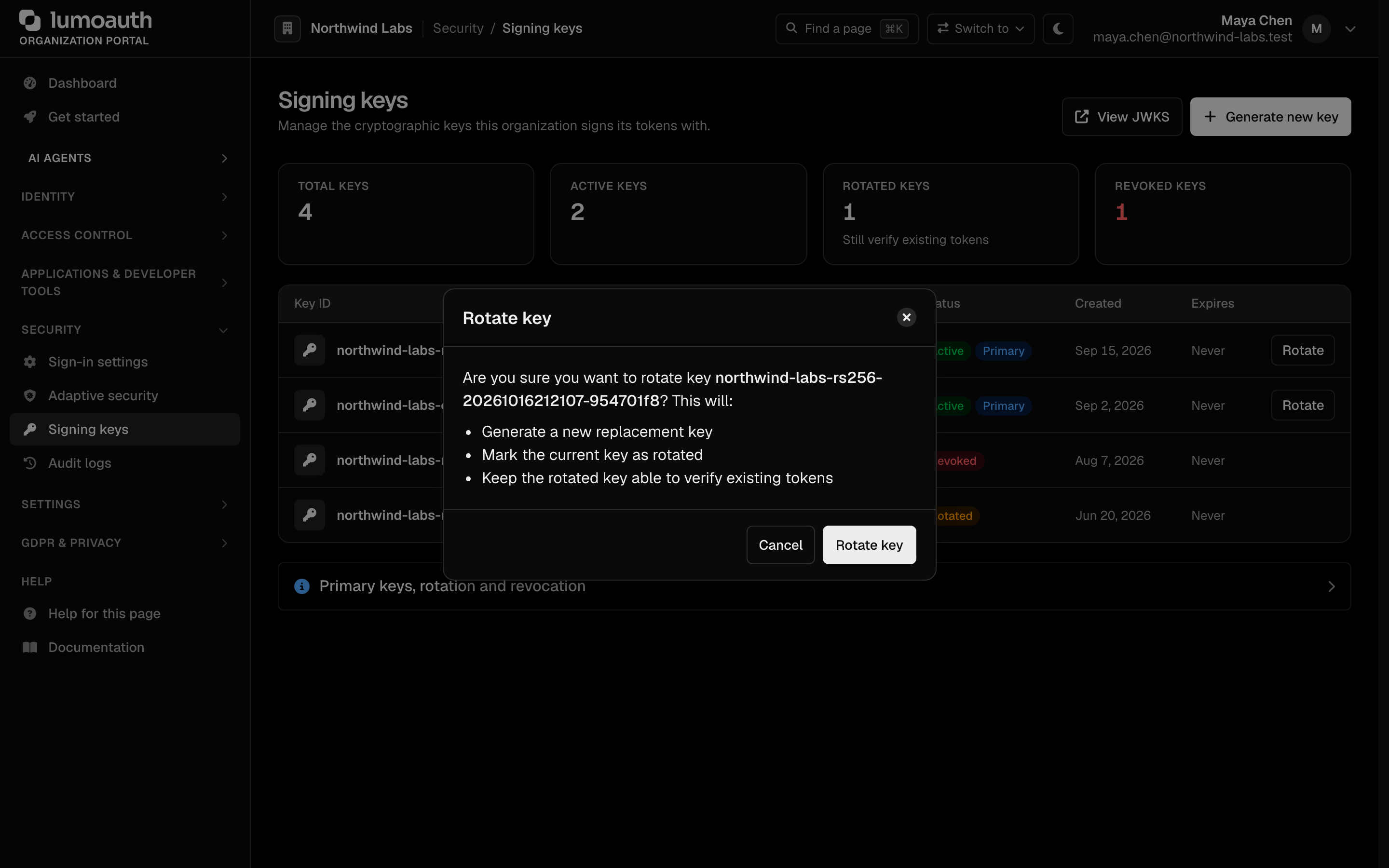
/orgs/{orgId}/portal/signing-keys - Click Rotate on the key's row, then confirm with Rotate key in the dialog
- A replacement key is generated and the current key is marked as Rotated
- The rotated key remains in JWKS to verify existing tokens
- Once the tokens it signed have expired, retire the old key from its detail page (Revoke or Delete)
Grace Period
After a rotation, both the old and new keys are published in the JWKS endpoint. This allows:
- New tokens to be signed with the new key
- Existing tokens signed with the old key to still be verified
- Applications to cache the new key before the old one expires
Token Verification
Applications should:
- Fetch the JWKS from
/orgs/{orgId}/api/v1/.well-known/jwks.json - Cache the keys (refresh periodically or on
kidmismatch) - Match the
kidin the token header to the correct key - Verify the signature
// Node.js example with jwks-rsa
const jwksClient = require('jwks-rsa');

const client = jwksClient({
  jwksUri: 'https://your-domain.com/orgs/acme-corp/api/v1/.well-known/jwks.json',
  cache: true,
  rateLimit: true
});

function getKey(header, callback) {
  client.getSigningKey(header.kid, (err, key) => {
    callback(null, key.getPublicKey());
  });
}
Related Guides
- OAuth 2.0 & OIDC - Token flows and OIDC features
- SAML Applications - SAML assertion signing
- Applications Overview - Application management
Standards used on this page
| Plain name | Standard |
|---|---|
| JSON Web Token (JWT) | RFC 7519 |
| JSON Web Key (JWK) and key sets (JWKS) | RFC 7517 |
See the standards reference for what each one covers and how LumoAuth uses it.