API Keys
API keys authenticate administrative API requests from servers, scripts and CI pipelines, and can enable dynamic OAuth client registration from your applications. Unlike user access tokens, API keys belong to your organization and are limited to the fine-grained scopes you grant them. A key can be long-lived or given an expiration date.
A key is a stateless credential: it never creates a browser session, it must be sent on every request, and it cannot open the portal or account pages. Use it for automation only.
What API Keys Are Used For
| Purpose | Description |
|---|---|
| Admin API access | Authenticate calls to the organization admin API (/orgs/{orgId}/api/v1/admin/*) |
| Dynamic client registration | Allow your application to register OAuth clients programmatically through a JSON API, instead of in the portal |
| Server-to-server automation | Provision users, manage roles, sync data from a backend service |
Managing API Keys
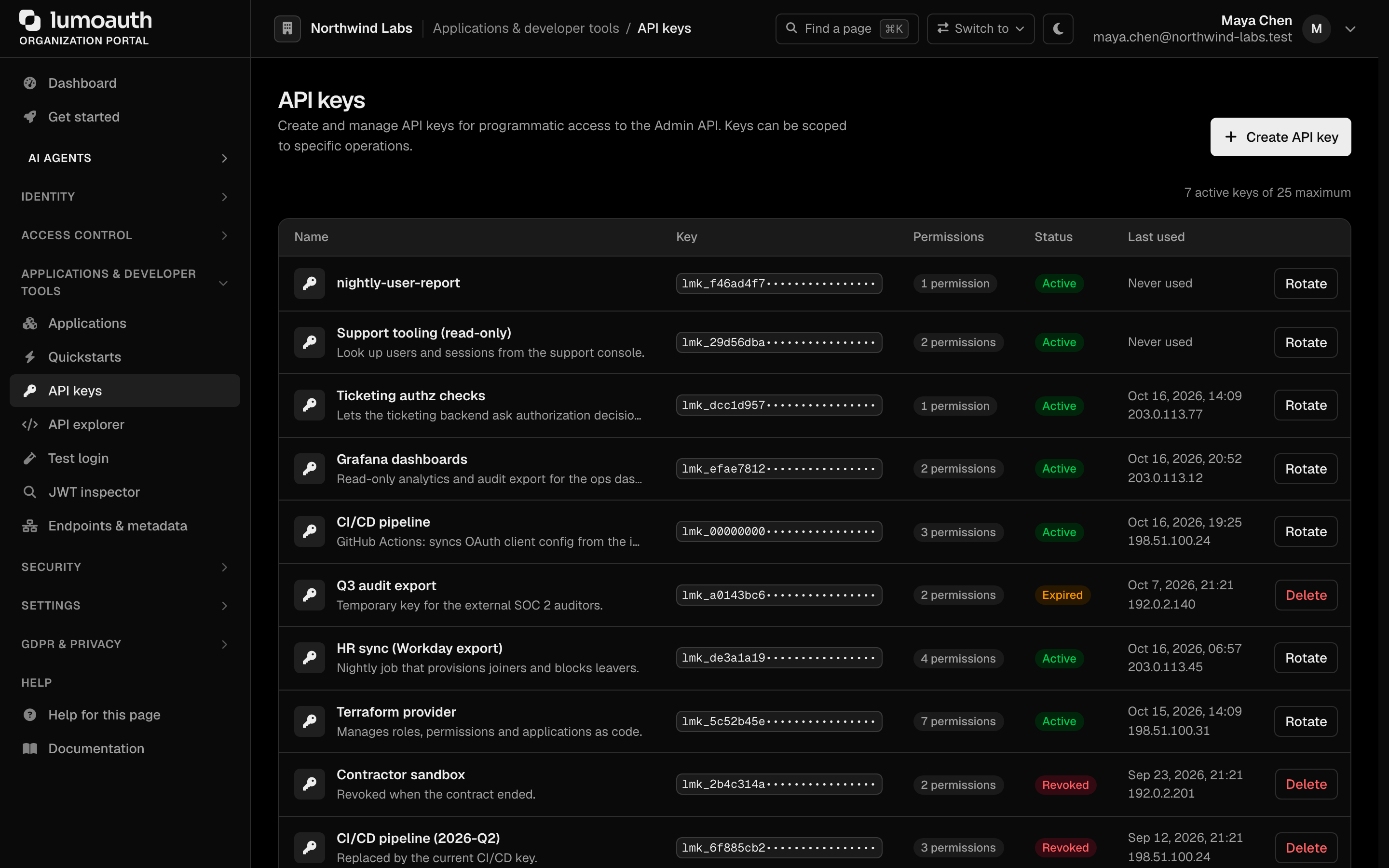
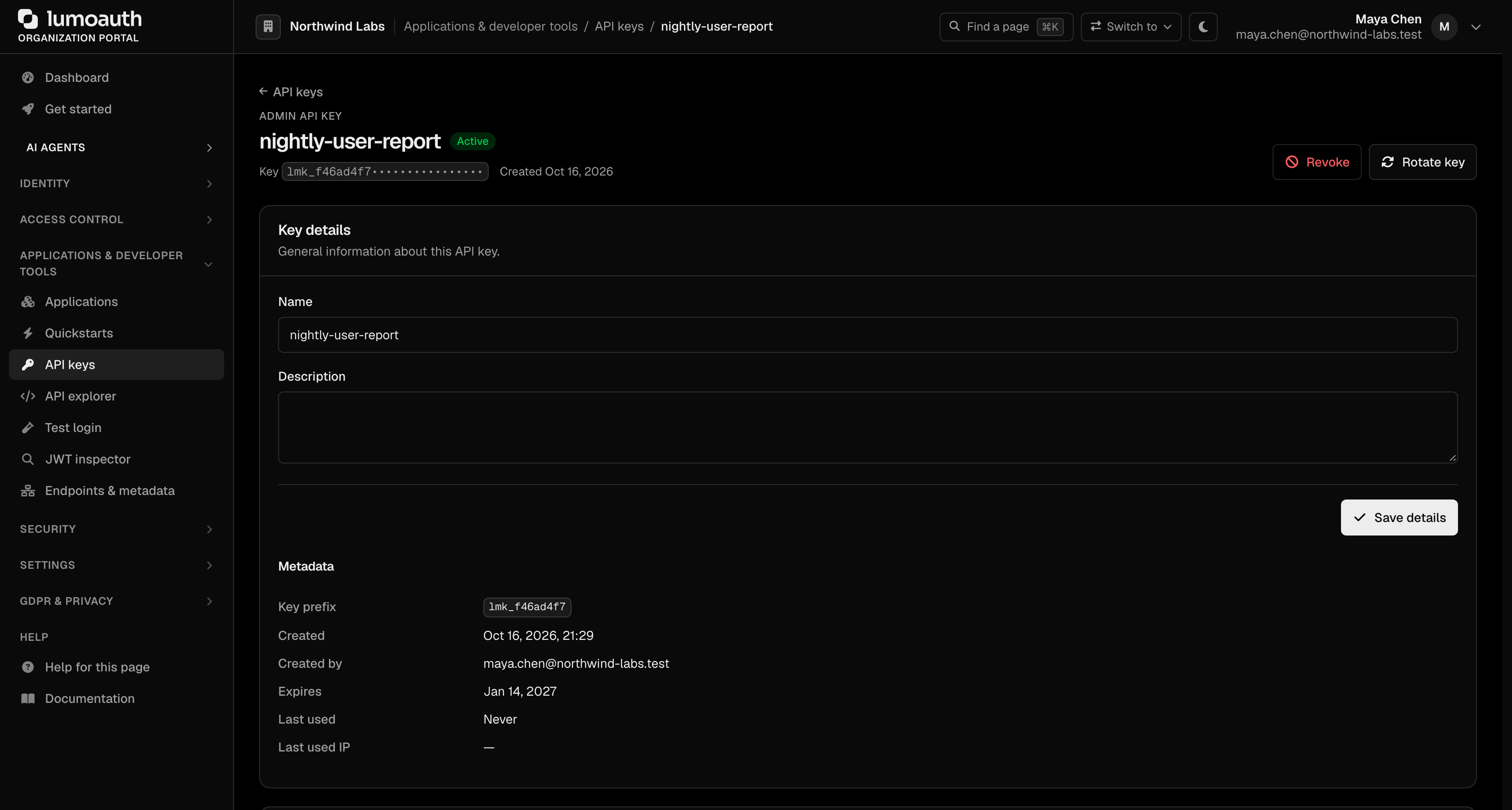
Open API keys in the portal sidebar (/orgs/{orgId}/portal/settings/api-keys) to manage all API keys for your organization. The page lists each key's name and description, prefix, number of permissions, status (Active or Revoked) and last use (time and source IP), and counts the active keys against the organization's maximum (25).
Creating an API Key
- Click Create API key
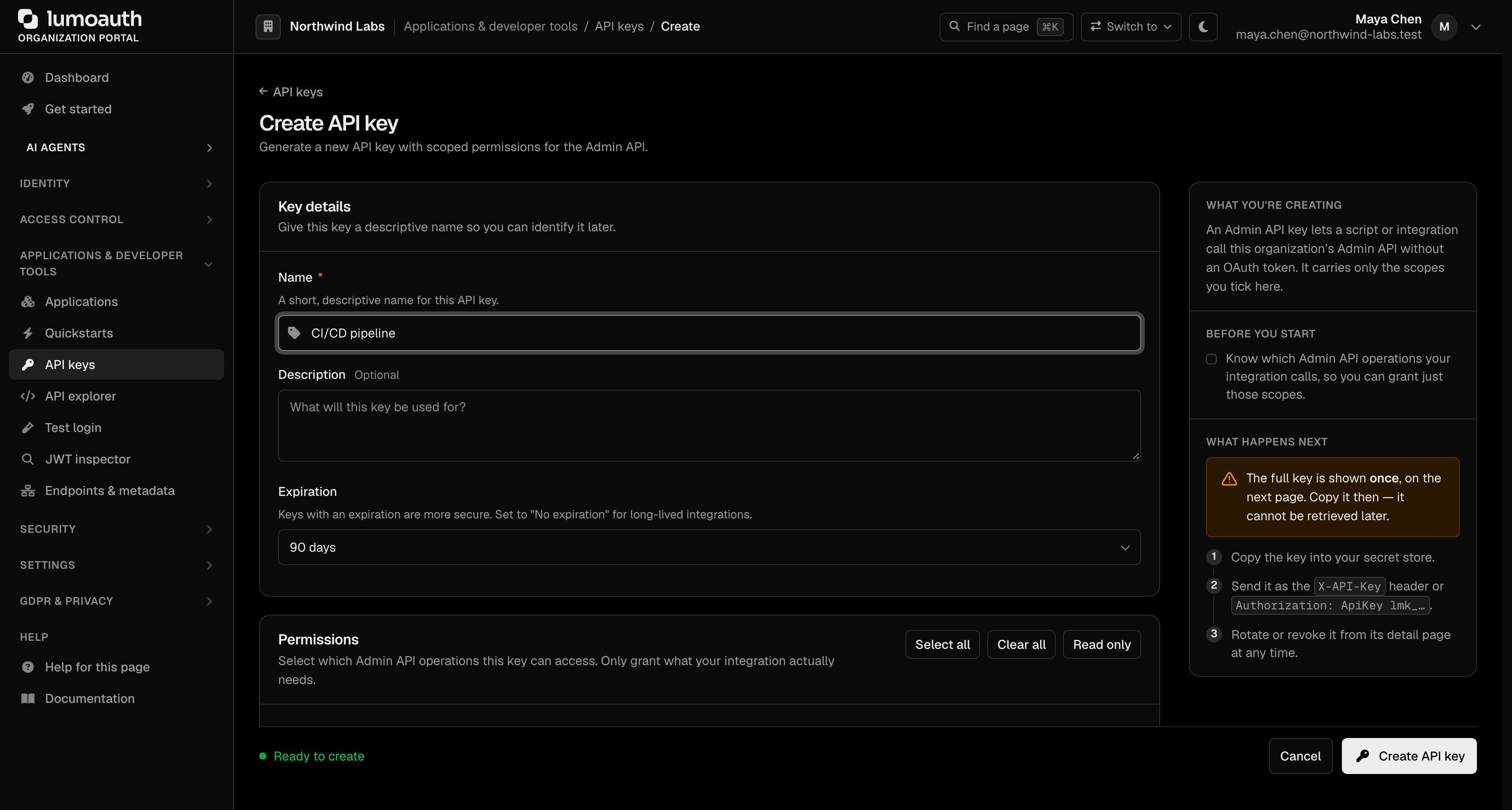
- Enter a descriptive Name (e.g., "CI/CD pipeline" or "Backend provisioning") and, optionally, a Description
- Choose an Expiration: 30 days, 60 days, 90 days (the preselected value), 180 days, 1 year, or No expiration for a long-lived key
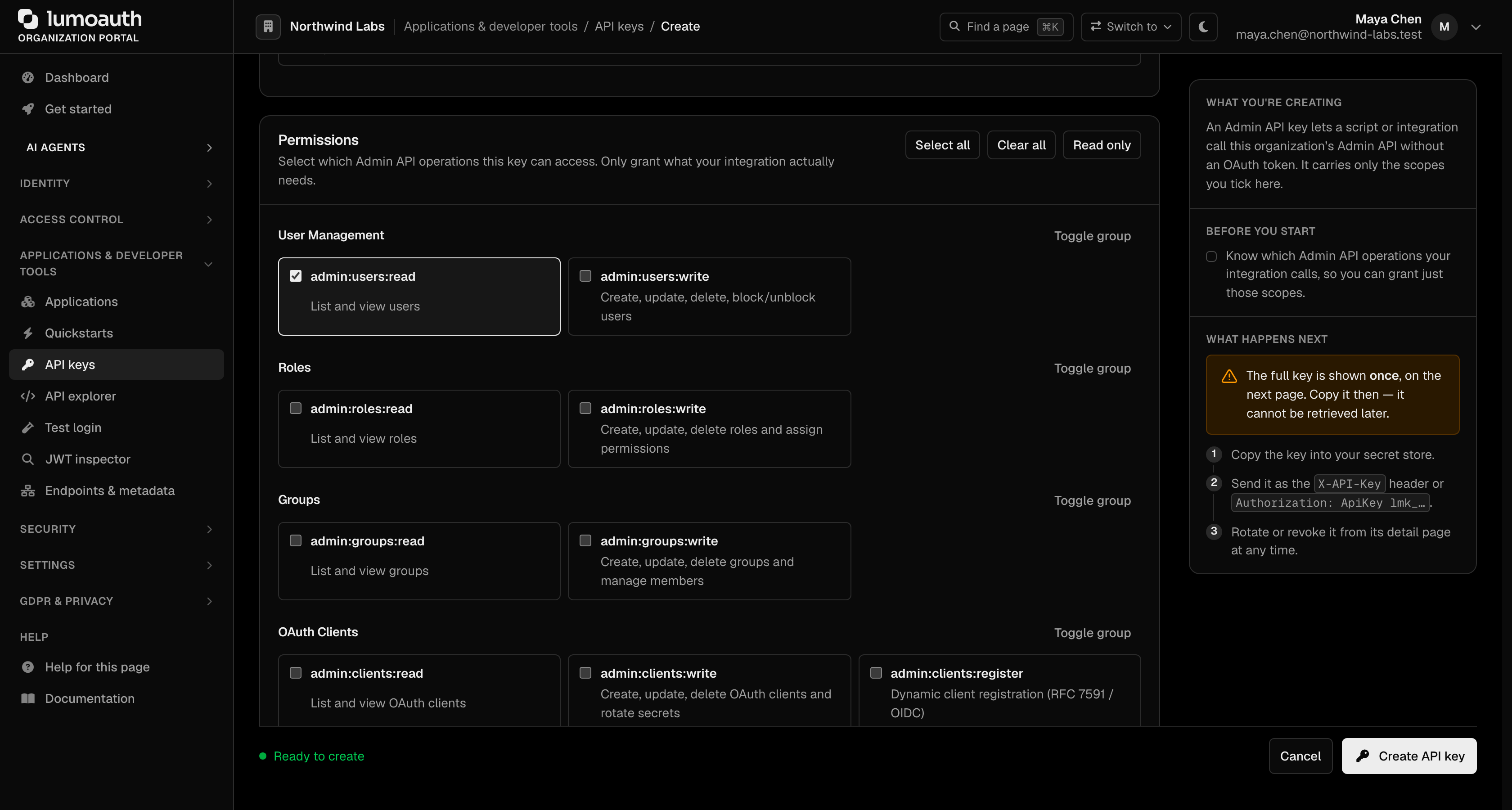
- Under Permissions, tick the scopes the key needs — grant only the fine-grained permissions required (see Scopes below). Select all, Clear all, Read only and each group's Toggle group tick several at once. A key with no matching scope is rejected for that operation.
- Click Create API key
- Copy the key immediately from the API key created successfully page — it is only shown once and cannot be retrieved again
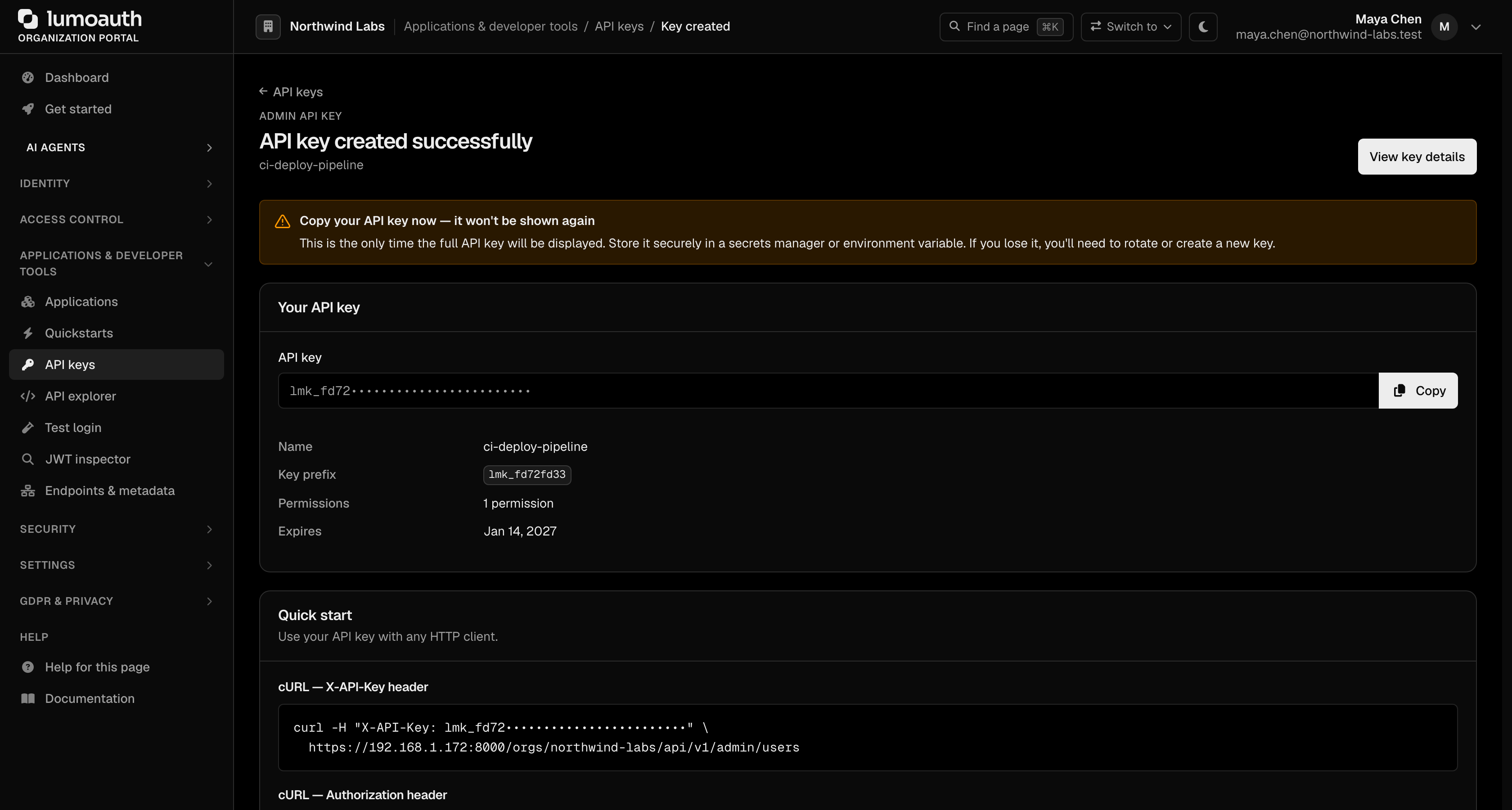
LumoAuth stores only a hashed version of the key. If you lose it, you must rotate it to get a new one.
Scopes
API keys use least-privilege, fine-grained scopes. Grant only what a key needs. Scopes are organized by resource family, each with read and write levels. There is no "all access" scope for keys.
How scopes are enforced (per request, before the endpoint runs):
| Request | Needs |
|---|---|
Read (GET) on a resource | admin:<resource>:read or admin:<resource>:write |
Write (POST, PUT, PATCH, DELETE) on a resource | admin:<resource>:write (a read scope never authorises a write) |
| Any endpoint of a different resource | Nothing carries over; you need that resource's scope too |
| Dynamic client registration | admin:clients:register only; it unlocks nothing else |
A request without the right scope gets 403 forbidden with details.required_scopes and details.granted_scopes so you can see what is missing. Some endpoint families borrow the closest scope (email templates and sandboxes use admin:settings:*, MCP servers use admin:agents:*, customer organizations use admin:users:*, Shared Signals streams use admin:webhooks:*); the full endpoint-to-scope map is in the API reference.
| Family | Scopes |
|---|---|
| Users | admin:users:read, admin:users:write |
| Roles | admin:roles:read, admin:roles:write |
| Groups | admin:groups:read, admin:groups:write |
| OAuth Clients | admin:clients:read, admin:clients:write, admin:clients:register |
| Webhooks | admin:webhooks:read, admin:webhooks:write |
| Audit Logs | admin:audit:read |
| Social Providers | admin:social:read, admin:social:write |
| AI Agents | admin:agents:read, admin:agents:write |
| Permissions | admin:permissions:read, admin:permissions:write |
| Settings | admin:settings:read, admin:settings:write |
| Analytics | admin:analytics:read |
| Sessions | admin:sessions:read, admin:sessions:write |
| ABAC | admin:abac:read, admin:abac:write |
For dynamic client registration, grant admin:clients:register.
In the portal the scopes are the checkboxes of the Permissions section, on the Create API key page and on an existing key's detail page (change them there and click Save permissions).
Key Lifecycle
| Action | Description |
|---|---|
| Create | Generates a new key; shown in full only at creation |
| Rotate | Generates a replacement key and immediately invalidates the old one |
| Revoke | Permanently disables the key |
| Delete | Removes the key record from the portal |
Rotate is available on an active key's row in the list; Rotate key and Revoke are on the key's detail page, which you open by clicking the key. Delete appears on the row once a key is revoked. Each asks for confirmation first.
A key is an extension of the administrator who created it. On every request LumoAuth re-checks that this person is still active (not blocked, deactivated or deleted) and still holds the permission the endpoint requires (for example users.delete for DELETE /admin/users/{userId}; see Required permissions). If not, the call is refused with 403 and details.required_permissions. Creating and managing keys needs settings.manage. Plan for this when someone leaves: rotate their keys from another admin account.
Using an API Key
Send the key with the ApiKey scheme in the Authorization header:
curl https://your-domain.com/orgs/{orgId}/api/v1/admin/users \
  -H "Authorization: ApiKey lmk_your-api-key"
The X-API-Key header is accepted everywhere as an alternative:
curl https://your-domain.com/orgs/{orgId}/api/v1/admin/users \
  -H "X-API-Key: lmk_your-api-key"
Do not send the key as Authorization: Bearer; that scheme is reserved for OAuth access tokens and the request is rejected with 401. Keys work on the admin API (/orgs/{orgId}/api/v1/admin/*), dynamic client registration and the authorization decision endpoints. They are not accepted on the portal or account pages, and they never set a session cookie.
Rotating an API Key
When you suspect a key has been compromised, or as part of regular key rotation practice:
- Go to
/orgs/{orgId}/portal/settings/api-keys - Find the key and click Rotate (or open the key and click Rotate key), then confirm
- Copy the new key from the API key rotated successfully page — it is shown only once
- Update your applications to use the new key
- The old key is invalidated immediately upon rotation
Best Practices
- Grant least privilege — give each key only the scopes it needs. Scopes are matched exactly per resource: a report key holds only
:readscopes, and a job that both lists and changes a resource needs its:readand its:writescope - Set an expiration — prefer short-lived keys with an expiration date for automation and CI
- Use one key per service — name keys after the service that uses them so you can revoke individual services without affecting others
- Rotate keys periodically — treat API keys like passwords and rotate them on a schedule
- Never expose keys in client-side code — API keys carry privileged administrative scopes; only use them in server-side code
- Monitor key usage — suspicious API calls appear in Audit Logs
Related
- OAuth 2.0 & OIDC Applications — manage OAuth clients
- Audit Logs — monitor API key usage
- Dynamic Client Registration — register OAuth clients via API
- API authentication reference — credential decision table, scope catalogue and error codes
Standards used on this page
| Plain name | Standard |
|---|---|
| Dynamic client registration | RFC 7591 and RFC 7592 |
See the standards reference for what each one covers and how LumoAuth uses it.