Credentials and access model
LumoAuth issues several kinds of credentials. Each one is built for a specific job, works only on the routes that job needs, and carries exactly the authority it was issued with. This page tells you which one to use, what it can reach, and the rules that stop a credential from quietly becoming something bigger.
Pick the right credential
| You are… | Use | Send it as |
|---|---|---|
| A server, CI job or script managing an organization (users, roles, clients, webhooks) | Organization API key (lmk_…) | X-API-Key: lmk_… |
| An application acting on behalf of a signed-in user (your own API, userinfo, or the Admin API with admin scopes) | OAuth access token | Authorization: Bearer … or Authorization: DPoP … |
| An AI agent calling agent, JIT or authorization endpoints | Agent API key (agk_…) or an agent token | Authorization: Bearer … |
| An identity provider provisioning users and groups | SCIM provisioning token (SCIM: automatic user provisioning) | Authorization: Bearer … on the SCIM base URL only |
| A person using the portal in a browser | Session cookie (after sign-in, MFA (multi-factor authentication) and any consent gates) | Set by the browser automatically |
Rule of thumb: if the caller is a machine, use the narrowest key that has the scopes it needs. If the caller is acting for a person, use an OAuth token for that person.
Bearer tokens are sent in the Authorization: Bearer header and are only as safe as the channel they travel on. Always send credentials over HTTPS and never put them in URLs. Sender-constrained tokens (DPoP) add a per-request proof signed by a client key, so a stolen token is useless without that key. LumoAuth supports both; prefer DPoP for public clients and anything touching money or data deletion.
What each credential can reach
| Credential | Works on | Refused on | Authority comes from |
|---|---|---|---|
| Organization API key | /orgs/{orgId}/api/v1/admin/**, /api/v1/authz/**, dynamic client registration | Portal and account pages (403) | The key's own scopes, checked per resource and per read/write |
| OAuth access token | Your resource servers, /oauth/userinfo, /oauth/introspect, Admin API only with an admin scope, other org APIs only with their user scope | Portal and account pages (403) | The token's scope claim, plus the user's permissions |
| Agent API key / agent token | /orgs/{orgId}/api/v1/agents/**, /orgs/{orgId}/api/v1/jit/**, /api/v1/authz/check* | Everything else (fails closed) | The agent's capabilities and access policies |
| SCIM provisioning token | /orgs/{orgId}/api/v1/scim2.0/** | Everything else | The organization's SCIM policy toggles |
| Session cookie | Portal, account pages, same-origin JSON calls from the portal | Nothing by itself; every state change also needs a CSRF token or same-origin witness | The signed-in user's roles and permissions |
The rules that keep credentials honest
These are enforced in code and covered by the test suite. They matter because most real-world incidents start with a credential that was issued for one thing and later used for another.
- A credential never becomes a session. Presenting an API key or a Bearer token never sets a session cookie. Every request must carry the credential again. A read-only integration key can therefore not be replayed as a full admin session, and a DPoP-bound token keeps its key binding on every call.
- API-key scopes are enforced per resource, and they fail closed. Every Admin API action declares the scope it needs. A key with
admin:webhooks:readcan list webhooks and nothing else. Scopes match exactly: read requests need the resource's:readscope and state-changing requests need its:writescope, so grant both when one job does both. An action without a declared scope refuses API keys rather than allowing them. The full scope list is in Admin API authentication. - Keys inherit nothing from their creator, but they die with them. A key's authority comes only from its own scopes. On top of its scope, every Admin API call also requires the key's creator to hold the endpoint's permission (for example
users.delete). If that person loses the permission or is deactivated, the key stops working there. - OAuth tokens need an admin scope to manage an organization. A token with
openid profile emailidentifies a user; it does not administer anything, even when that user is an administrator. To call the Admin API with a token, requestadminoradmin:<resource>:<read|write>from a first-party client, and the user must hold the endpoint's permission. Other organization APIs (/me, MFA, ABAC (attribute-based access control), MCP, JIT review) each need an explicit user scope too. - Only access tokens are access tokens. ID tokens, logout tokens, JIT tokens and agent tokens are signed by the same organization key, but they carry a different
typand are refused wherever an access token is expected, including the SCIM API. - Agents stay in their lane. Agent credentials resolve to an agent principal that can only reach agent, JIT and authorization routes. There is no path from an agent key to the portal or the Admin API.
- No privilege gain, anywhere. Whoever assigns a role must already hold every permission in it. This single rule applies to the user and role editors, groups, SCIM group membership and identity-provider default roles. See Roles and permissions.
The JWT access token profile requires access tokens (JWTs, signed JSON tokens) to carry the header typ: at+jwt. That one header is what lets a resource server refuse an ID token that happens to be signed by the same key. If you write your own resource server, check typ before you check the signature.
Try it
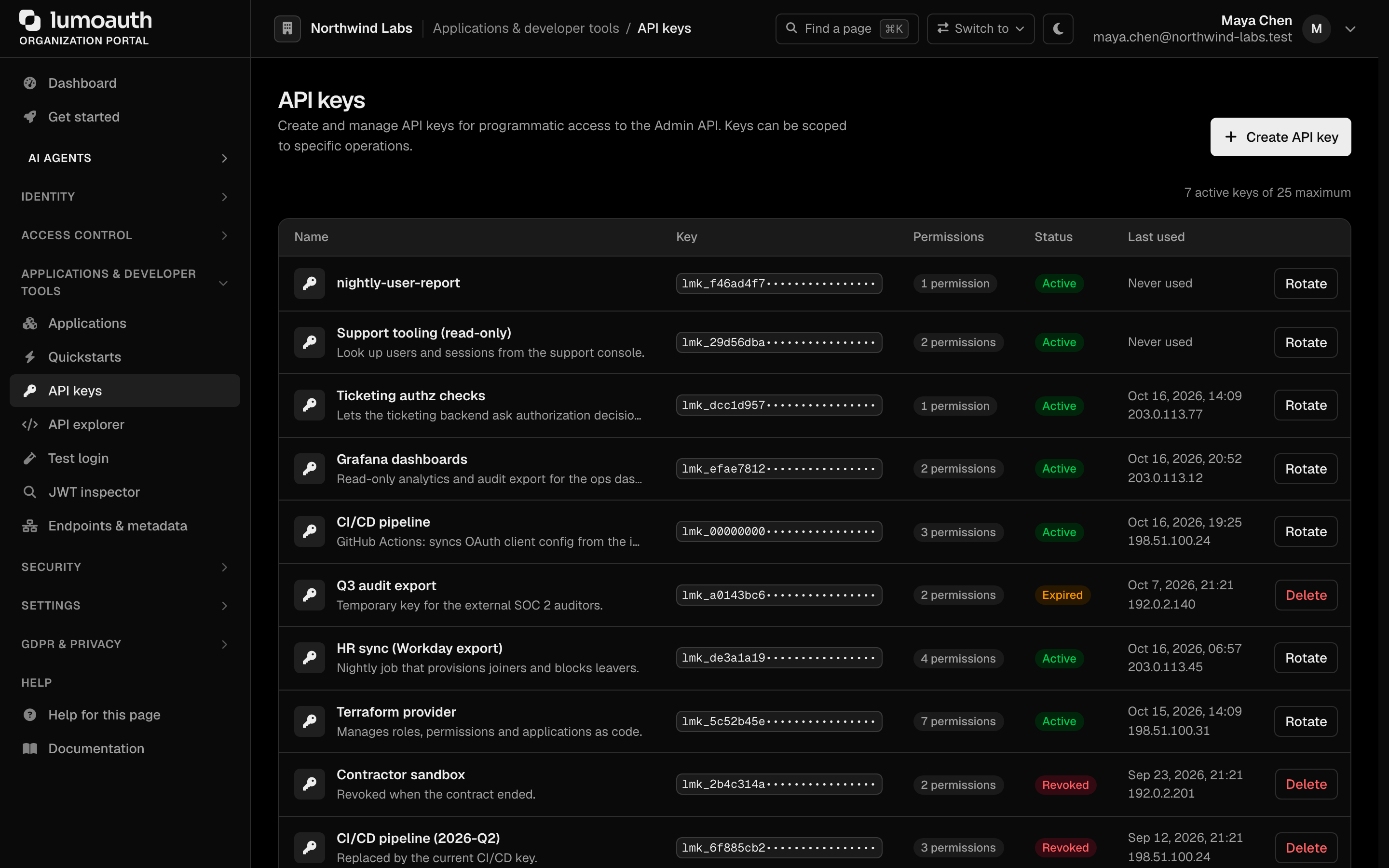
Create an organization API key in the portal under API keys (in the Applications & developer tools group of the sidebar, Create API key) with only admin:users:read, then:
curl https://app.lumoauth.dev/orgs/acme-corp/api/v1/admin/users \
  -H "X-API-Key: lmk_..."
# 200, and no Set-Cookie header in the response
curl -X POST https://app.lumoauth.dev/orgs/acme-corp/api/v1/admin/users \
  -H "X-API-Key: lmk_..." -H "Content-Type: application/json" \
  -d '{"email":"new@example.com","name":"New User"}'
# 403 {"error":"forbidden","message":"...","status":403}
curl https://app.lumoauth.dev/orgs/acme-corp/api/v1/admin/users \
  -H "Authorization: Bearer eyJ...openid-profile-token"
# 403 forbidden — request the admin:users:read scope from a first-party client instead
Common mistakes
- Expecting a cookie after an API call. There is none by design. Send the credential on every request.
- Using a login token to administer. A token from your customer-facing app carries
openid profile email. Mint a separate token with admin scopes from a first-party client, or use an API key. - Sharing one broad key across systems. Create one key per integration with the smallest scope set. Scopes are enforced per resource, so a narrow key really is narrow.
- Putting an ID token in
Authorization: Bearer. It is refused. Use the access token from the same token response. - Calling the SCIM API with a normal access token. SCIM needs the provisioning token, or an access token that carries the
scimscope. See SCIM authentication. - Building an admin UI that calls the Admin API cross-origin with cookies. Registered OAuth-client origins are not honoured for the Admin API. Use a Bearer token with admin scopes from your own origin instead.
Related
- Admin API authentication — headers, scope table, CSRF rules for cookie callers
- API keys — creating, scoping and rotating keys in the portal
- Token formats — JWT and opaque access tokens, DPoP, lifetimes
- Security best practices — the short checklist for integrators and administrators
Standards used on this page
| Plain name | Standard |
|---|---|
| Bearer tokens | RFC 6750 |
| Sender-constrained tokens (DPoP) | RFC 9449 |
| JWT access token profile | RFC 9068 |
See the standards reference for what each one covers and how LumoAuth uses it.