Analytics
Analytics gives you real-time and historical views of authentication activity and user growth for your organization. Analytics is part of the main organization Dashboard — there is no separate Analytics page.
Accessing Analytics
Navigate to your organization Dashboard at /orgs/{orgId}/portal/. (The legacy /orgs/{orgId}/portal/analytics URL now redirects here.)
Dashboard Overview
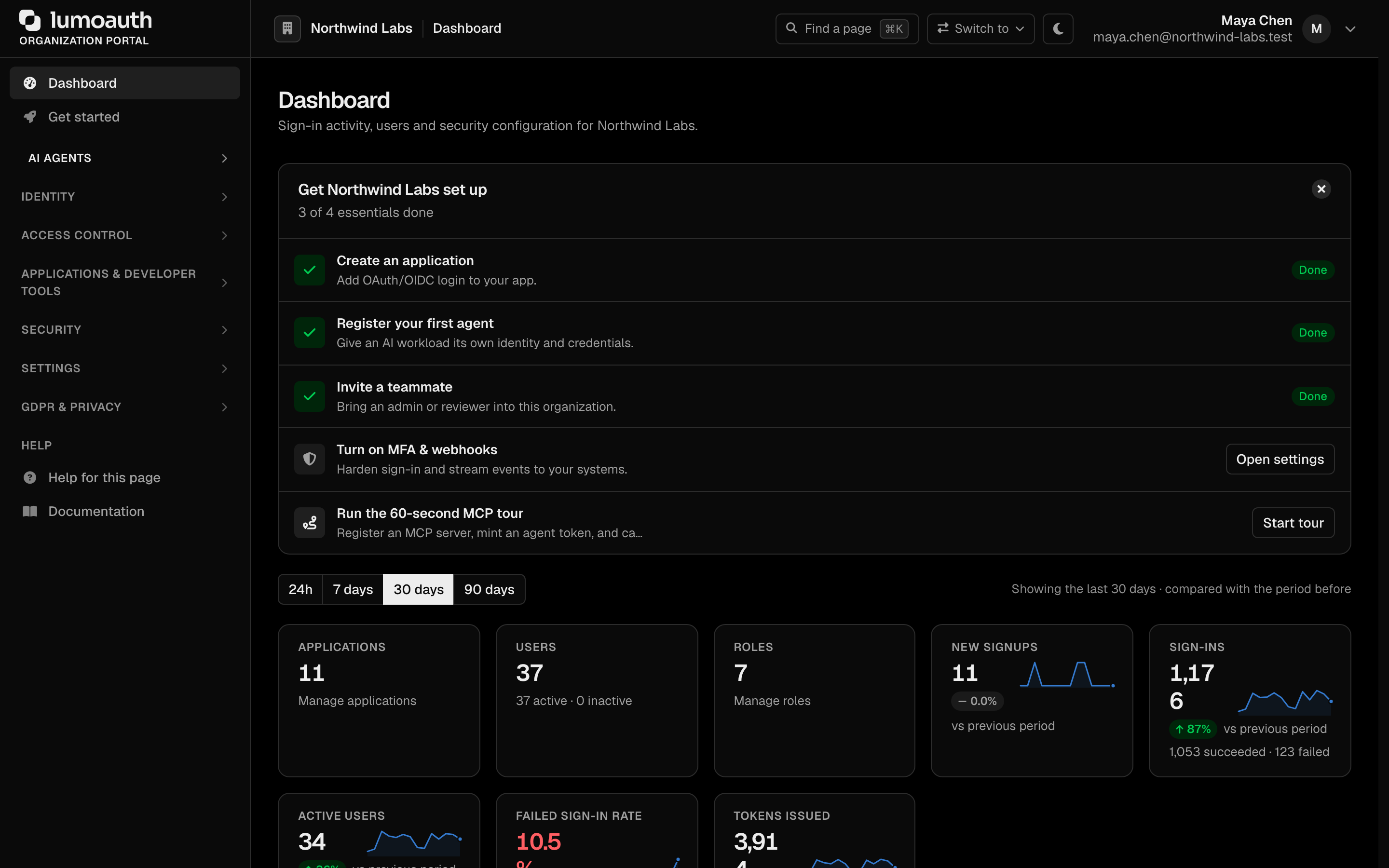
The Dashboard summarizes the activity in your organization:
Time range
The buttons above the tiles switch every number, chart and table on the page between the last 24h (hourly buckets), 7 days, 30 days (the default) and 90 days. The URL carries the choice (?range=7d). Each tile compares the period with the one of the same length immediately before it, and shows a small trend line of the last buckets.
Summary tiles
| Tile | Description |
|---|---|
| Applications | Registered OAuth applications, with a link to manage applications |
| Users | Registered users, split into active and inactive |
| Roles | Roles defined in the organization, with a link to manage roles |
| New signups | Accounts created in the period, with the change versus the previous period |
| Sign-ins | Sign-in attempts in the period, split into succeeded and failed |
| Active users | Distinct people who signed in at least once in the period |
| Failed sign-in rate | Failed attempts as a share of all attempts; failures going up reads as bad |
| Tokens issued | Access tokens minted in the period and the grant types they came from |
Charts and lists
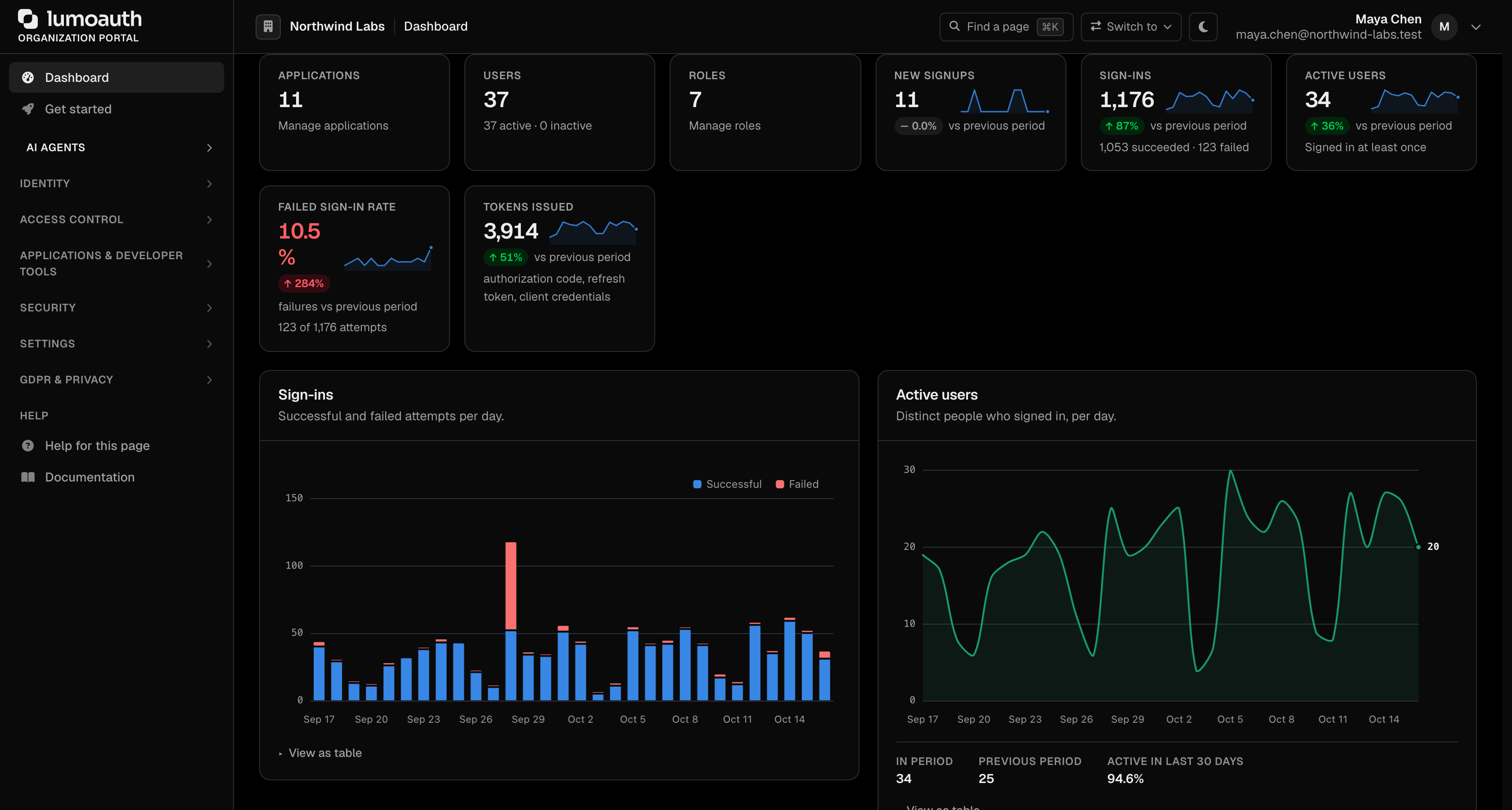
Every chart has a View as table link underneath with the same numbers, and a tooltip on hover. Until someone has signed in or an application has obtained a token, the Dashboard shows the set-up path instead of empty charts.
| Panel | Description |
|---|---|
| Sign-ins | Successful and failed attempts per day (per hour in the 24h view) |
| Active users | Distinct people who signed in, per day, with the share of all users active in the last 30 days |
| New signups | Accounts created per day |
| Sign-in methods | How people proved who they are: password, passkey, LDAP, social, SAML, OpenID Connect, magic link or a remembered device. Sign-ins recorded before this breakdown existed show as Not recorded |
| Access tokens issued | Tokens per day by grant type (authorization code, refresh token, client credentials, …) |
| Audit events | Everything in the audit log per day by severity, with the share that succeeded and the number of errors |
| Most frequent events | The top event types and how many of each failed |
| Why sign-ins fail | Failure reasons across all attempts (wrong password, locked account, …) |
| Authentication latency | Median and 95th-percentile server time to complete a sign-in or mint a token. Recorded for every event from now on, so it fills in as new events arrive |
| When people sign in | Attempts by weekday and hour of day (server time) |
| Top applications | Applications by audit events in the period |
| Recent sign-ins | The latest sign-ins of the last 24 hours with their status |
| Security posture | MFA (multi-factor authentication) and passkey coverage of the user base, how many users were active in the last 30 days, and whether adaptive security, passkeys, MFA and social sign-in are on |
| Adaptive security decisions | What risk scoring did with each sign-in — allowed, challenged with MFA or blocked — per day |
For the full per-event trail and arbitrary date-range filtering, use the Audit Logs page.
API Access
You can pull analytics data programmatically for use in your own dashboards or reporting. All three endpoints return { "data": { ... } }.
# Dashboard summary (no parameters)
# -> users, clients, authentication (last 7 days), audit (last 7 days)
curl https://your-domain.com/orgs/{orgId}/api/v1/admin/analytics/dashboard \
  -H "Authorization: Bearer {admin_token}"

# Login activity — daily breakdown over the last N days (`days`: 1–90, default 30)
curl "https://your-domain.com/orgs/{orgId}/api/v1/admin/analytics/logins?days=7" \
  -H "Authorization: Bearer {admin_token}"

# User growth — registrations, verification and MFA status over the last N days (`days`: 1–90, default 30)
curl "https://your-domain.com/orgs/{orgId}/api/v1/admin/analytics/users?days=30" \
  -H "Authorization: Bearer {admin_token}"
The logins and users endpoints accept only an integer days parameter (they do not take from/to). Each computes its own period: { days, from, to } from that value. For arbitrary date ranges, query the audit-logs API, which supports from/to.
Related
- Audit Logs — per-event audit trail
- Webhooks — stream events to your own analytics stack
- Observability Integrations — stream audit events to Datadog, Axiom, Honeycomb