Choosing an Authorization Model
Start with roles (RBAC, role-based access control). Most organizations never need anything else. Add attribute policies or relationships only when you can name a rule that roles cannot express.
Decision guide
Ask these questions in order and stop at the first "yes".
| Question | Use |
|---|---|
| Is access mostly a function of someone's job or team ("admins can manage billing")? | Roles and permissions (RBAC), with groups if you manage many users |
| Does the decision depend on context, like time of day, IP range, device, or a field on the user or resource ("editors can publish only during business hours")? | Attribute rules on top of roles |
| Is access driven by who owns or shares a specific object ("Alice can edit this document because she is in the team it was shared with")? | Relationships (ReBAC, relationship-based access control / Zanzibar) |
Signs you have outgrown roles
- You are creating one role per customer, project or document.
- Role names have started to encode conditions, like
editor-eu-weekdays. - You need "can this user open this one object" answers for millions of objects.
How they combine
All three models sit behind the same POST /api/v1/authz/check call, so you can adopt them one at a time without changing your application code. ABAC (attribute-based access control) and ReBAC are part of the Fine-grained authorization add-on; RBAC is included on every plan.
In the portal
Under Access control:
- Roles & permissions is RBAC; begin on its Roles tab.
- Attribute rules (ABAC) and Relationships (ReBAC) are advanced and plan-gated.
Use Test access (Access control → Test access) to check a decision before you rely on it.
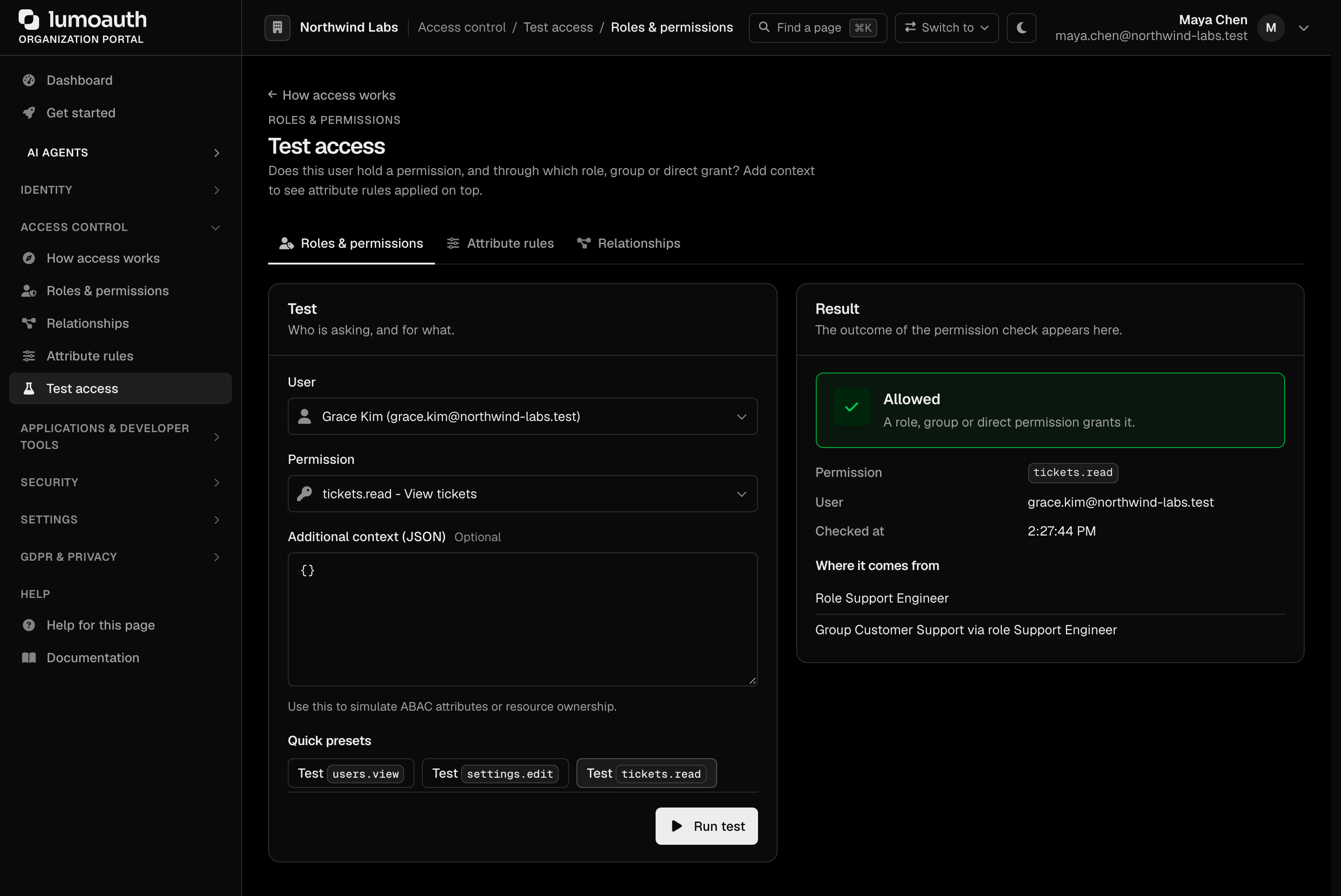
See the overview for where each tester lives.