Authentication
The CLI has two credentials. Both are stateless: the server never issues a session cookie, the credential is sent on every call, and scopes are checked per resource.
| Credential | Best for | How |
|---|---|---|
| Login token | People at a terminal | lumo login --org <slug> (device authorization: you approve the sign-in in a browser on any device) |
| API key | CI, scripts, AI agents | LUMO_API_KEY=lmk_… LUMO_ORG=<slug> |
Not sure what the CLI is about to use? lumo whoami tells you, and lumo doctor checks it against the server.
Device authorization lets a keyboard-only client sign in through a browser on any device: the CLI shows a short code, you approve it in the portal, and the CLI receives a token. The CLI always sends an explicit scope parameter (the list of what the token may do), so the token carries exactly what you asked for rather than everything the client is allowed.
Do this first
lumo login --org acme-corp     # approve in the browser
lumo doctor                    # every check should be ✓
lumo users list                # any resource command
Login tokens and scopes
lumo login requests these scopes unless you narrow them:
openid profile email admin
admin is the blanket Admin API scope. Every lumo resource command (users, roles, apps, agents, webhooks, settings, …) calls the Admin API, which accepts an OAuth token only when it carries admin or an admin:<resource>:<read|write> scope and the signed-in user holds settings.manage in the organization.
For a least-privilege session, request resource scopes instead:
lumo login --org acme-corp --scope openid,admin:users:read,admin:audit:read
The granted scopes are stored with the credentials and shown by lumo whoami. A command that needs more answers 403 with the missing scope named, plus the exact lumo login --scope … to fix it.
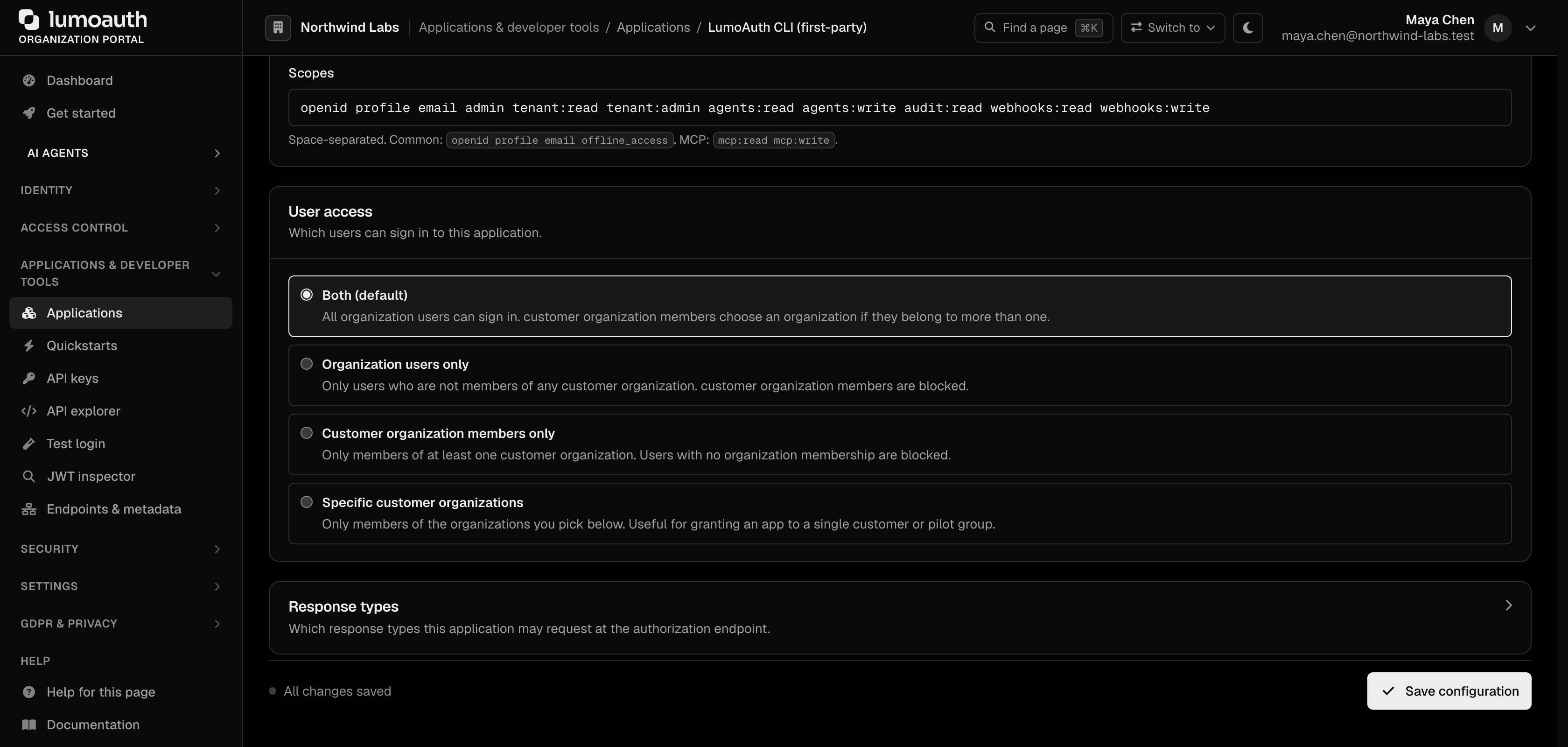
The first lumo login against an organization lazy-creates a public OAuth client, lumoauth-cli:<slug>, allowing the default scopes above. An administrator can narrow that client's allowed scopes in the portal, under Applications → Provided by LumoAuth tab → LumoAuth CLI (first-party) → Configuration → Allowed scopes, to force least-privilege CLI sessions; requesting a scope the client does not allow fails with invalid_scope and a hint.
Stored credentials
# ~/.lumoauth/credentials.yaml — managed by lumo login / logout / profile (0600)
version: 2
current_profile: default
profiles:
  default:
    base_url: https://app.lumoauth.dev
    org_id: acme-corp
    access_token: eyJhbGciOi...
    refresh_token: ...
    expires_at: 2026-09-16T17:00:00Z
    token_type: Bearer
    scopes: [openid, profile, email, admin]
Refresh
Access tokens live one hour; the refresh token lives 30 days. The CLI refreshes silently before a request when the token has expired, and once more when the server answers 401 (revoked or clock skew), then retries. Only when the refresh token itself is gone do you see:
Error: stored credentials have expired and refresh failed.
  Re-authenticate with 'lumo login', or switch to a long-lived API key: …
API keys
export LUMO_API_KEY=lmk_your_key_here
export LUMO_ORG=acme-corp
lumo users list -o json
Create keys in the portal under Applications & developer tools → API keys → Create API key (/orgs/<slug>/portal/settings/api-keys). The full key is shown once, on the next page.
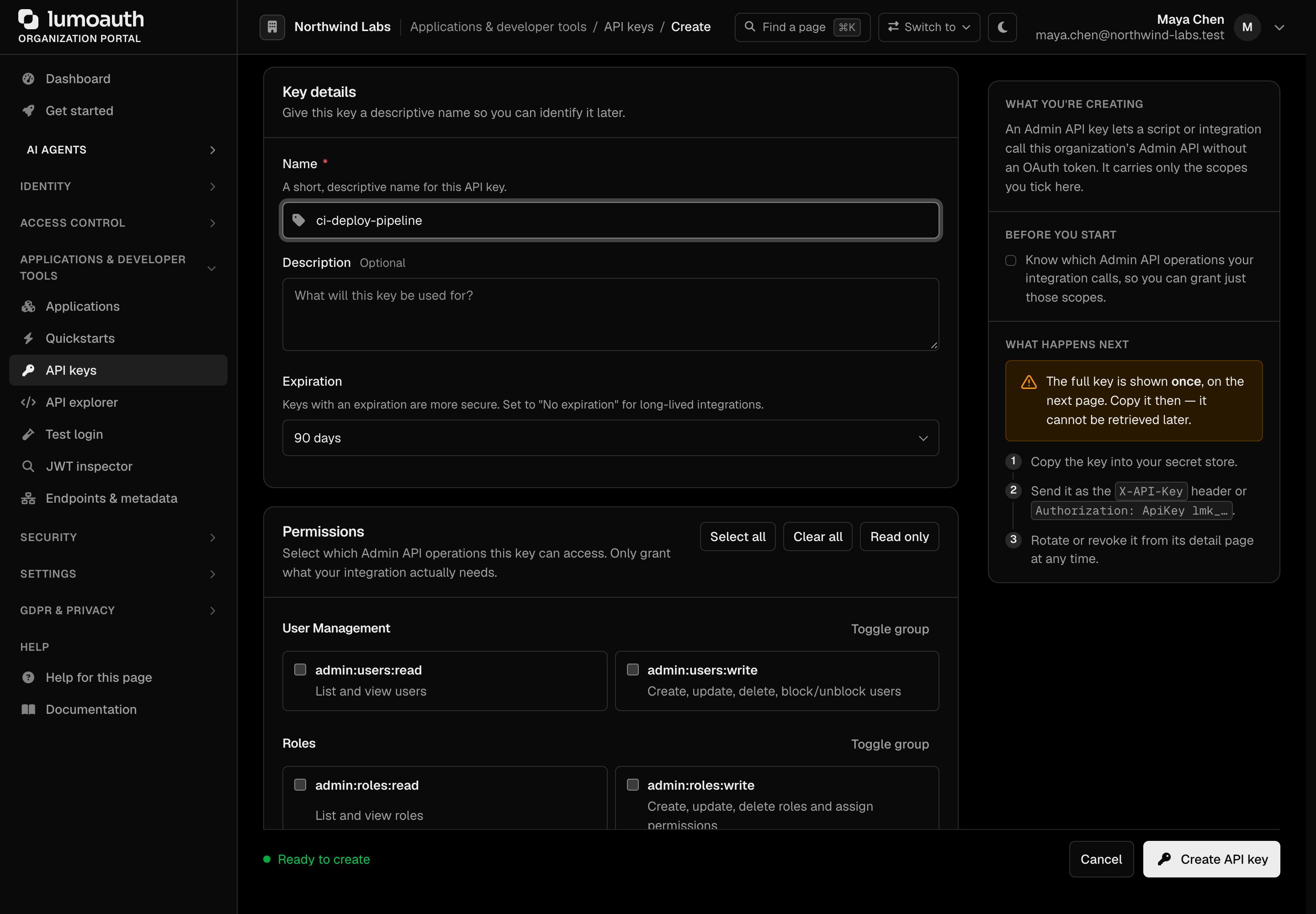
A key carries the per-resource scopes you tick (admin:users:read, admin:webhooks:write, …). Rules the server applies:
- list and get commands need the resource's
:readscope; create, update and delete need:write. Scopes match exactly, so a job that does both needs both. - a scope for one resource never unlocks another:
admin:webhooks:readgets403onlumo users list. - the key's creator must stay active and hold the permission each endpoint requires (for example
users.viewforlumo users list); otherwise the call gets403withrequired_permissions. - the key is sent as
Authorization: ApiKey lmk_…(the Admin API also accepts anX-API-Keyheader).
One key per job, with only the scopes that job's commands need. The per-command list is in the README.
Which credential is used
For each command the CLI picks, in order:
- the login token of the active profile, when it targets the same organization as the command (refreshed if needed);
- otherwise the API key from
--api-key,LUMO_API_KEYor~/.lumoauth/config.yaml; - otherwise the command exits with code
2and a hint.
The login token wins for its own organization so that a stale key for another organization is never sent by accident. To force the API key, run the command against an organization the profile is not logged in to, or lumo logout.
--org, LUMO_ORG and the active profile decide the organization; lumo whoami shows the result.
What each credential can reach
| Credential | Admin API (lumo resource commands) | Portal or account pages |
|---|---|---|
Login token with admin (default) | Yes, within the user's own permissions | Never |
| Login token with resource scopes | Only those resources and levels | Never |
| API key | Only the resources and levels its scopes name | Never |
Errors you may see
| Message | Meaning | Fix |
|---|---|---|
403 … required_scopes | The credential lacks a scope the command needs | Follow the printed hint: lumo login --scope … or create a key with that scope |
403 … missing required permission (body lists required_permissions) | The signed-in user, or the key's creator, lacks that resource permission | Ask for the listed permission; settings.manage alone is not enough |
401 or 403 with a key that used to work | Key revoked, its creator was deactivated, or the creator lost the endpoint's permission | Create a key under an active administrator who holds it |
invalid_scope on lumo login | The organization narrowed the CLI client's scopes | Narrow --scope or ask an admin to allow the scope |
exit code 2, not authenticated | No usable credential | lumo login or set LUMO_API_KEY |
lumo doctor reproduces most of these before you hit them. See Credentials and access model for the rules behind them.
Standards used on this page
| Plain name | Standard |
|---|---|
| Device authorization (sign in on another device) | RFC 8628 |
See the standards reference for what each one covers and how LumoAuth uses it.